


Turn Microsoft Teams into a hub for meeting intelligence with Avoma. Automatically surface meeting updates and important insights in the right Teams channels, giving everyone the context they need without chasing down recordings or searching across tools.
Keep decisions, takeaways, and next steps visible in the conversations where work moves forward.
Choose the setup that matches how your team uses Teams.
Automatically capture, transcribe, and analyze Teams meetings inside Avoma.
Avoma imports your Teams cloud recordings, transcripts, and calendar context as soon as meetings end. You get AI summaries, searchable notes, speaker insights, and conversation intelligence in one place — plus optional CRM sync to log outcomes to Salesforce or HubSpot.
Learn more.
Post Avoma meeting alerts and key takeaways directly into Teams channels.
Once installed in Teams, Avoma sends automated alerts, keyword-triggered updates, and meeting takeaways to the right channels. This keeps teams aligned async, helps stakeholders stay in the loop without attending live, and ensures follow-ups happen where work already happens.
Set up Teams Chat.
Meetings are where key decisions happen. But the outcomes often get buried in recordings, scattered notes, or delayed follow-ups. That slows decisions and creates misalignment across teams.
Avoma fixes that by pushing key takeaways directly into Teams channels, so the right people have the right context at the right time.
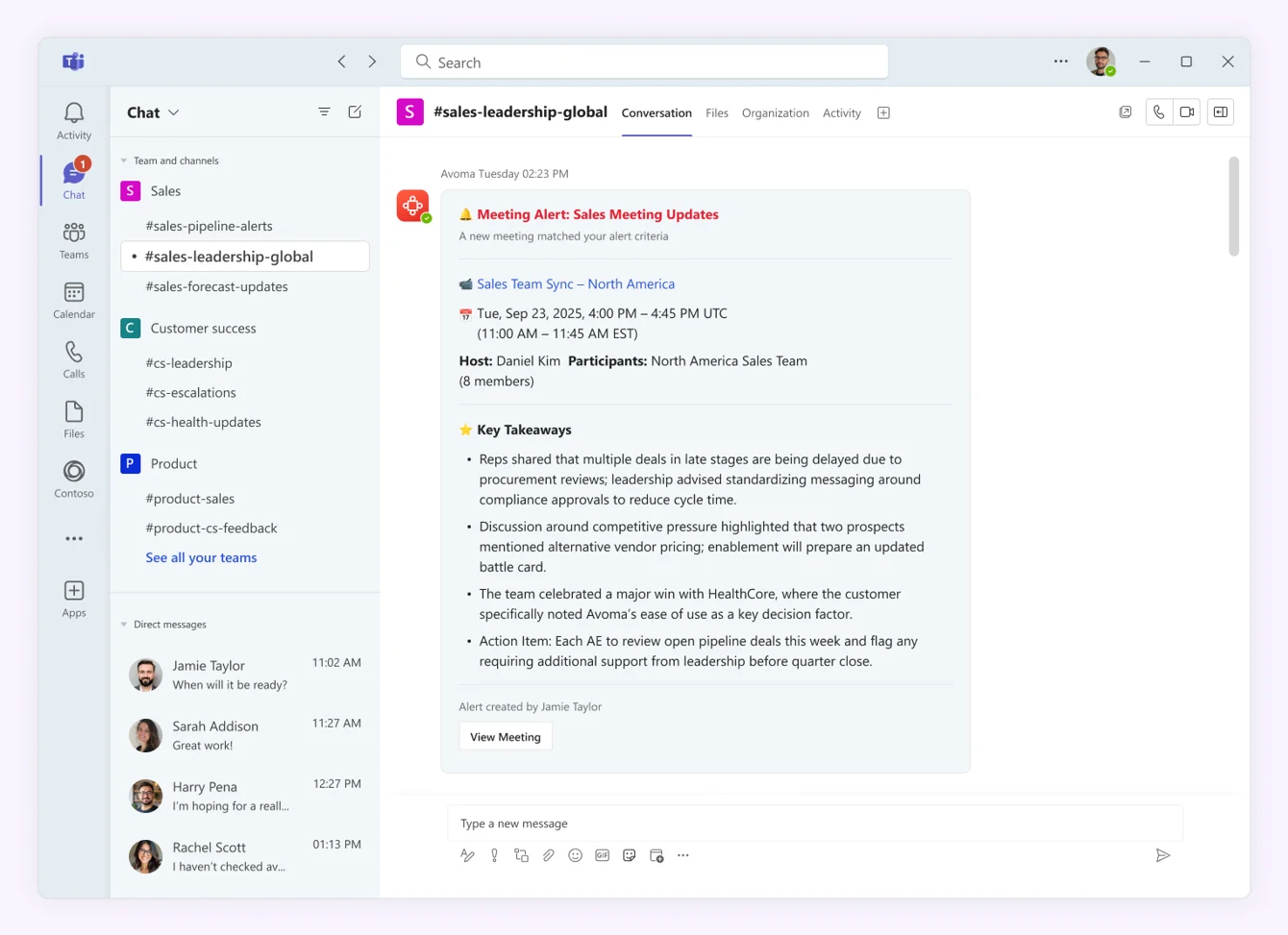
After setup, Avoma posts alerts into standard Teams channels you choose.
Alerts can be:
So your Teams channels become the distribution layer for meeting intelligence.
Follow the step-by-step guide in our Help Center to install the Avoma Teams app and start sending meeting alerts to channels.


