
5 AI task management tools explained: Which one fits your workflow

Table of Contents:
AI task management tools are designed to reduce the manual work involved in capturing, prioritizing, and maintaining tasks across meetings, documents, and daily execution.
This guide is based on hands-on product familiarity, public documentation, and a review of user feedback to focus on what actually works today — where AI meaningfully reduces task overhead, where human input is still required, and which types of teams see real value.
Quick disclosure: Avoma is included in this list. The goal isn’t to promote a single tool, but to help you choose the right fit based on how tasks are created and managed in your workflow.
By the end of this post, you’ll have a clear, practical comparison of five AI task management software options, what each is best suited for, and the trade-offs to consider before adopting one.
How AI task management tools automate the full task lifecycle
AI task management tools reduce the manual work of managing tasks end-to-end, from capturing action items at the source to keeping them prioritized, updated, and (in some cases) automatically marked complete when follow-up actions happen.
Task management is familiar. The problem is that tasks now come from everywhere: meetings, email, chat, docs, and CRM activity. When tasks are created manually, they’re often late, missing context, or never created at all. That’s where artificial intelligence and ai task automation can reduce admin work.
AI task management tools aim to reduce that gap by automating core task work:
- Capture tasks at the source (calls, notes, docs, chat)
- Add the right context (what was decided, who owns it, what “done” looks like)
- Prioritize realistically based on deadlines, goals, and calendar constraints
- Keep tasks current as plans shif and automatically reschedule work when priorities or meetings change
Some tools now go further than task creation and support the full lifecycle: auto-creating, auto-curating, and auto-completing tasks when follow-up actions happen (e.g., follow-up sent, meeting booked).
The tools in this guide break down along a simple line: cross-functional work hubs for project management (ClickUp/Asana), calendar-first personal execution with task scheduling (Motion), docs-to-tasks workflows (Notion), and conversation-to-tasks automation (Avoma).
If you just want the quick scan, here’s the AI task management tools lineup. Details (and trade-offs) follow right after.
TL;DR: AI task management tools compared
1. ClickUp AI Task Manager (ClickUp Brain): Best for cross-functional teams
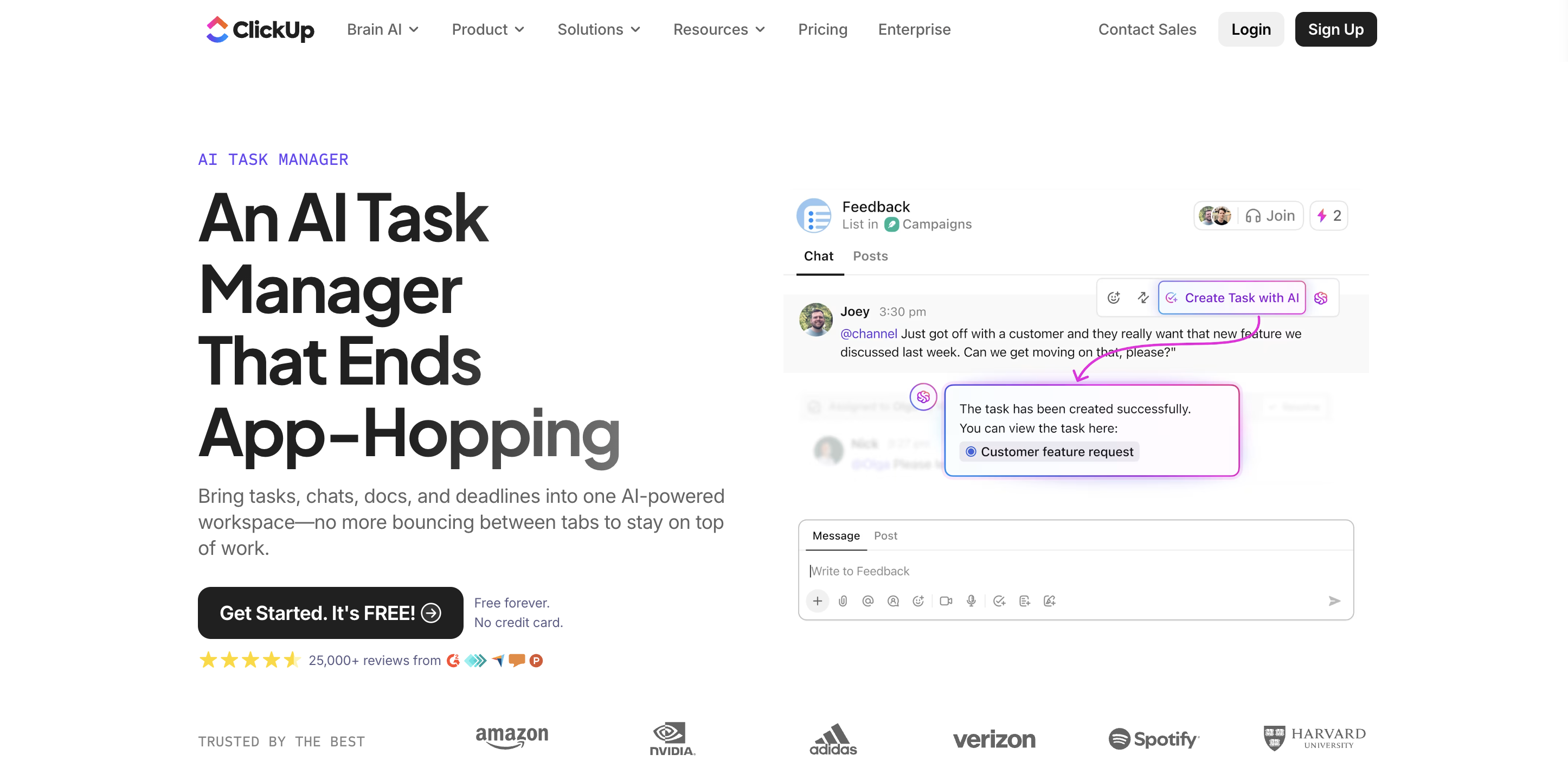
ClickUp with AI is powered by ClickUp Brain, ClickUp’s AI engine that supports task creation, prioritization, assignment, and automated updates across the workspace. It’s best for teams that want AI integrated across tasks, docs, meetings, and workflows. ClickUp is less suitable for teams that want a lightweight tool with minimal setup.
Key AI task management capabilities
ClickUp’s AI (ClickUp Brain) focuses on automating the entire task lifecycle, not just task creation.
- AI task creation from chat, docs, meetings, and notes: ClickUp Brain can instantly turn messages, Docs, meeting notes, or prompts into fully structured tasks including subtasks, owners, due dates, and fields. This reduces manual task entry and keeps execution close to where work is discussed.
- Self-prioritizing tasks: Tasks are automatically ranked based on urgency, deadlines, goals, and team workload. Priorities adapt as conditions change, so teams don’t rely on static tags or manual reordering.
- Intelligent task assignment: AI assigns tasks to the right person based on availability, expertise, and workload, helping balance capacity across teams without manual triage.
- Auto-updating task fields and status: Task statuses, summaries, and fields update automatically as work progresses, reducing the need for manual maintenance and check-ins.
- Progress summaries and AI stand-ups: AI compiles task updates, blockers, and progress into concise summaries or async stand-ups, giving managers visibility without meetings.
- Suggested dependencies and risk awareness: ClickUp Brain detects task relationships and suggests dependencies to prevent bottlenecks before they impact timelines.
Pros and cons of ClickUp AI Task Manager
Pros
- Strong fit for cross-functional teams managing complex, interdependent work
- AI understands task hierarchy, dependencies, goals, and workload, not just isolated to-dos
- Reduces tool sprawl by combining tasks, docs, chat, meetings, and automation in one workspace
Cons
- Requires upfront setup and governance to get full value from AI
- Can feel heavy for teams that only need simple task tracking
- AI effectiveness depends on maintaining clean workflows and task structure
ClickUp Pricing
ClickUp offers a free plan and tiered paid plans, with advanced AI capabilities included in higher tiers. Pricing scales primarily by seat count and plan level, making costs predictable for growing teams. The trade-off is that ClickUp’s AI delivers the most value when teams fully commit to using it as their primary work hub.
What users highlight about ClickUp AI
Users consistently point to ClickUp’s ability to replace multiple tools with one system and appreciate how AI reduces busywork across task creation, prioritization, and reporting.
The most common feedback is that ClickUp is extremely powerful but teams that invest in structure and adoption get the strongest returns from its AI-driven task automation. Overall the most common friction is the initial setup and navigation complexity
2. Motion's AI Task Manager: Best for individual scheduling and daily priorities
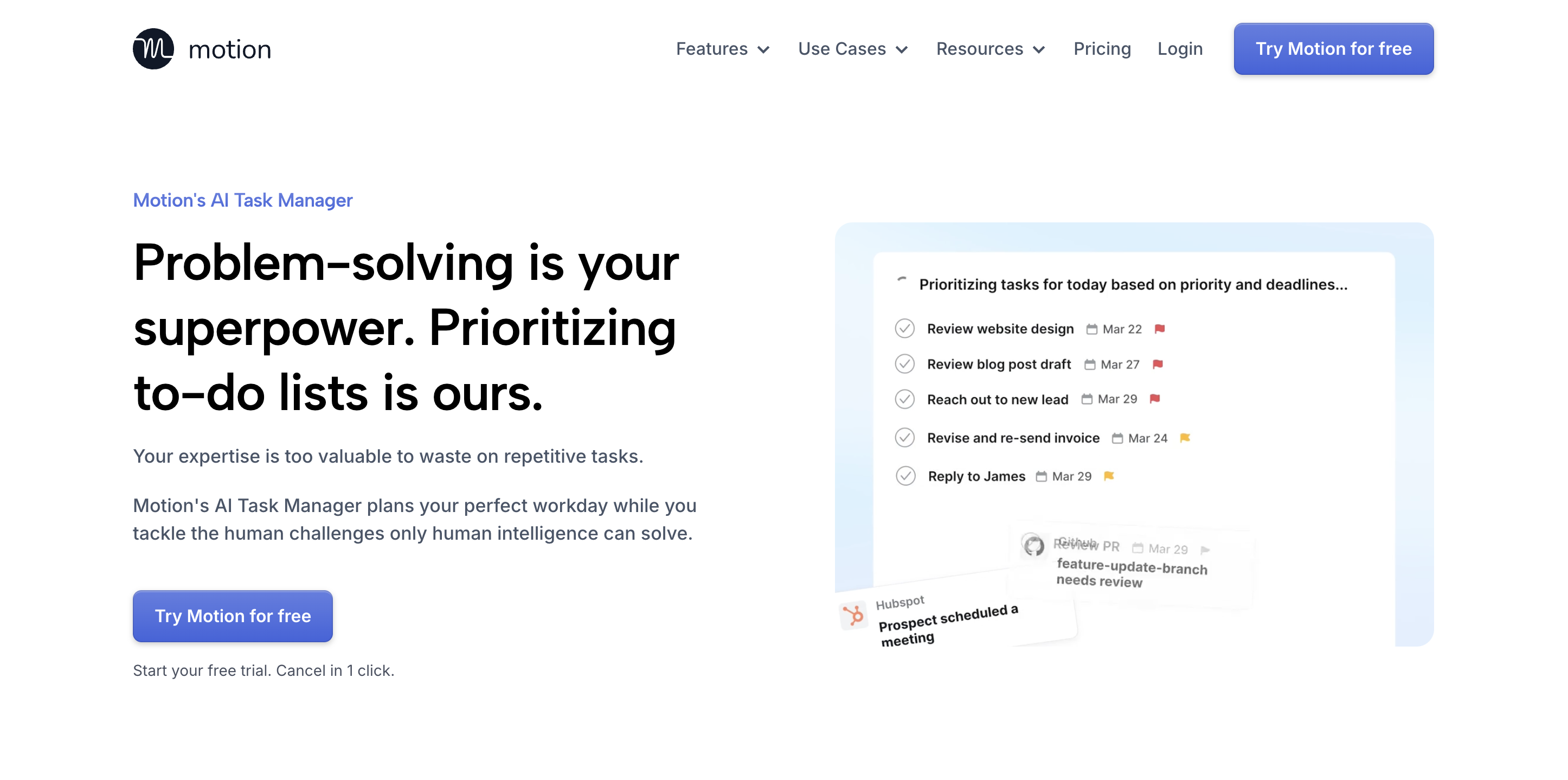
Motion is an AI-first task manager and calendar planner built mainly for individuals and lean teams who want their day auto-organized without constant manual shuffling.
Key AI features include intelligent task scheduling and the ability to automatically reschedule your day when meetings change.
It’s best if you want your tasks and calendar to behave like one system and less ideal if you need deep cross-functional workflow customization. Think of it as less “project board,” more “AI executive assistant for your time.”
Key AI features (what makes Motion feel different)
- AI auto-scheduling (calendar-first planning): Motion automatically plans your day by scheduling your most important tasks into your calendar based on deadlines, priorities, dependencies, and time estimates so due dates turn into an actual plan, not just a reminder.
- Continuous re-optimization: When meetings shift, interruptions happen, or tasks run longer than expected, Motion reshuffles your schedule in the background so your plan stays realistic and you always know what to work on next.
- Personal prioritization engine: Motion surfaces your top priority so you’re not constantly re-sorting lists or hunting through inboxes, notes, and messages to decide what matters most right now.
- Custom time windows and timeblocking: You can set specific time windows for tasks (when you prefer to do deep work, admin, calls, etc.), and Motion slots tasks into those windows automatically to help you hit deadlines without overbooking yourself.
- Fast task capture from anywhere: You can create tasks quickly (including via integrations like email and Siri), and Motion will place them into your schedule automatically.
- Lightweight collaboration and project tracking (for small teams): You can assign/share tasks, comment, attach files, and see live task updates. Motion also flags at-risk work early and highlights blockers/bottlenecks so teams can adjust deadlines, reassign work, or request overtime without guessing capacity.
- AI project and workflow generation (lean teams): If you run lightweight projects, Motion can generate project plans and task workflows from SOP-style inputs, then help auto-assign and schedule tasks.
Pros and cons
Pros
- Auto-scheduling removes daily planning overhead. You need not to decide what to do next and just execute.
- Constant re-planning keeps tasks realistic when calendars change.
- Great for individuals juggling meetings and deep work as it avoids overbooking yourself.
Cons
- Not built for highly customized enterprise workflows; flexibility is intentionally limited.
- Task quality matters. Vague tasks don’t schedule well, so you need to enter clear durations/deadlines.
- If your team lives in boards/status-heavy PM tools, Motion can feel too calendar-first.
Motion Pricing
Motion uses tiered pricing, with AI bundled into Pro with AI and Business AI. Business AI starts at $29, and costs scale by plan level, which keeps budgeting predictable as you grow. The main thing to verify is what’s included at each tier, since Motion’s AI spans tasks, projects, and broader planning workflows.
What users say
User sentiment often circles one theme: Motion is a relief for people drowning in daily prioritization. The auto-scheduling and constant re-optimization are what convert skeptics into regular users.
The flip side: if someone expects a traditional PM tool with tons of custom states and views, Motion can feel constraining. It’s designed to decide your day, not endlessly configure it.
3. Asana AI: Best for structured workflows, goals, and automation
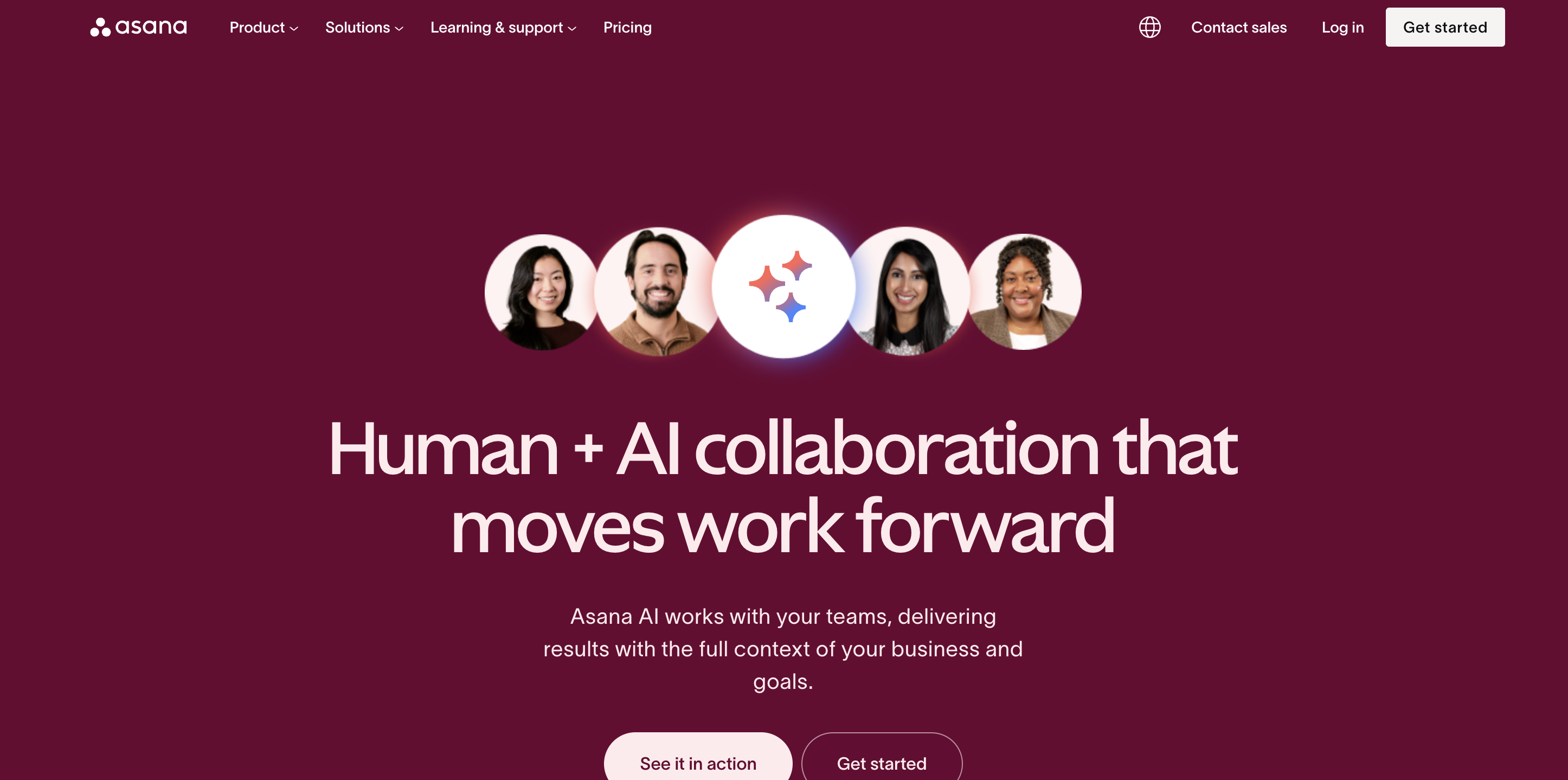
Asana AI is Asana’s built-in AI assistant for teams running structured projects and repeatable workflows. It’s best for mid-sized and enterprise teams that use Asana to manage projects, portfolios, and goals. It is less suitable for individuals who want a lightweight personal task planner.
Key AI features (as Asana defines them)
- Smart status: Generates quick project and task status updates so you don’t have to manually write weekly progress reports.
- Smart summaries: Produces concise summaries across tasks, projects, and portfolios for faster catch-up and stakeholder updates.
- Smart editor: Helps draft and refine task descriptions so requirements, context, and next steps are clearer.
- Smart fields: Auto-fills key task fields to keep work items complete, consistent, and easier to report on.
- Smart projects: Creates a customized project structure (description, sections, custom fields) based on the project’s name and purpose.
- Smart goals: Improves goal quality by suggesting success criteria, impact summaries, goal hierarchy, and accountable teams.
- Smart rule creator: Uses AI to help build workflow automation rules, so routine processes don’t require manual setup.
- Smart chat: Answers work-management questions inside Asana to help teams make quicker decisions with less searching.
- Asana AI Studio: A no-code way to build “smart workflows” by combining LLMs with Asana’s rules engine, then publishing them across the organization.
Pros and cons
Pros
- AI is grounded in real workflow context (Work Graph), so insights feel specific to your projects.
- You’ll only feel the value if your team keeps Asana structured and up to date. AI can’t rescue a messy workspace.
- Excellent for orgs that need goal-to-task visibility and exec reporting.
Cons
- Heavier than calendar-first or personal AI tools; not built for solo productivity.
- AI status and portfolio summaries cut recurring admin work for PMs and leaders.
- Some AI capabilities may be plan-gated, so smaller teams might not access the full suite.
Asana Pricing
Asana uses tiered per-user pricing.
The Personal plan is free (for up to 2 users) but does not include Asana AI.
Asana Starter starts at $10.99/user/month billed annually; Advanced at $24.99/user/month billed annually; Enterprise uses custom pricing.
Enterprise and Enterprise+ are custom-priced (contact sales) and also include Asana AI + AI Studio, with additional controls for larger orgs.
What users say
Asana users generally like that Intelligence feels native and it doesn’t bolt on random AI tricks, it improves the workflows they already run. The biggest praise shows up around faster status reporting and clearer cross-team visibility.
The biggest caution is consistent too: if your Asana setup isn’t disciplined, AI insights get fuzzy.
4. Notion AI for task management: Best for doc-first teams and dashboards
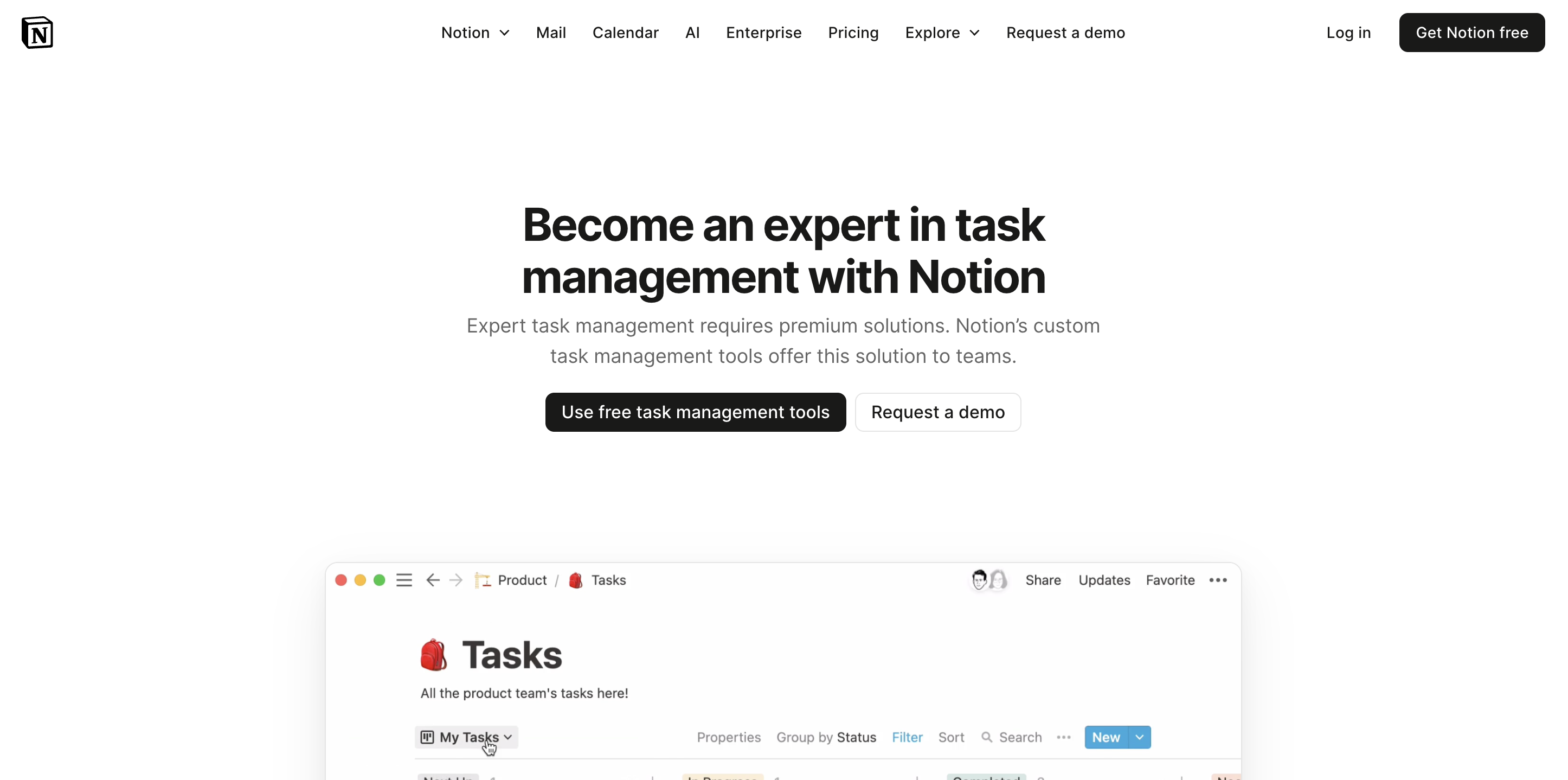
Notion AI is Notion’s AI layer inside its all-in-one workspace, built for teams that want docs, knowledge, and lightweight project tracking in one place.
It’s best for content-heavy workflows where tasks live inside databases, pages, and team wikis and less ideal if you want an out-of-the-box project management system with rigid workflows.
Key task management capabilities (Notion + Notion AI)
- Custom task dashboards (database-first): Notion lets you build a task database and turn it into team dashboards with properties like owner, due date, priority, sprint, and team and then create multiple views (list, board, calendar, Gantt/timeline, table) for different workflows.
- Flexible organization and prioritization: Teams can sort and filter tasks by priority, category, timeline, and more, depending on what “on track” means for them.
- AI Meeting Notes: Notion AI can turn meetings into captured notes and make that information searchable and reusable inside the workspace.
- AI writing and drafting support: Notion AI helps draft, edit, and rewrite content (useful for task descriptions, project docs, and updates).
- Autofill databases with summaries and insights: Notion AI can generate summaries and structured insights that populate database fields, which can reduce manual admin for documentation-heavy projects.
- Enterprise search + AI Q&A: Notion AI supports asking questions and finding answers quickly across your Notion content (and connected sources), reducing time spent hunting for context.
Pros and cons of Notion
Pros
- Highly flexible task management: Build a system that matches how your team works
- Strong for teams where docs and execution are tightly linked (wikis, briefs, roadmaps)
- Multiple views (Kanban, calendar, timeline/Gantt, table) help different roles work comfortably
Cons
- Requires setup: you’re designing your task system, not adopting a pre-built workflow
- Can feel less structured than dedicated PM platforms for complex dependencies and portfolio management
- “AI helps with content and context” more than “AI runs task execution” compared to calendar-first tools
Notion Pricing
Notion uses tiered pricing, with a free plan available for individuals and small teams to try task management and core workspace features. Notion AI is available as a limited trial on Free and Plus, and becomes fully available starting on the Business plan at $20 per member/month. The Plus plan starts at $10 per member/month, while Enterprise pricing is custom and includes advanced security, controls, and zero data retention with LLM providers.
The key trade-off to understand is that Notion’s AI capabilities (like agents, enterprise search, and AI meeting notes) scale with plan level, so teams should confirm which AI features are included versus trial-only at their tier before committing.
What users say
Notion AI is widely liked for making doc-to-task workflows faster, especially in marketing, product, ops, and research teams.
The recurring caveat is that while AI is excellent at identifying action items, it doesn’t always instantiate them as clean, trackable tasks unless your databases and templates are set up to catch them. In other words: high leverage if you live in Notion, less magical if you expect a ready-made PM machine.
5. Avoma’s AI Task Manager: Best for conversation-driven task capture and follow-through
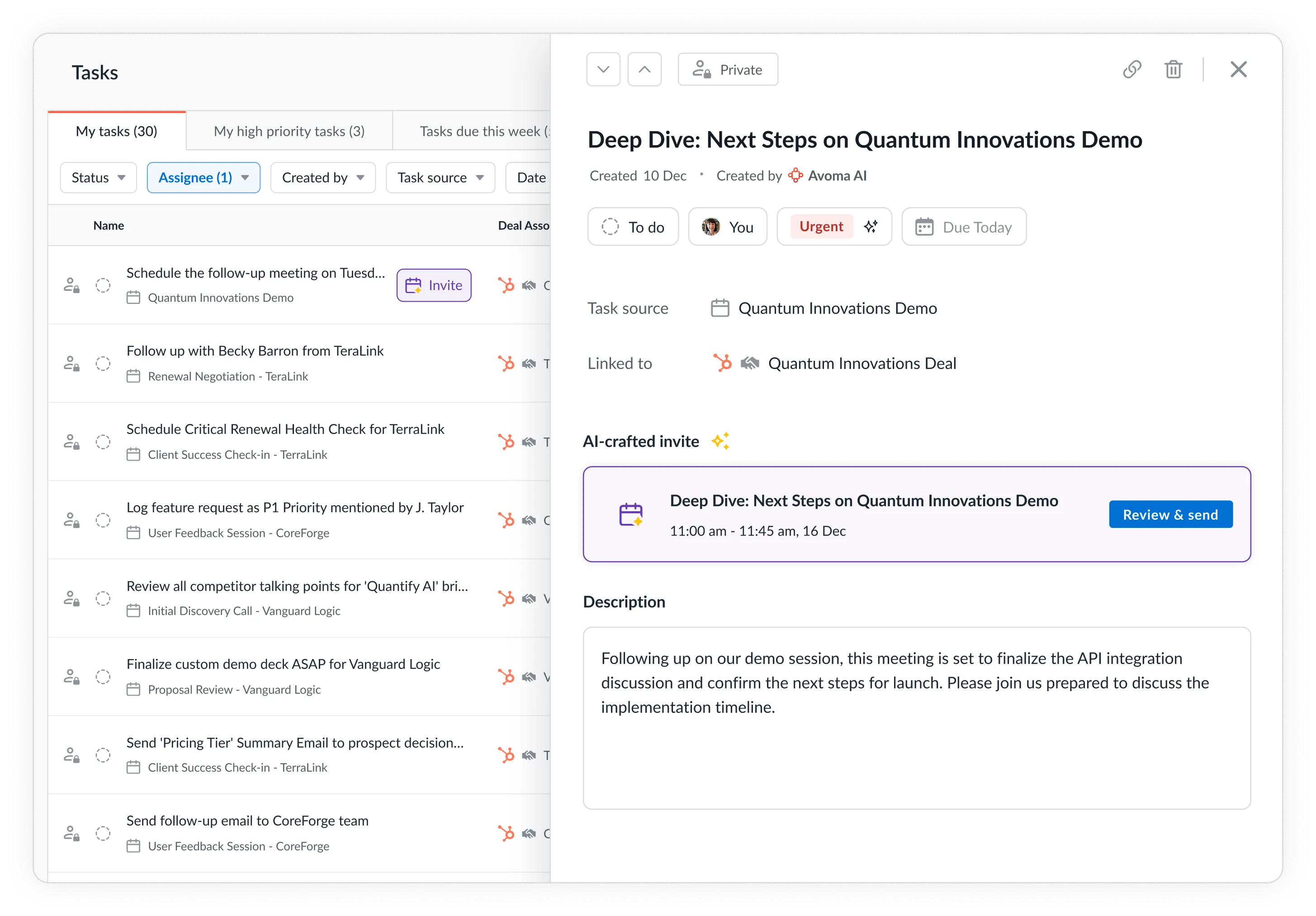
Avoma is an AI meeting assistant that becomes a task engine for teams whose work is driven by conversations in sales calls, customer meetings, internal syncs, and stakeholder reviews.
It’s best if you want tasks captured and managed automatically from meetings and conversations, and less suitable if you need a standalone project management board for planning work from scratch.
Key AI task features (where Avoma stands out)
- Auto-creating tasks from meetings: After a meeting, Avoma detects action items in the transcript and generates tasks automatically, so follow-ups don’t rely on someone remembering to write them down.
- Auto-curating tasks with discussion detail: Avoma preserves the detailed discussion context from the exact moment the task was created. So each task carries the “why/how/what was decided” alongside it, making follow-through clearer and reducing back-and-forth later.
- Auto-completing / closing the loop: Avoma can automatically detect when a task is done and mark it complete based on real follow-up signals like a follow-up email being sent, a next meeting getting scheduled, or a tracked outcome being logged. That means tasks don’t sit stale waiting for someone to manually close them out.
- Follow-up email and task handoff: Avoma drafts follow-up emails with next steps and can include action items, reducing the “post-meeting admin” that usually delays execution.
- Works across meeting, email, call ecosystems: Because Avoma integrates with calendars, video conferencing, CRMs, and dialers, tasks can be created and routed where your team already works, not trapped in a notes silo.
Avoma AI Task Manager Pros and cons
Pros
- Best-in-class for capturing real tasks from calls/meetings without manual note cleanup.
- Not meant to replace a full PM suite for large cross-functional planning.
- Tasks stay tied to the exact discussion that created them, so follow-ups are clearer and faster.
Cons
- Action item accuracy improves with good meeting hygiene (clear owners, explicit verbs).
- Automations reduce ongoing task maintenance, not just task creation.
- Teams that rarely meet live may see less leverage than meeting-heavy orgs.
Avoma Pricing
Avoma pricing is tiered per user, with AI notes and action items included in the core AI Meeting Assistant offering. Cost scales mostly by seat count and feature tier, making it predictable for teams. The value is strongest when you’re replacing multiple “second tools” (note-takers, follow-up drafting, CRM logging) rather than buying Avoma as an isolated add-on.
What users say
Users consistently call out time saved on post-meeting work, especially the combination of accurate AI notes, clear action items, and automated follow-up support. The common refrain is that Avoma helps teams actually finish what they discuss, because tasks don’t fall through the cracks between conversation and execution.
How to choose the right AI task management tool
Choosing an AI task management tool depends on two things: where tasks come from and how structured your workflows are.
1) Identify where tasks originate
- Meetings, calls, emails, customer conversations: Avoma
Best when most action items are discussed live and you need automatic capture and follow-through. - Docs, wikis, research, content planning: Notion AI
Best when tasks are created from written work and you want notes and next steps in one workspace. - Cross-functional projects with dependencies: ClickUp with AI or Asana AI
Best when tasks are part of structured delivery across teams and you need ownership, timelines, and dependencies. - Personal workload and daily execution: Motion
Best when the main problem is prioritization and time-blocking around a busy calendar.
2) Match the tool to workflow maturity
- Structured workflows already exist: Asana AI
Works best when goals, ownership, and dependencies are maintained consistently. - Need flexibility across teams: ClickUp with AI
Highly customizable, but benefits from governance to avoid messy setups. - Evolving workflows or doc-first teams: Notion AI
Flexible by design, but requires you to build the task system. - Prefer minimal setup: Motion or Avoma
Less configuration. More automation based on time (Motion) or conversations (Avoma).
3) Choose the type of AI help you need
- Task capture and reduced manual entry: Avoma, Notion AI
- Prioritization and planning: Motion, ClickUp with AI, Asana AI
- Task lifecycle maintenance and closure: Motion, Avoma
4) Check for second-tool requirements
Some tools cover only part of the workflow:
- Notion AI may need a dedicated PM tool if tracking becomes complex.
- Motion is not designed for portfolio-scale project management.
- ClickUp and Asana may still require a meeting-driven capture layer if most tasks come from discussions.
- Avoma may need a separate PM tool for complex planning, dependencies, timelines, or portfolio reporting.
Pick the right AI task management tool for your team
The right AI task management tool depends on how your team works.
ClickUp or Asana are best for cross-functional teams managing structured projects with dependencies, timelines, and portfolio visibility. Notion is a strong fit for doc-first teams where tasks come from written planning and dashboards. Motion works well for individuals or lean teams that need daily prioritization and calendar-based scheduling.
If most tasks originate from meetings, calls, and emails, Avoma is built for that workflow. It automatically creates tasks, preserves the detailed discussion context, and detects follow-through to mark tasks complete.
If your goal is better post-meeting execution and fewer dropped follow-ups, book an Avoma demo to see how it fits into your workflow.
<script type="application/ld+json">
{
"@context": "https://schema.org",
"@type": "FAQPage",
"mainEntity": [
{
"@type": "Question",
"name": "What is an AI task management tool and how does it work?",
"acceptedAnswer": {
"@type": "Answer",
"text": "An AI task management tool uses artificial intelligence to reduce task administration across the full lifecycle—capturing tasks, adding context, suggesting owners and due dates, prioritizing work, and keeping tasks up to date. Depending on the tool, AI may also summarize progress, surface blockers, and recommend next steps based on meetings, documents, and project activity."
}
},
{
"@type": "Question",
"name": "How do AI task management tools capture action items from meetings and documents?",
"acceptedAnswer": {
"@type": "Answer",
"text": "AI task management tools capture action items directly from the source of work, such as meeting transcripts, notes, documents, or chat. They convert these into structured tasks with owners, due dates, and context. Meeting-focused tools extract tasks from conversations, while doc-first tools identify tasks within written plans and databases."
}
},
{
"@type": "Question",
"name": "Which AI task management tool is best for cross-functional projects and dependencies?",
"acceptedAnswer": {
"@type": "Answer",
"text": "For cross-functional projects with shared ownership, dependencies, and reporting needs, tools like ClickUp AI and Asana AI are typically the best fit. They support structured workflows and allow AI to prioritize work, summarize progress, and surface risks across teams."
}
},
{
"@type": "Question",
"name": "Can AI task management tools automatically prioritize and reschedule tasks?",
"acceptedAnswer": {
"@type": "Answer",
"text": "Yes. Many AI task management tools automatically prioritize tasks based on urgency, deadlines, and workload, and some can reschedule work when meetings move or priorities change. Calendar-aware tools focus on real-time scheduling, while project management platforms prioritize tasks within broader team workflows."
}
},
{
"@type": "Question",
"name": "Which AI task management tool is best for meeting-driven workflows?",
"acceptedAnswer": {
"@type": "Answer",
"text": "For meeting-driven workflows, Avoma is a strong choice because it automatically creates tasks from conversations and preserves the discussion context that led to each action item. This helps teams follow through on decisions made in meetings without relying on manual note-taking."
}
},
{
"@type": "Question",
"name": "Do AI task management tools integrate with calendars, CRMs, and collaboration apps?",
"acceptedAnswer": {
"@type": "Answer",
"text": "Most AI task management tools integrate with common workplace software such as calendars, CRMs, video conferencing platforms, and collaboration tools. Integration depth varies by product, so teams should confirm support for the tools they rely on most, such as Google Calendar, Slack, Zoom, Salesforce, or HubSpot."
}
}
]
}
</script>
Frequently Asked Questions
An AI task management tool uses AI to reduce task admin across the lifecycle—capturing tasks, adding context, suggesting owners/dates, prioritizing work, and keeping tasks up to date. Depending on the product, AI may also summarize progress, surface blockers, and recommend next steps based on what’s happening in meetings, docs, and project workflows.
They typically pull tasks from the “source of work” (meeting transcripts, notes, docs, or chat) and convert them into structured action items with an owner, due date, and supporting context. Meeting-focused tools capture tasks from conversations and preserve the exact discussion moment, while doc-first tools extract tasks from written plans and turn them into database or project items.
For cross-functional work with interdependent tasks, multiple stakeholders, and workflow complexity, tools like ClickUp AI and Asana AI are usually the best fit. They support structured projects, ownership, reporting, and dependency-aware planning—so AI can help prioritize and summarize progress across teams, not just create to-dos.
Yes—some tools use AI to continuously re-rank tasks based on deadlines, workload, and calendar constraints, and to adjust plans when meetings move or priorities shift. Motion is strongest for auto-scheduling and re-optimizing your day in real time, while ClickUp AI and Asana AI focus more on prioritization within project workflows and team capacity.
If most tasks originate in meetings, calls, and follow-ups, Avoma is a strong fit because it automatically creates tasks from conversations and keeps the context tied to the discussion. It’s especially useful for sales, customer success, and internal sync-heavy teams where action items often get lost between “we talked about it” and “we did it.”
Most do, but integration depth varies by category. Calendar-first tools prioritize calendar integrations, project management suites typically connect with chat, docs, and dev tools, and meeting assistants often integrate with video conferencing, calendars, email, and CRMs. Before choosing, confirm the integrations that matter most to your workflow (e.g., Google Calendar, Zoom/Teams, Salesforce/HubSpot, Slack, Notion, etc.).





What's stopping you from turning every conversation into actionable insights?


