
25 Avoma product updates that made 2025 better

Table of Contents:

In 2025, teams expected meetings to produce outcomes, instead of adding more tasks. They wanted less manual setup, more automation, and double down on AI.
That’s exactly what Avoma delivered in 2025. We accelerated productivity by shipping new features and product updates to our AI-first sales intelligence platform.
Let’s take a look at the key features that improved daily workflows for GTM teams in 2025.
1. Chrome extension updates
Set meeting purpose, recording and CRM mapping in your calendar
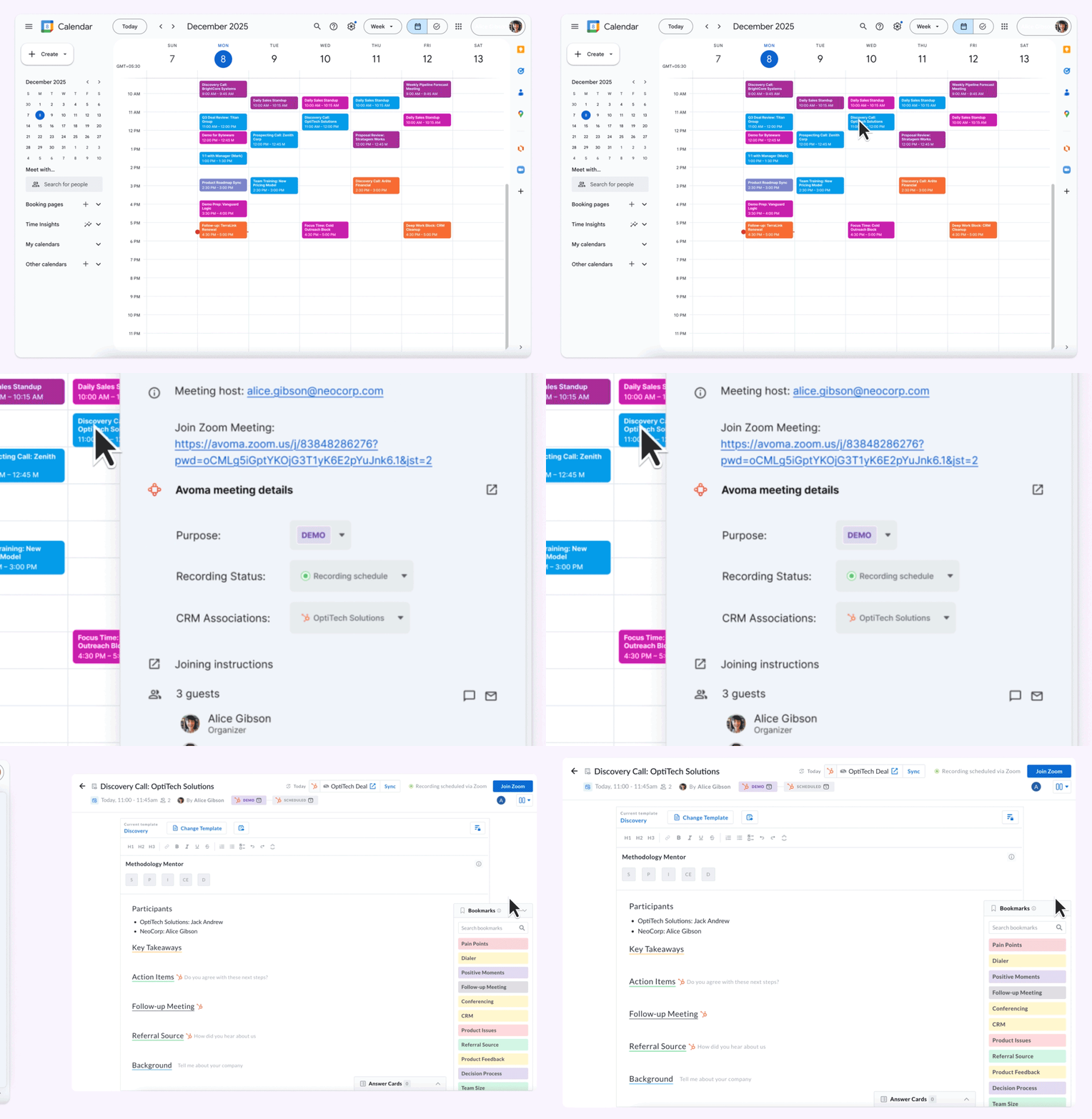
You can now use the Avoma Chrome extension to see and update your meeting details right inside any Google or Outlook Calendar event. That includes purpose, outcomes, recording settings, CRM details, notes, and more. You’ll be able to prep faster and take care of follow-ups and updates without leaving your calendar.
2. AI Automations
Automatically set meeting purposes, recording, privacy using AI
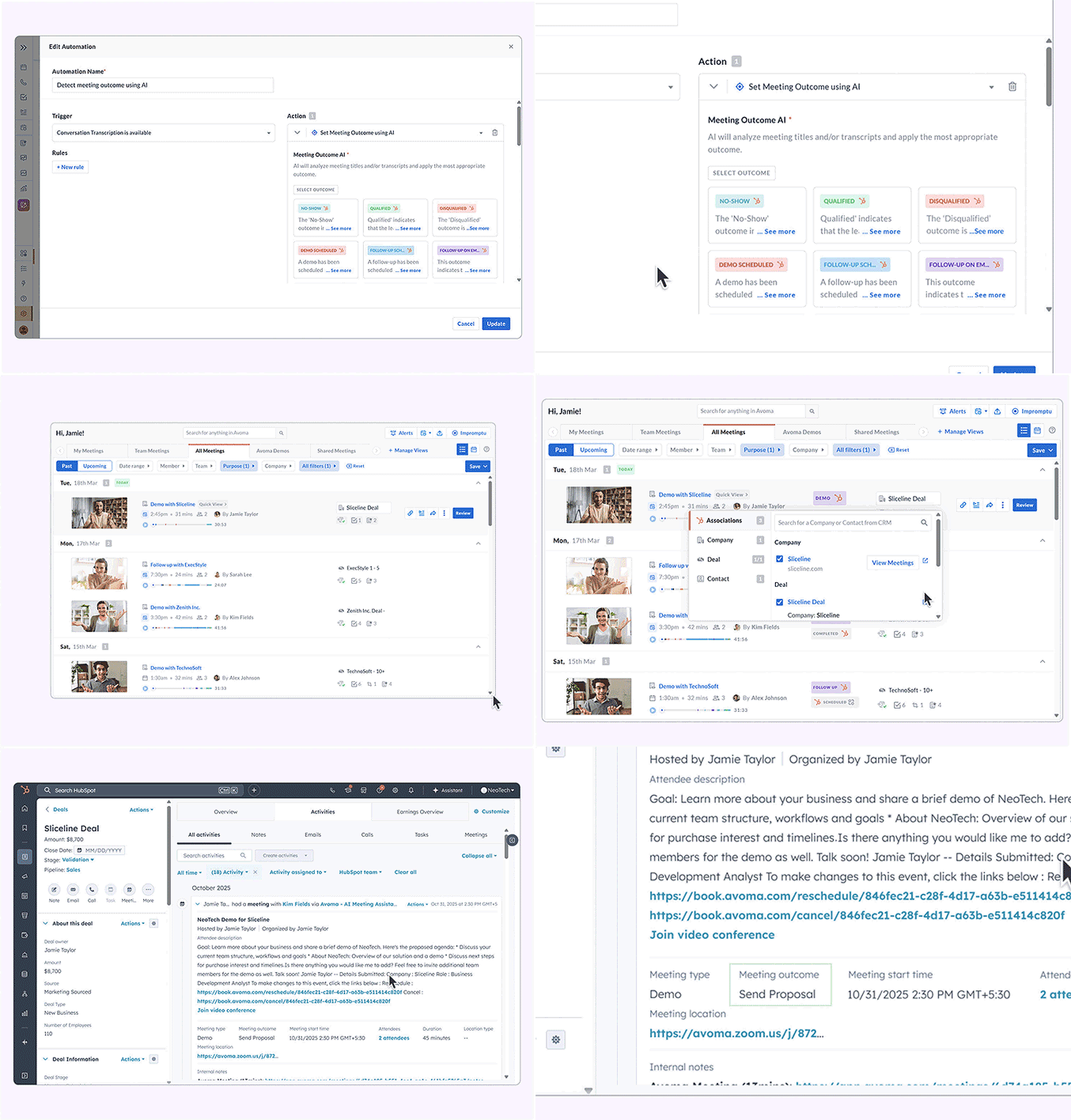
Manual meeting setup and cleanup create errors and gaps. Automations handle meeting purposes, recording rules, privacy settings, outcomes, and task creation automatically, creating reliable, repeatable workflows.
3. Instant AI notes
Get meeting notes – now instantly right after your call
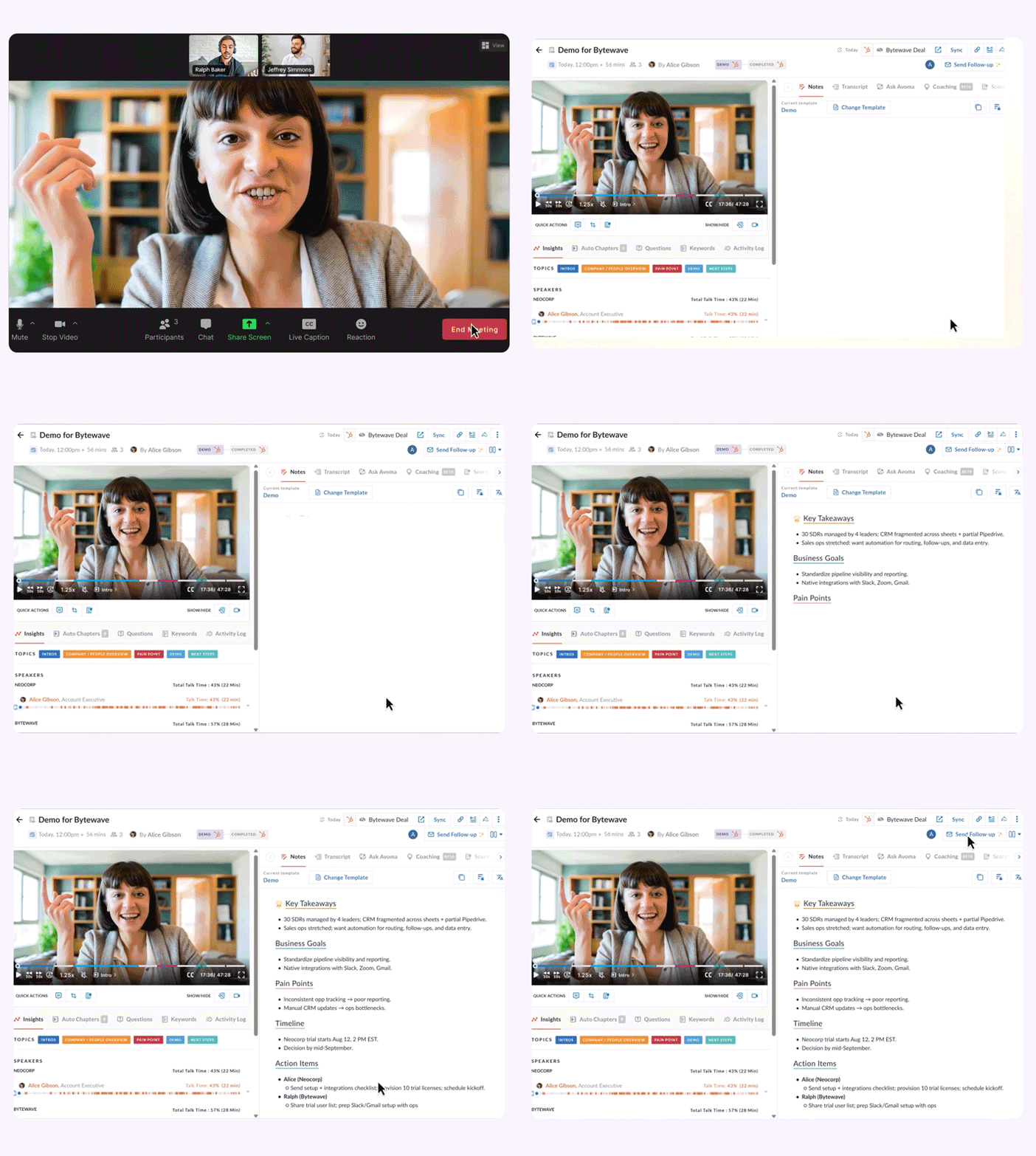
Delays between meetings and notes slow follow-through. Instant Notes generate structured summaries immediately after meetings, including key points, action items, next steps, and CRM updates, so you can follow up while context is still fresh.
4. Improved Ask Avoma
Ask Avoma anything across meetings, emails, and deals
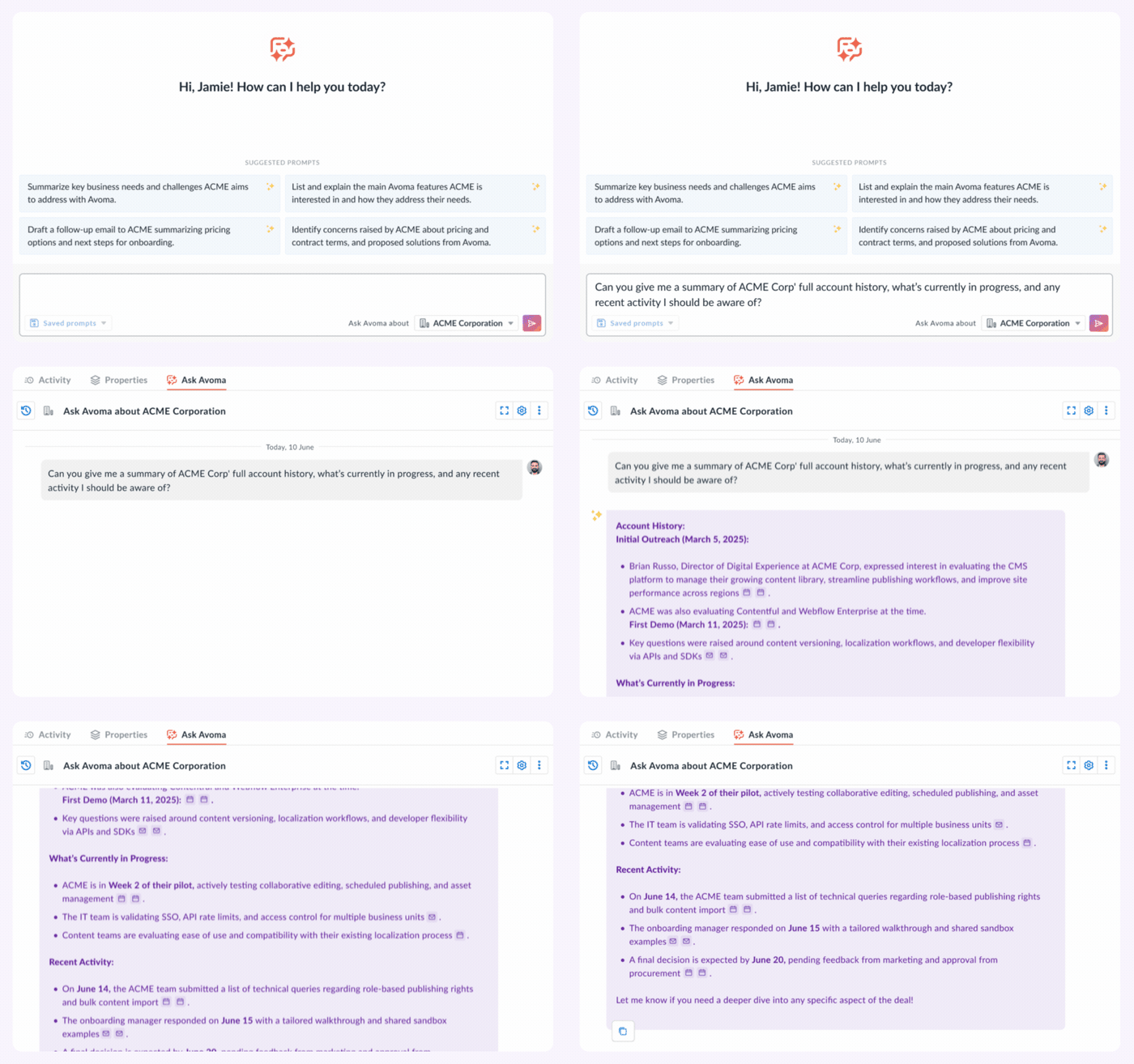
Critical context lives across tools and threads. Ask Avoma retrieves answers from meetings, emails, and deals at both deal and account levels, helping teams find blockers, objections, and next steps instantly.
Sneak peak - You can now even ask Avoma about revenue insights like win rates and revenue questions. (Available for Rev Intelligence users.) Have you tried that yet?
5. Notes template library
Instantly personalize your notes with smart templates
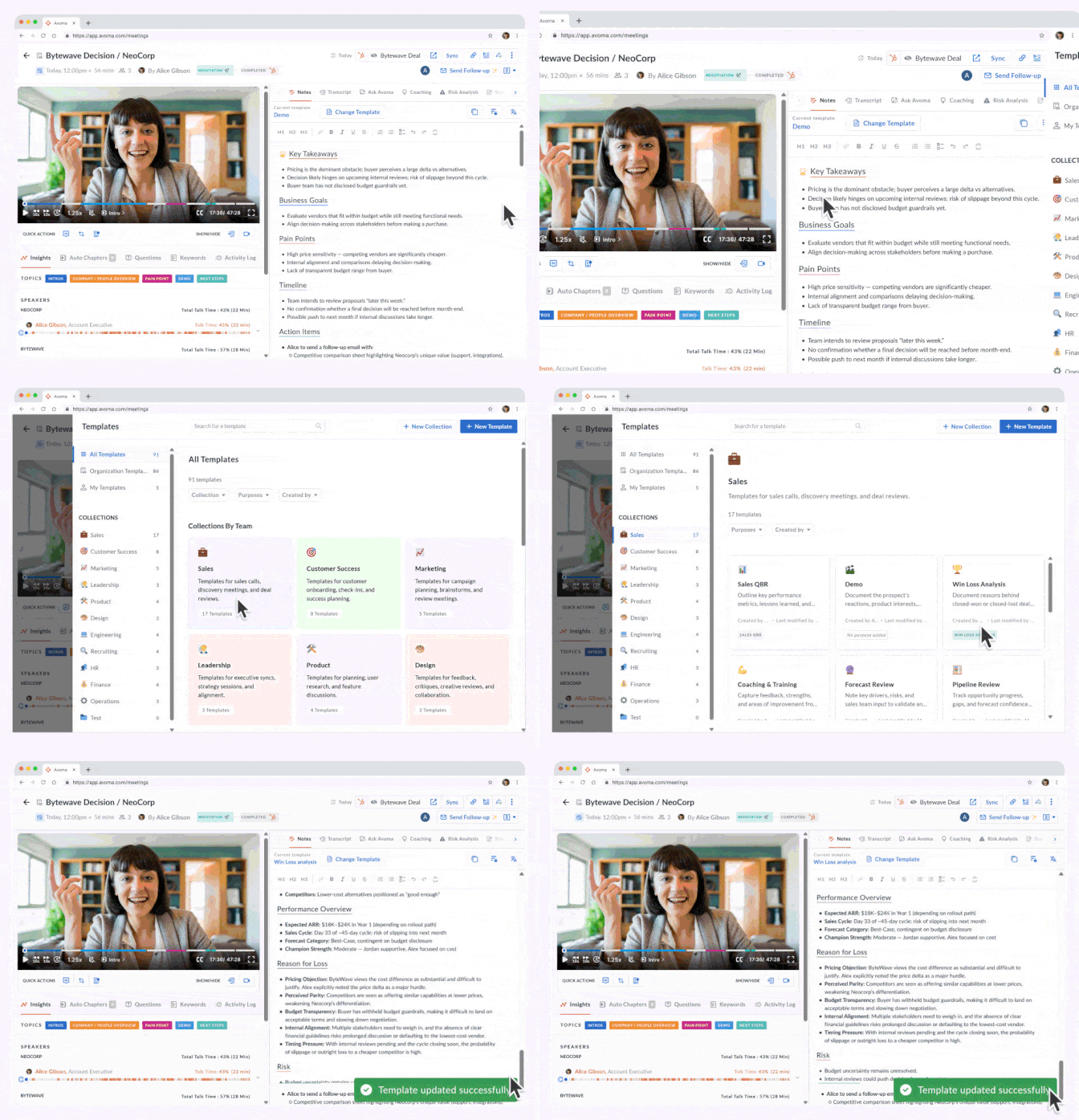
Unstructured notes lead to missed details and inconsistency. The notes template library provides ready-to-use smart templates for sales, customer success, interviews, and internal meetings, helping teams capture the right information every time.
6. AI follow-up emails
Send AI follow-up emails, natively from your inbox
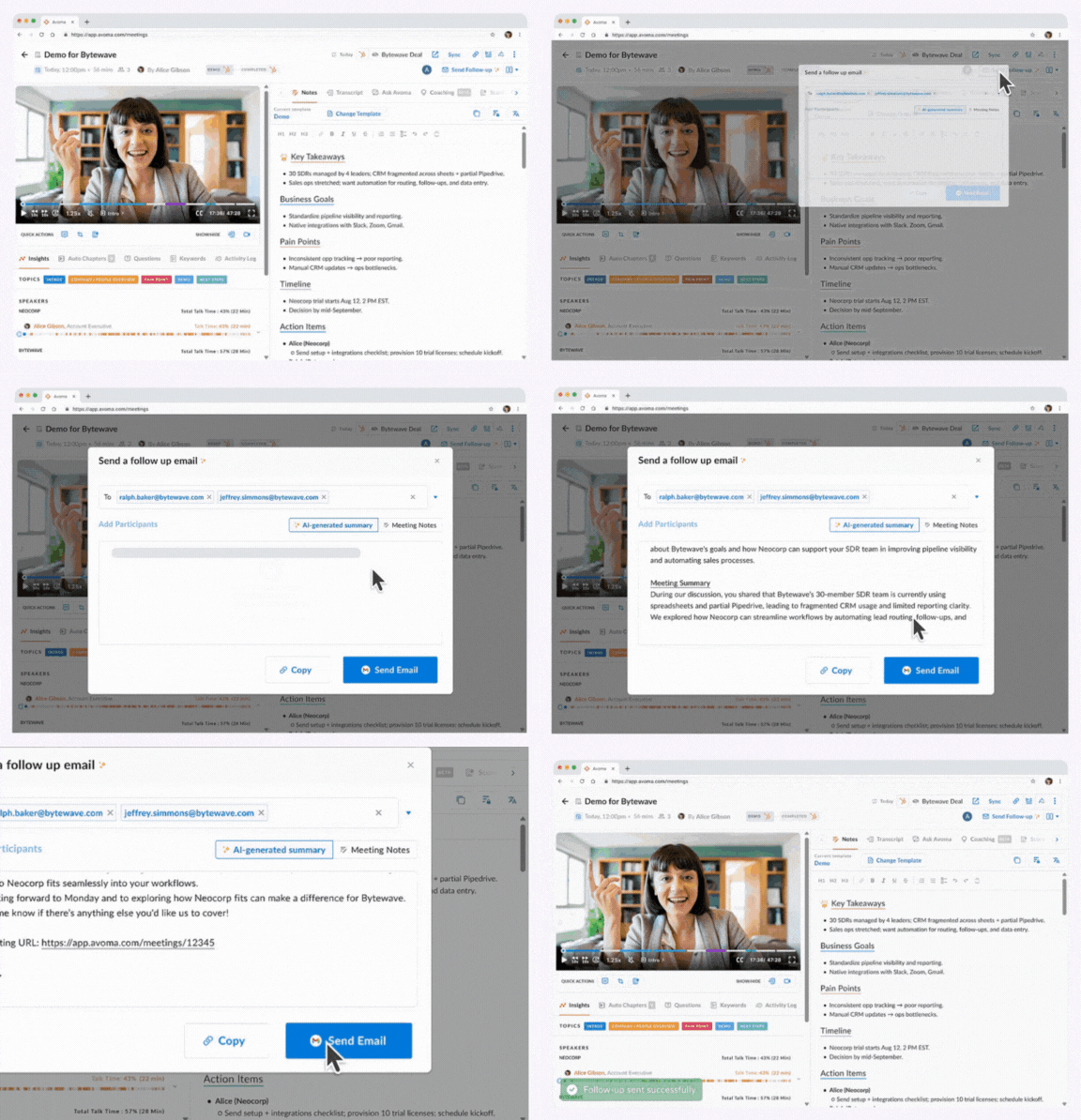
Writing follow-ups consumes selling time. Avoma generates and sends AI-powered follow-up emails through Gmail or Outlook, logging messages to CRM automatically without copy-paste or tab switching. Every email lands in your Sent folder, as if you sent it yourself.
7. Voice dictation for Mobile App
Give coaching feedback on the go using voice
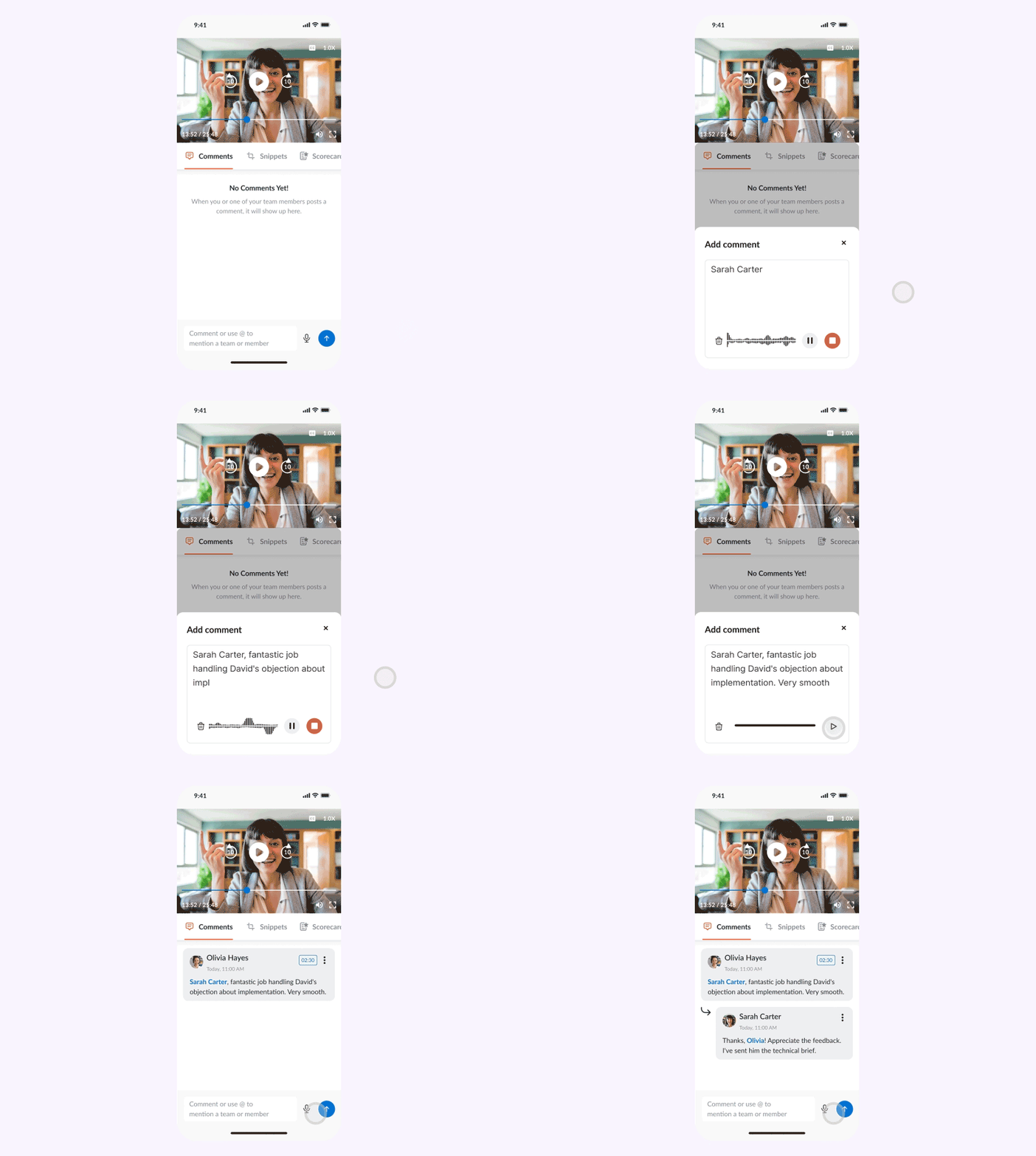
Record coaching comments using voice dictation in the mobile app instead of typing. Avoma converts your voice into text and attaches comments with timestamps to the exact moment in the meeting. Coach your team faster while reviewing calls on the go. Available on iOS and Android. Coach your team faster while reviewing calls on the go. Available on iOS and Android.
8. AI coaching recommendations
Get personalized coaching feedback right after every call
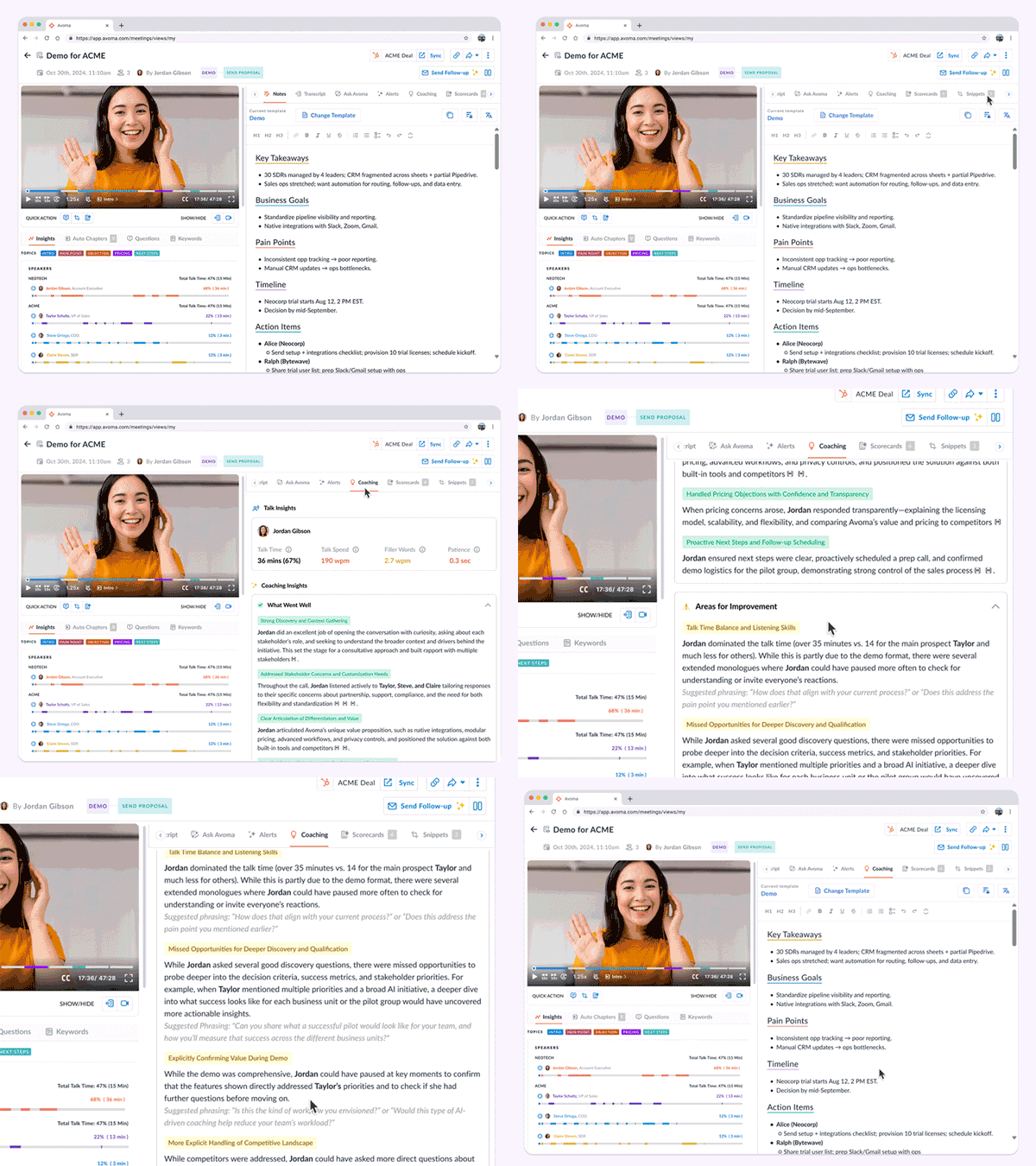
Late coaching limits improvement. Avoma delivers AI coaching insights with every meeting summary, including talk ratios, filler words, strengths, and improvement areas, while the conversation remains fresh.
9. Improved AI scorecards
Smarter, more transparent scorecards with clear reasoning and timestamps
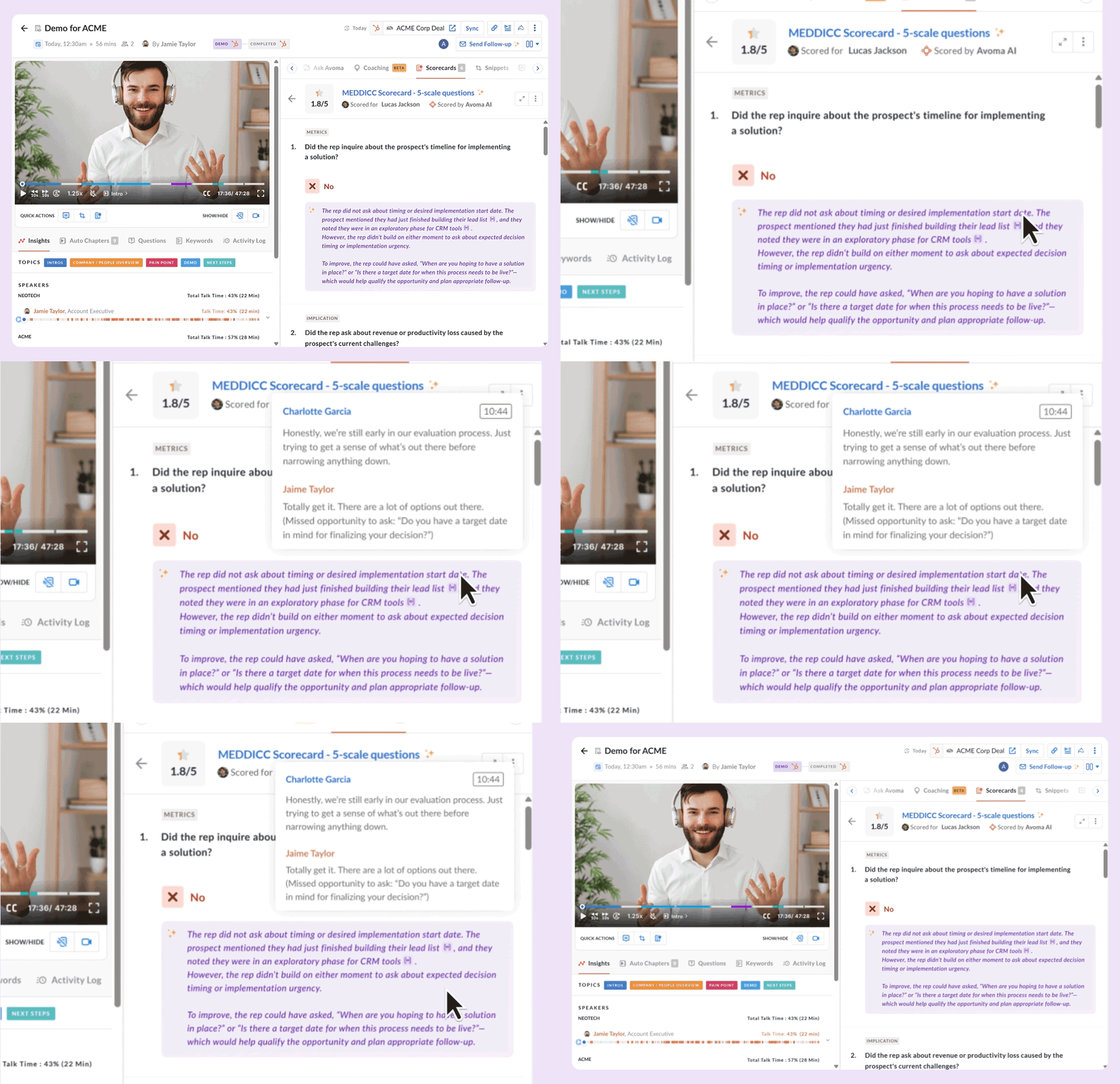
AI Scorecards automatically evaluate calls using your coaching rubric, with clear reasoning and timestamps that show exactly why each score was given. Add custom context to reflect your team’s playbooks, so scoring stays accurate, consistent, and aligned with how you sell.
10. AI deal methodology tracker
Rollout MEDDICC (or any framework) across your calls and deals
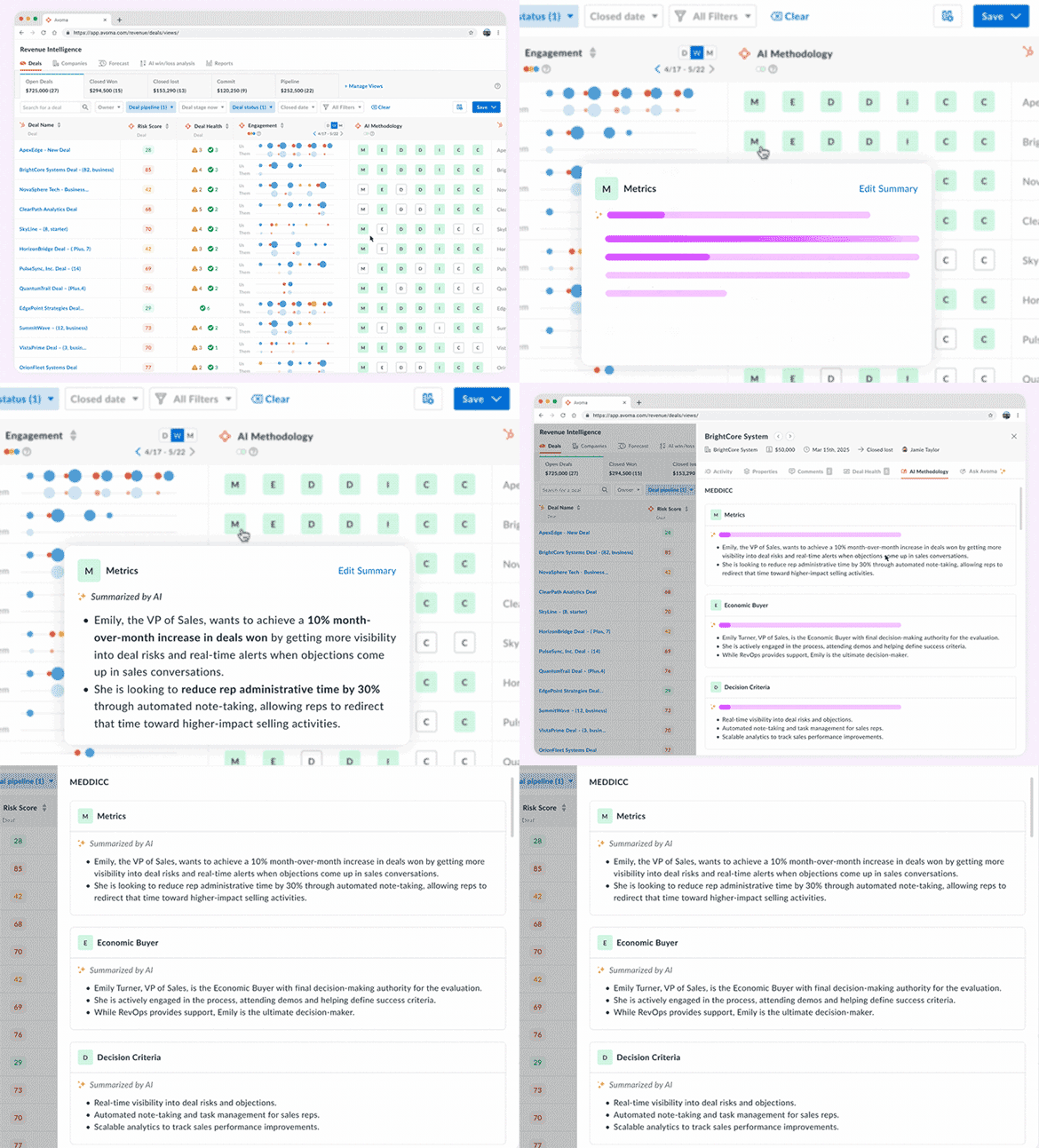
Qualification details often scatter across calls and emails. AI Methodology Tracker automatically detects and summarizes key signals like champions, pain points, decision criteria, and economic buyers, giving teams consistent visibility into deal readiness.
11. Aggregated forecasting
Improve forecasting accuracy with Best Case, Most Likely, and Commit views
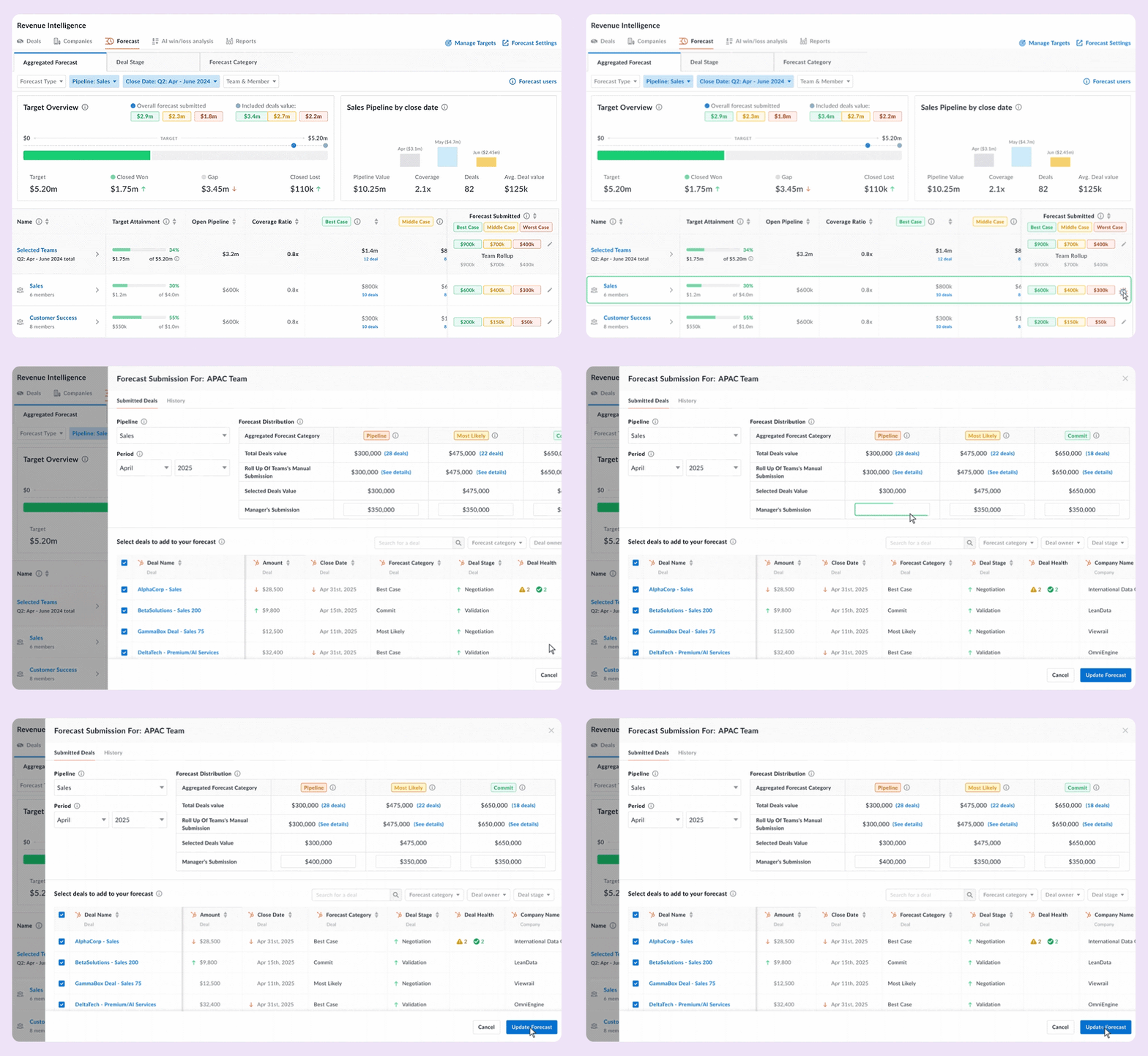
Forecast accuracy suffers when pipelines rely on subjective judgment. Aggregated Forecasting rolls pipeline data into Best Case, Most Likely, and Commit views, giving leaders clearer visibility into revenue risk and confidence.
12. Deal health insights
See why a deal’s at risk and how to fix it

Deal risk is often unclear until reviews. Deal risk score shows the specific factors raising or lowering risk, based on conversation activity and engagement, and provides clear AI-recommended next steps so teams know exactly how to regain momentum.
13. Deal risk and forecast alerts
Get risk and forecast alerts in Slack and Teams
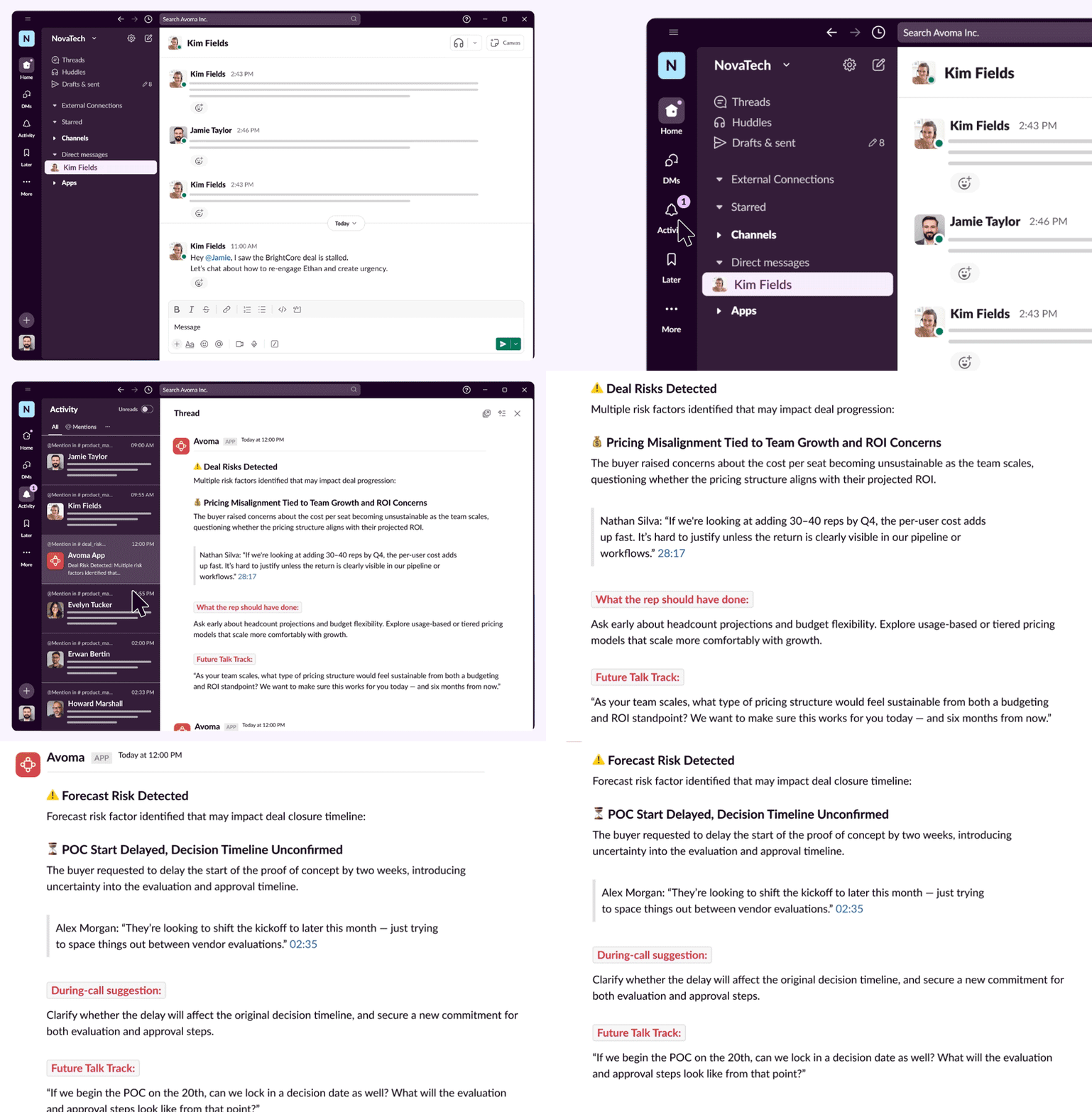
Deal changes often surface too late. Avoma sends real-time Slack and Microsoft Team alerts for deal health changes, forecast risks, and key signals, so teams respond while outcomes are still recoverable.
14. AI snippets
Auto-generated snippets, ready to share
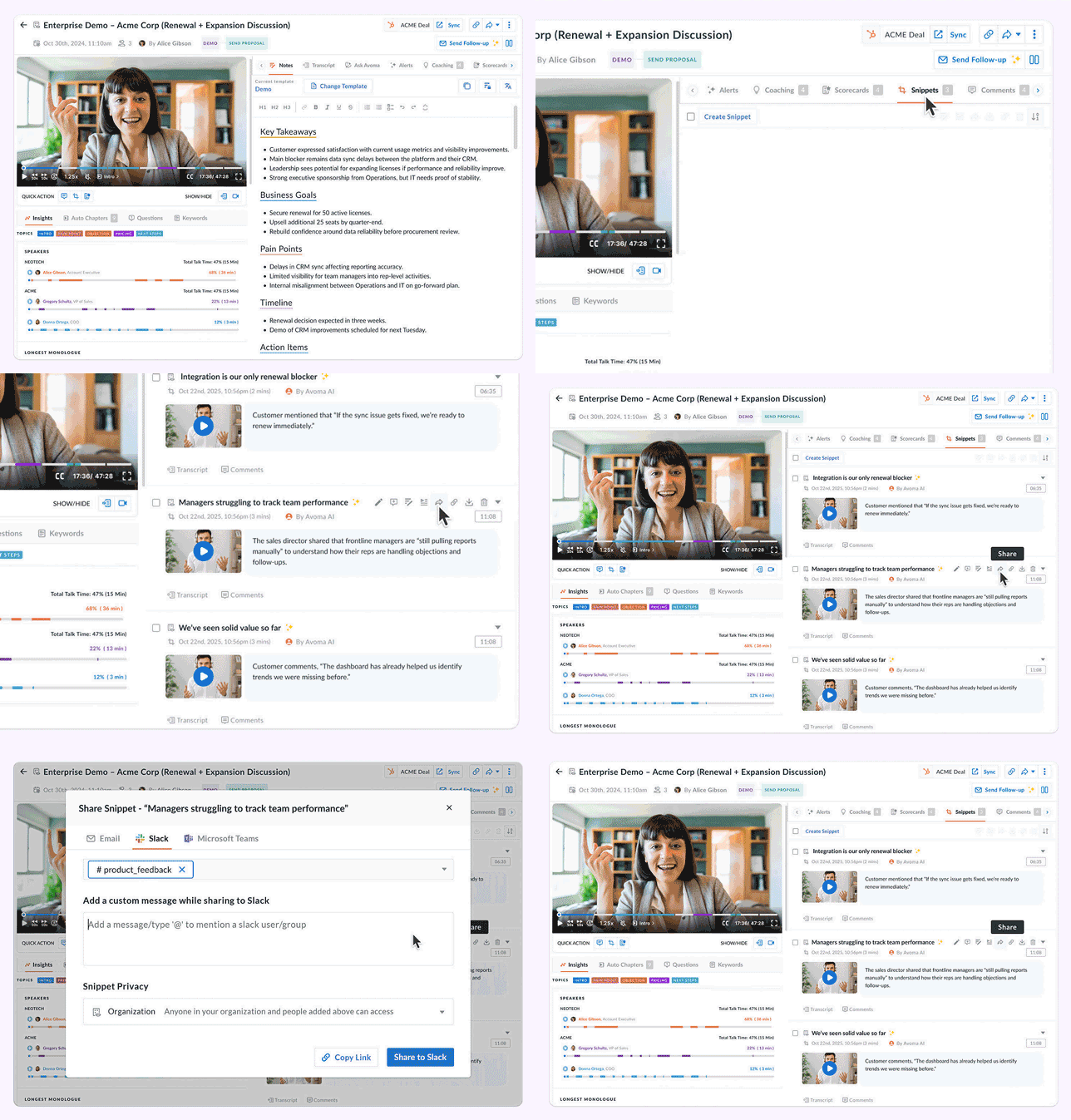
Important insights often stay buried in long calls. AI Snippets automatically detect key moments and turn them into shareable clips, making insights easy to access across Sales, CS, Marketing, and Product.
15. Bot-free recording
Record Google Meet calls natively without a bot
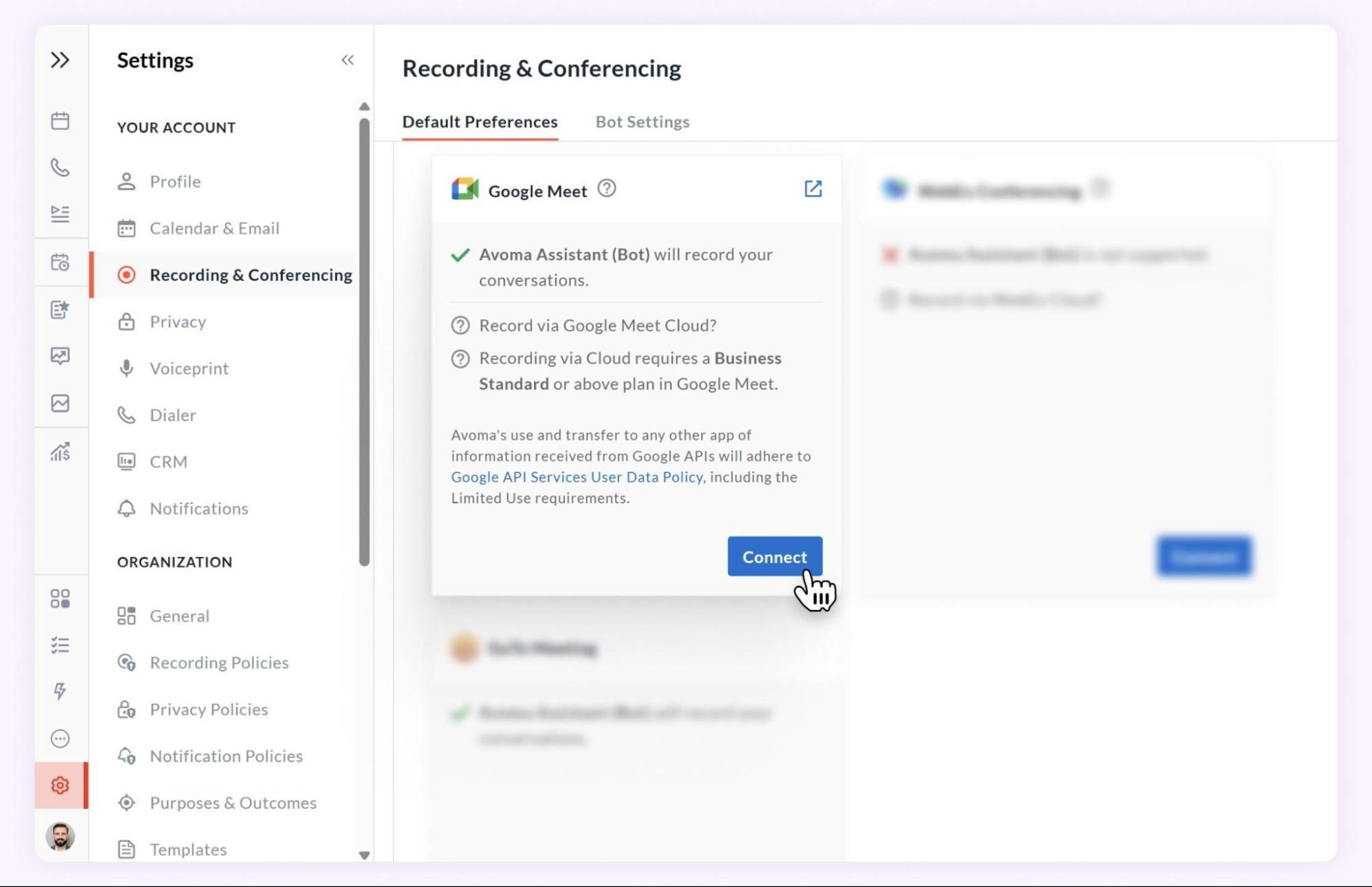
Record Google Meet meetings natively without a bot, delivering a smoother experience and cleaner recordings with no join-in distractions.
16. Avoma Desktop app
Use Avoma faster without browser clutter on Mac and Windows
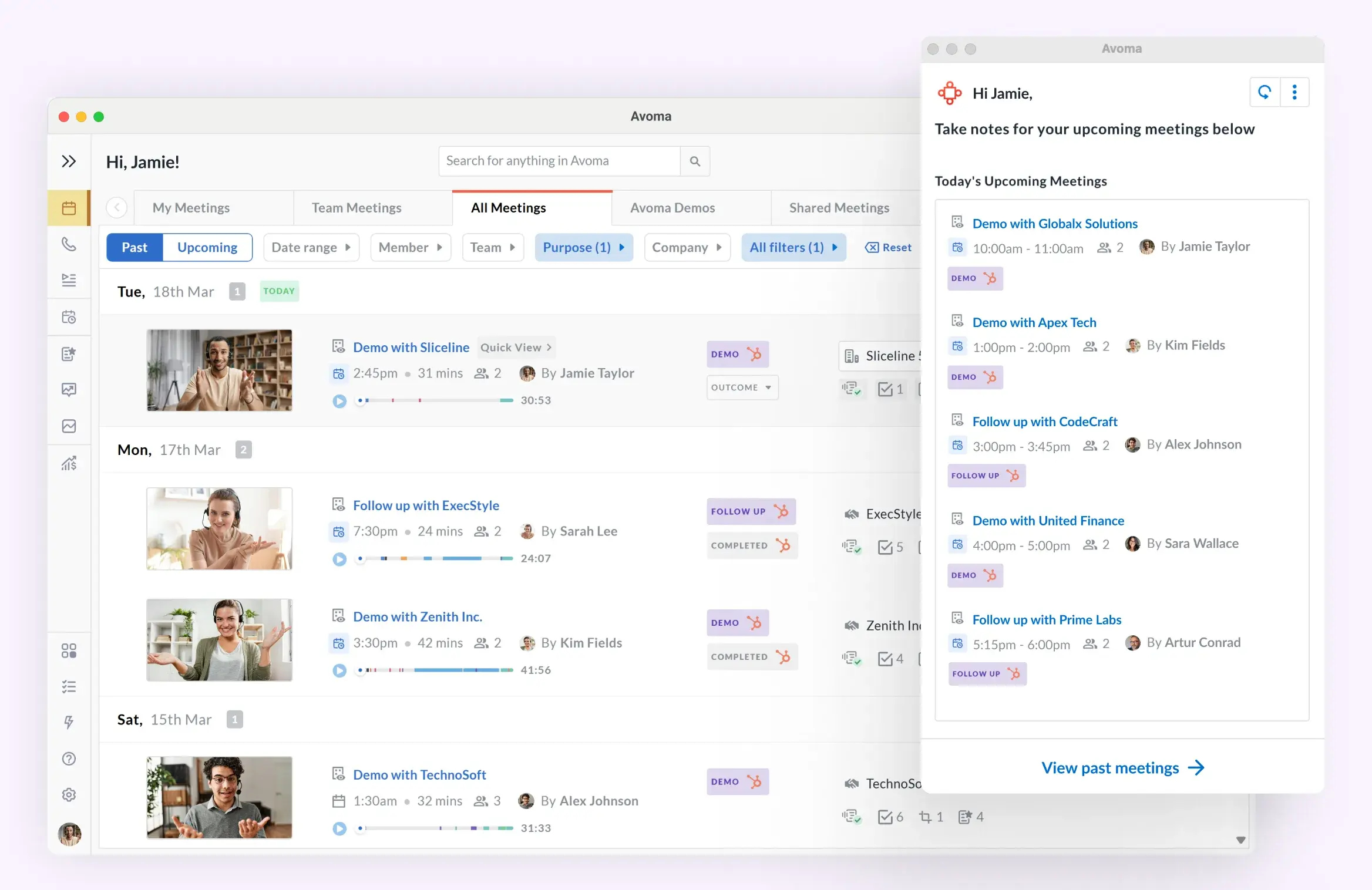
Access Avoma via a dedicated desktop app for a faster, cleaner experience without browser distractions for Mac and Windows. Switch between Zen Mode to stay focused on upcoming meetings and live notes, and Full Mode for complete access to the Avoma workspace when you need it.
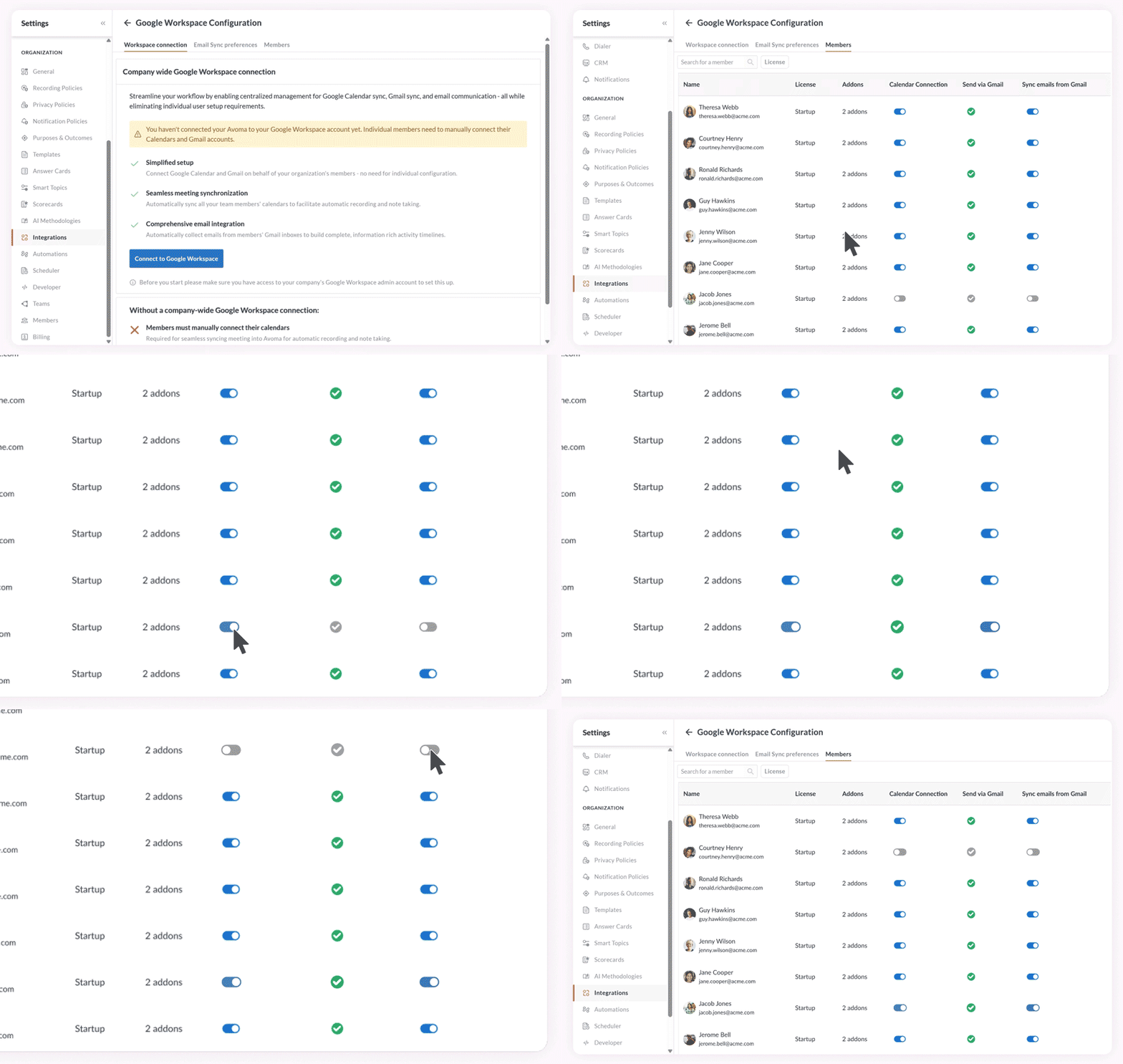
17. One-click admin provisioning
Provision Zoom, Microsoft 365, and Google Workspace from one place
Zoom setup
Manage Zoom sync, licenses, recording settings, and permissions for the entire organization in one click.
Microsoft 365
Connect Microsoft 365 once to centrally manage Outlook Calendar and Email sync for every team member.
Google Workspace
Connect Google Workspace company-wide to sync Calendar and Gmail and control settings for all users.
18. CRM associations in Gmail
Sync emails to the right deal without leaving Gmail
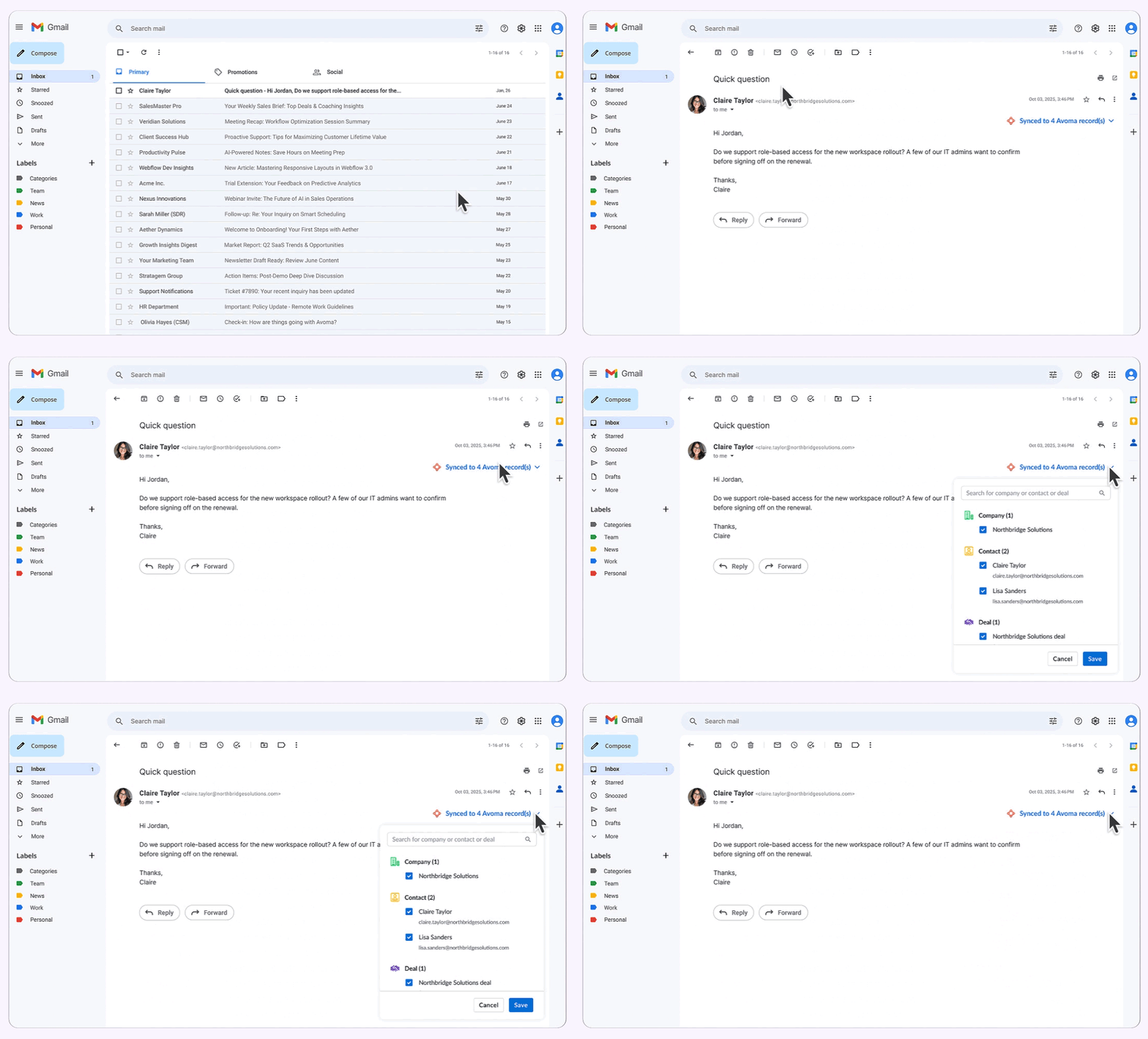
When emails don’t sync to the right deal or account, visibility breaks. Fix associations instantly from your inbox to keep deal progress, account engagement, and team activity accurate.
View, edit, and update email associations directly inside Gmail using the Avoma Chrome Extension.
19. Alerts for internal meetings
Get visibility into blockers across internal meetings
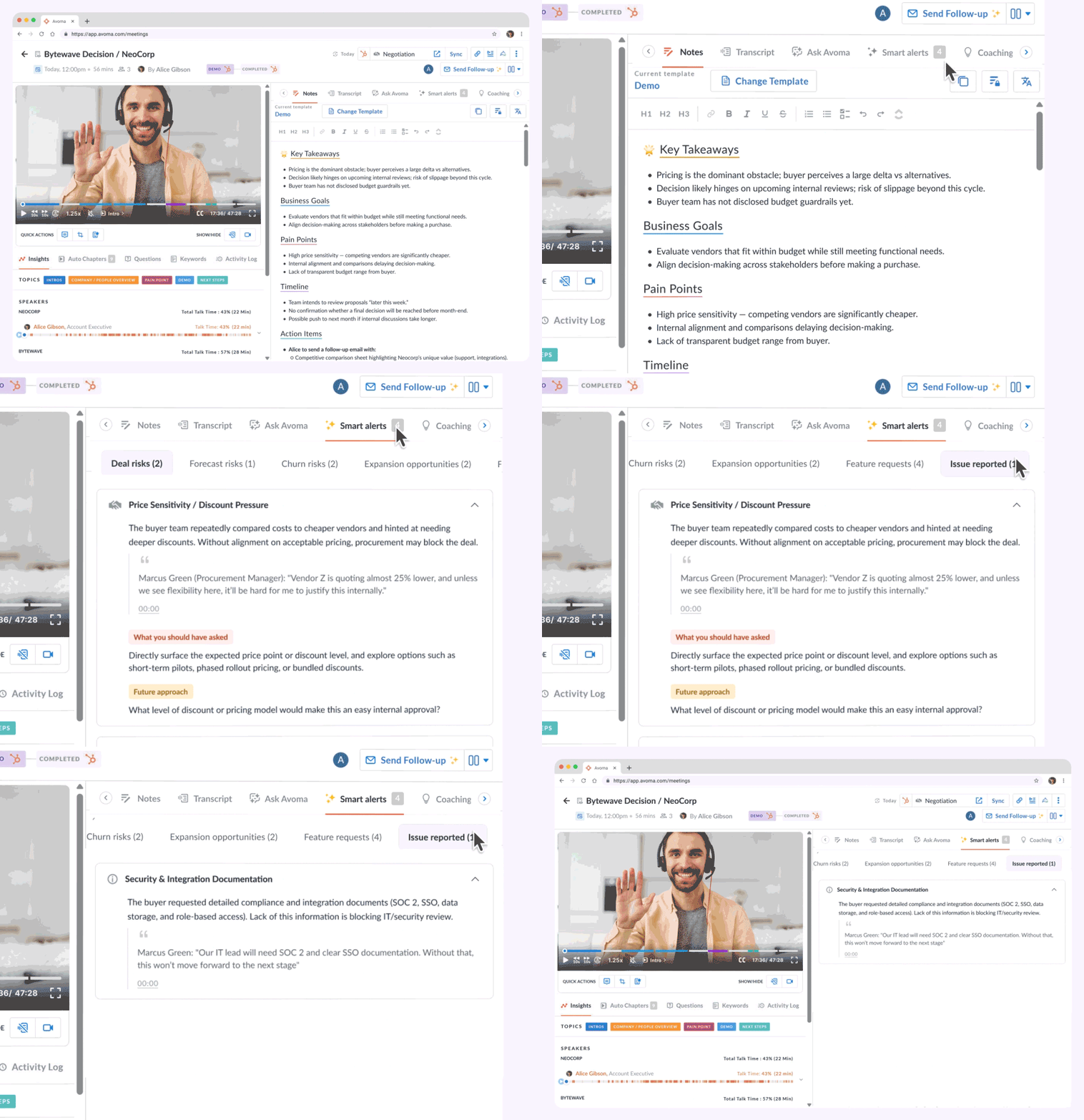
Alerts now surface risks, momentum drops, and key feedback from internal meetings, not just customer calls. Catch issues early across marketing reviews, product discussions, and leadership syncs.
Each alert links to the exact transcript moments, helping teams stay aligned and act before problems affect outcomes.
20. Mobile updates
New features for Android and iOS mobile apps
.webp)
Manage CRM, transcripts, and playlists on the go
CRM associations
Link and edit deals, contacts, and companies while recording or viewing meetings.
Transcripts
Follow live transcripts with auto-scroll, highlights, and speaker edits.
Playlists
Manage playlist subscriptions and users directly from the mobile app.
21. Team-level forecasts
Let managers review and submit team forecasts
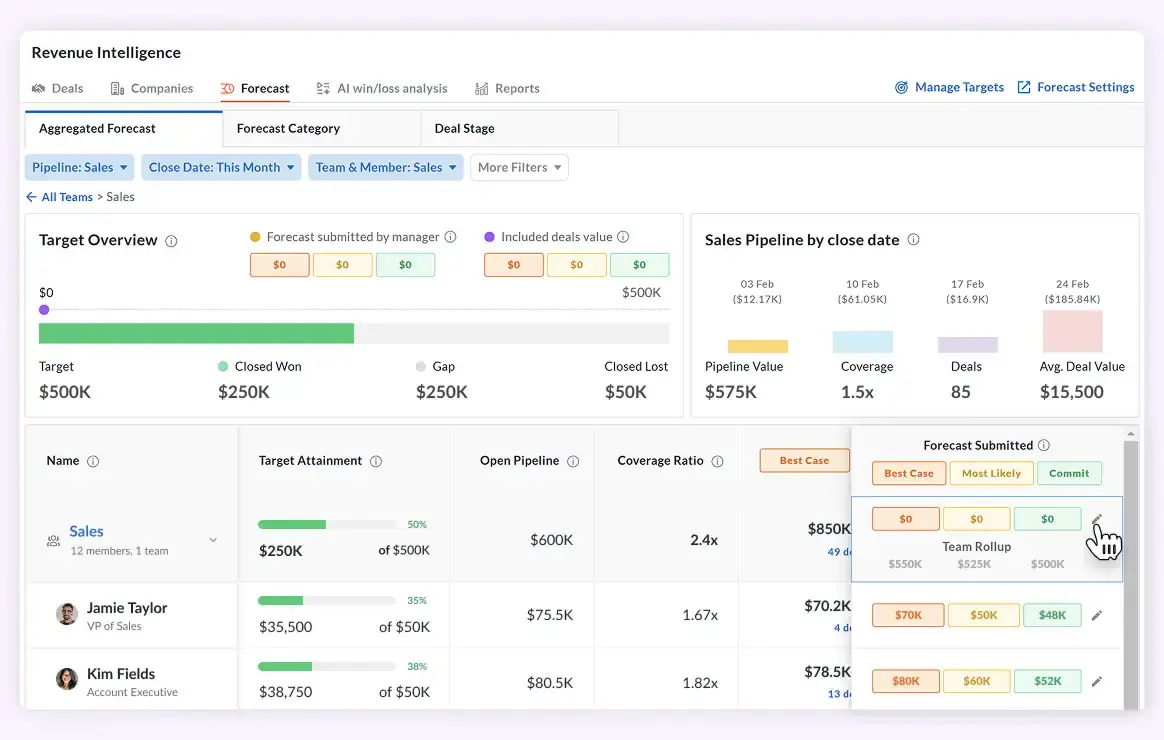
Managers can review team deals, adjust selections, and submit a final forecast. The dashboard shows manager submissions alongside individual rollups for clear visibility.
22. Emails with coaching insights
See coaching feedback in your meeting summary emails
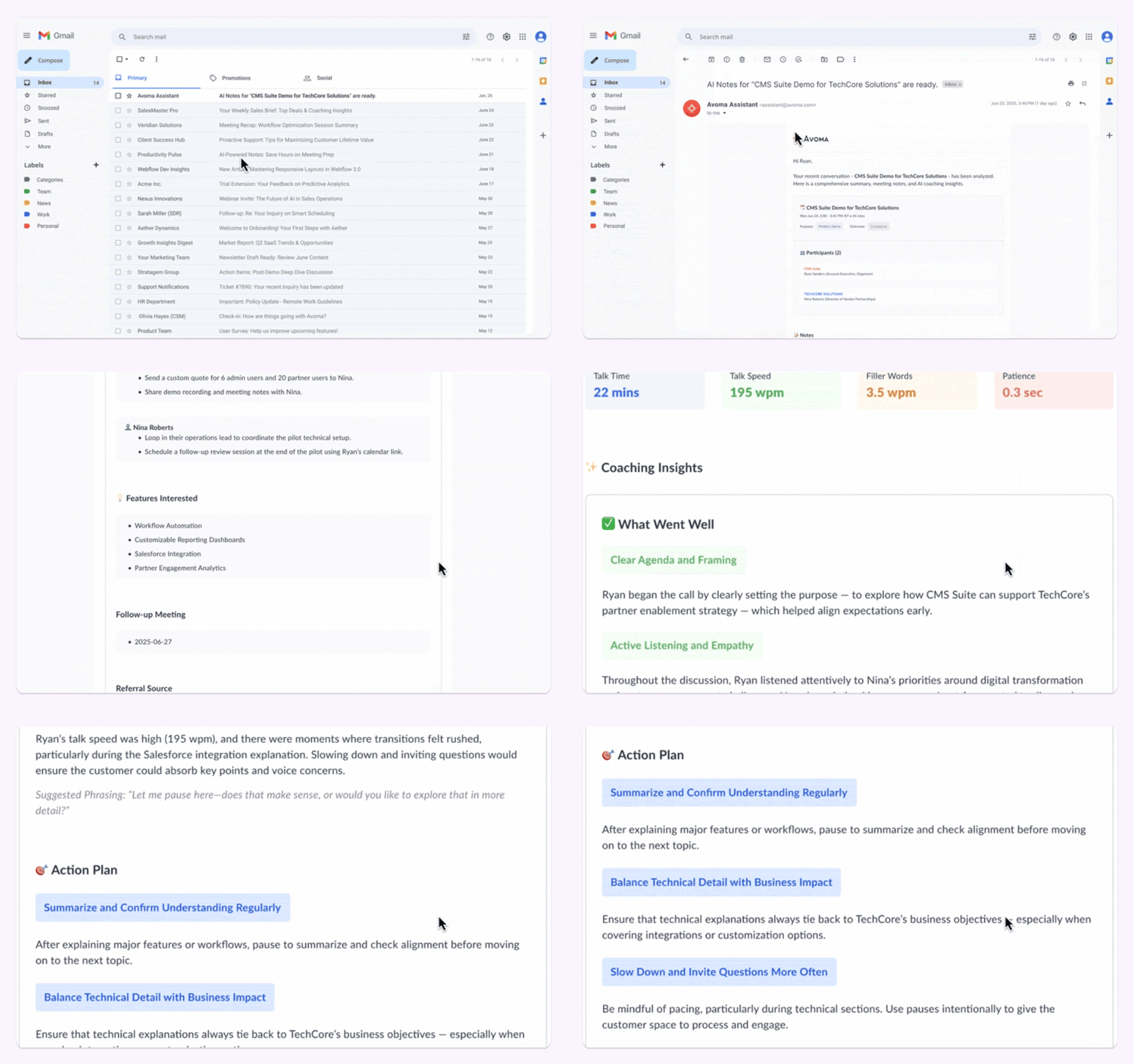
Meeting summary emails now include a snapshot of coaching insights, so you can quickly see what went well and what to improve without leaving your inbox.
Each email also links to the full recording, notes, and detailed insights in Avoma when you want to dive deeper.
23. Live transcription
View meeting transcripts in real time
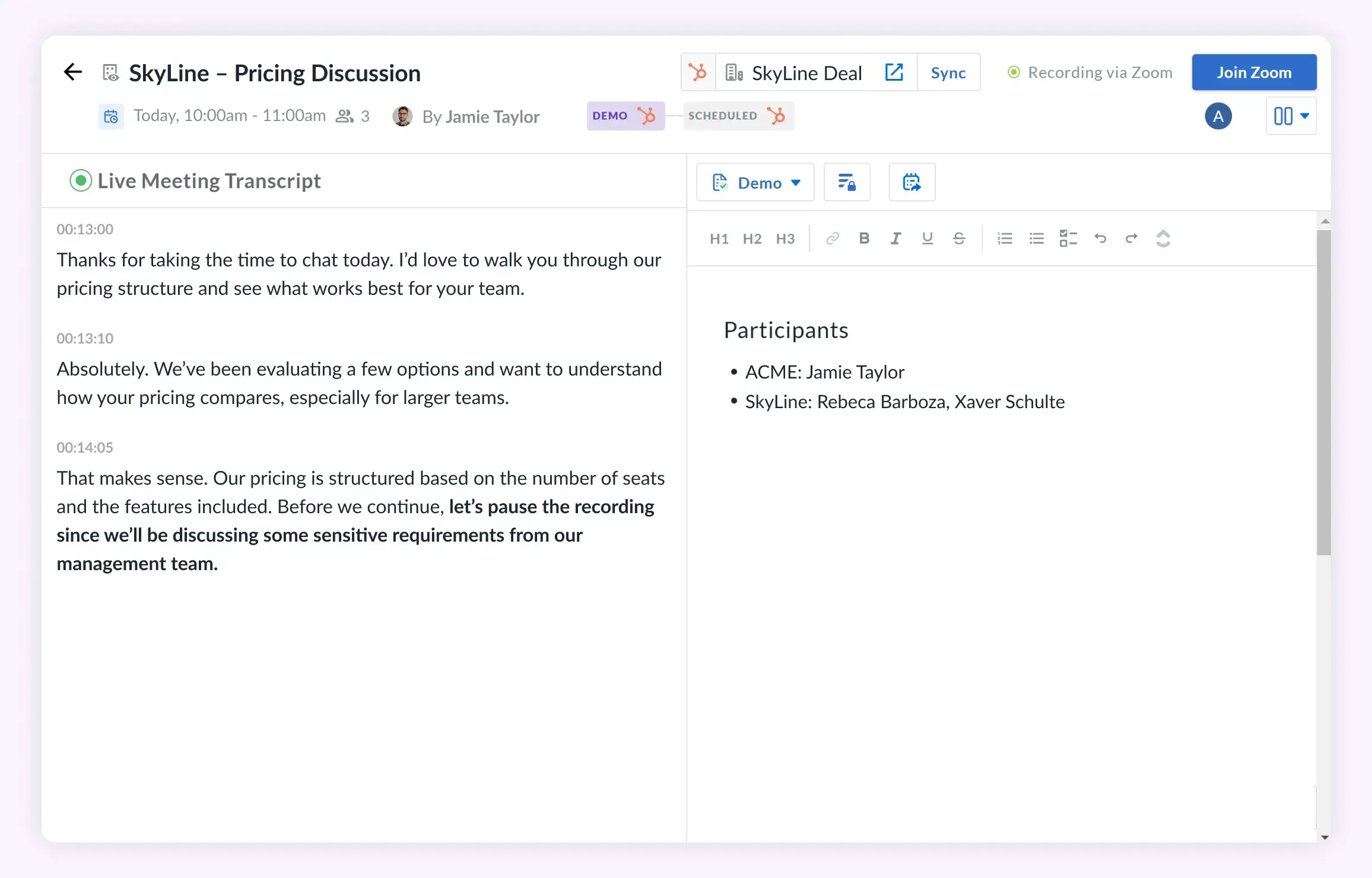
Access live transcription during meetings to follow conversations word by word while staying fully engaged. See the transcript alongside your notes in a split view, making it easier to capture details without missing the discussion.
24. AI Automations for tasks
Create HubSpot tasks automatically from action items
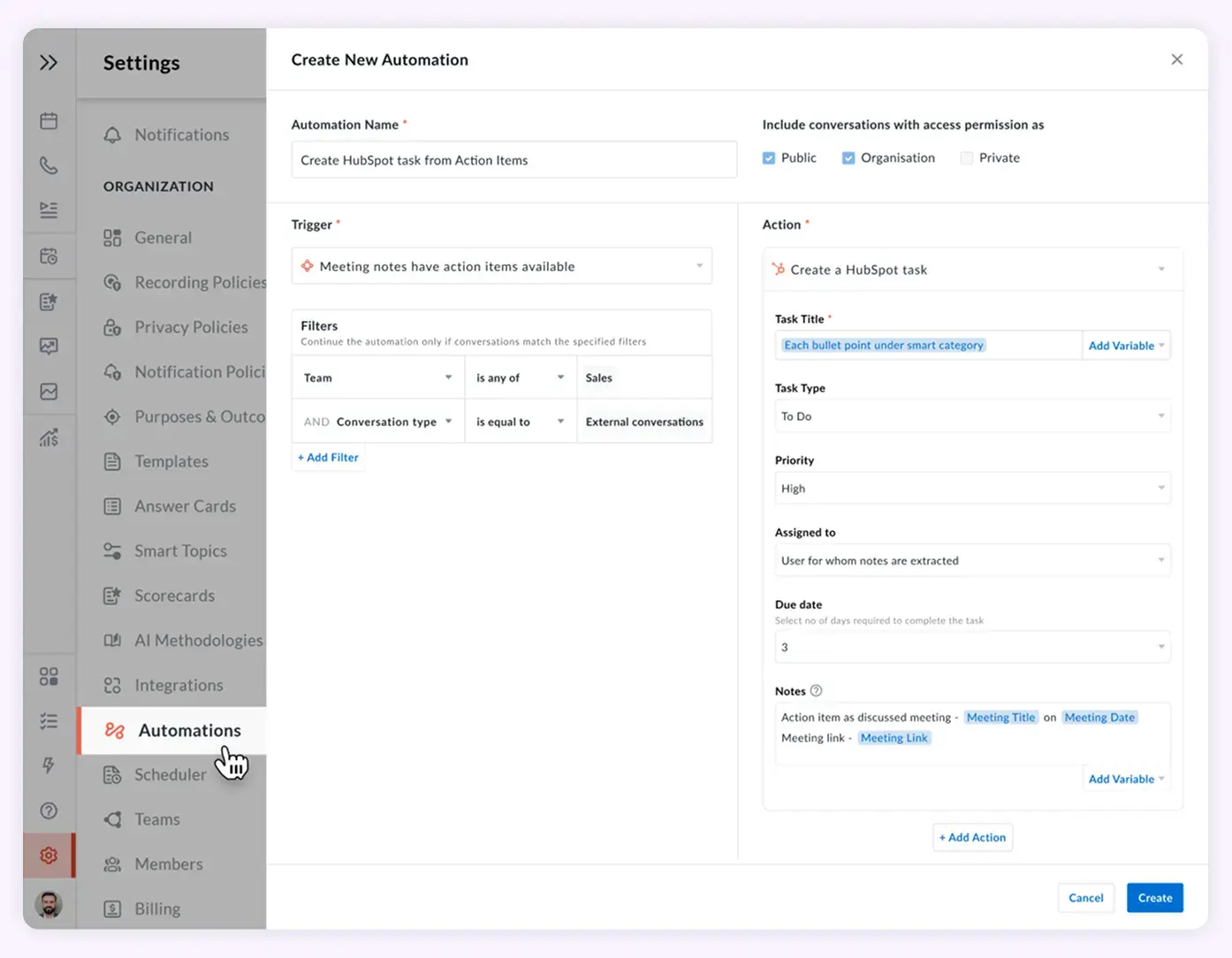
Action items from Avoma meetings now create HubSpot tasks automatically. Keep follow-ups moving without switching tools or copying notes. Set up the automation once, and tasks stay in sync with your meetings and smart notes.
25. Translate notes and transcript into different languages
Translate meeting notes and transcripts into multi language
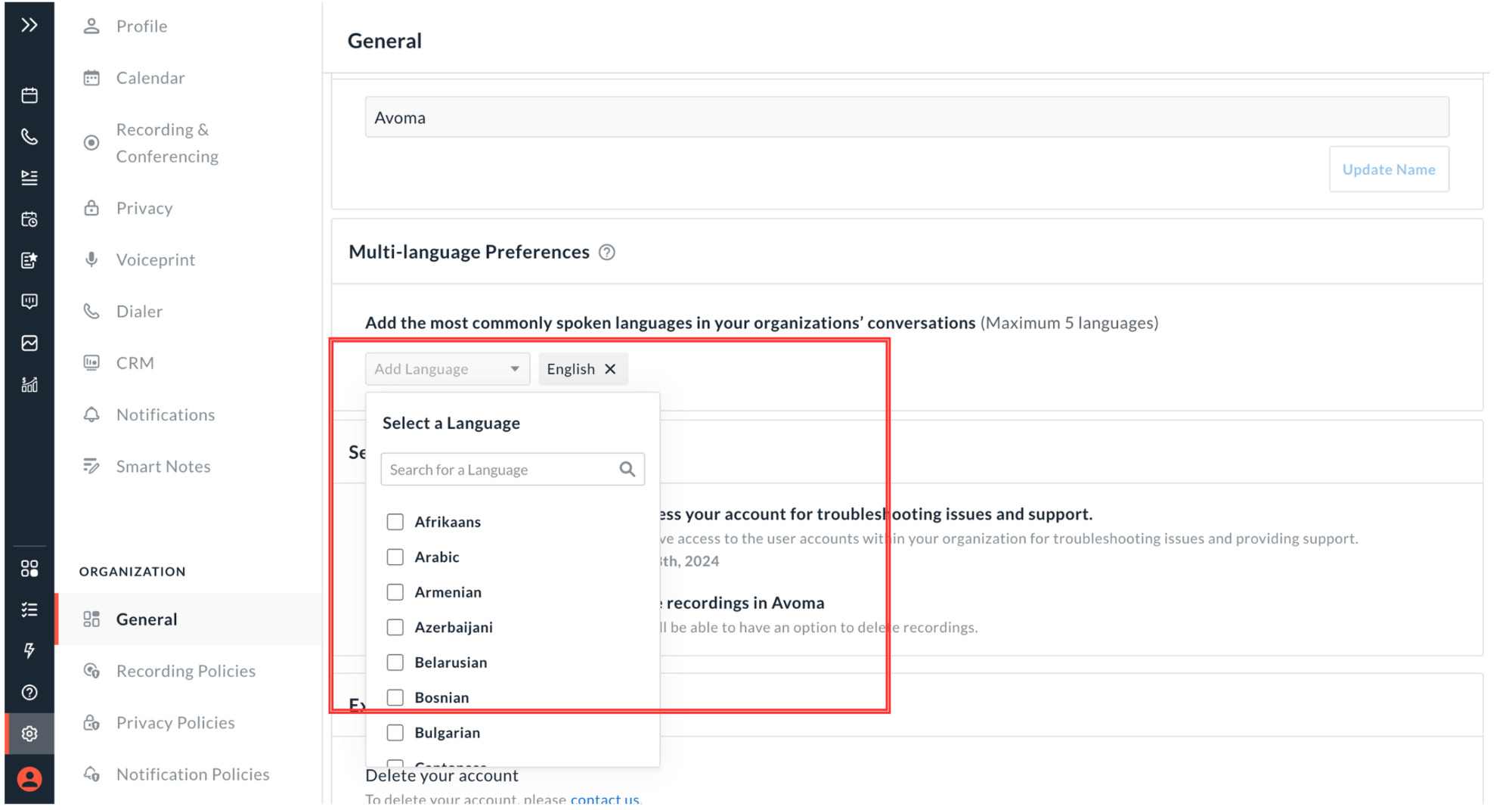
Translate meeting notes and transcripts into the language you choose to make insights accessible across global teams. Review calls, coach, and collaborate without language barriers. Admins can set a default language for the organization and add up to five languages from over 60 supported options. Individual users can also choose their own language preferences for meetings.
What’s next in 2026
In 2026, we are focused on building the best-in-class consumer experience with workflows teams genuinely enjoy using every day. Avoma products will strengthen sales intelligence to accelerate growth for GTM teams.
Frequently Asked Questions


Dive into Our Latest
Avoma Insights.

What's stopping you from turning every conversation into actionable insights?


