
What is sales automation? A complete guide to automating your sales process

Table of Contents:
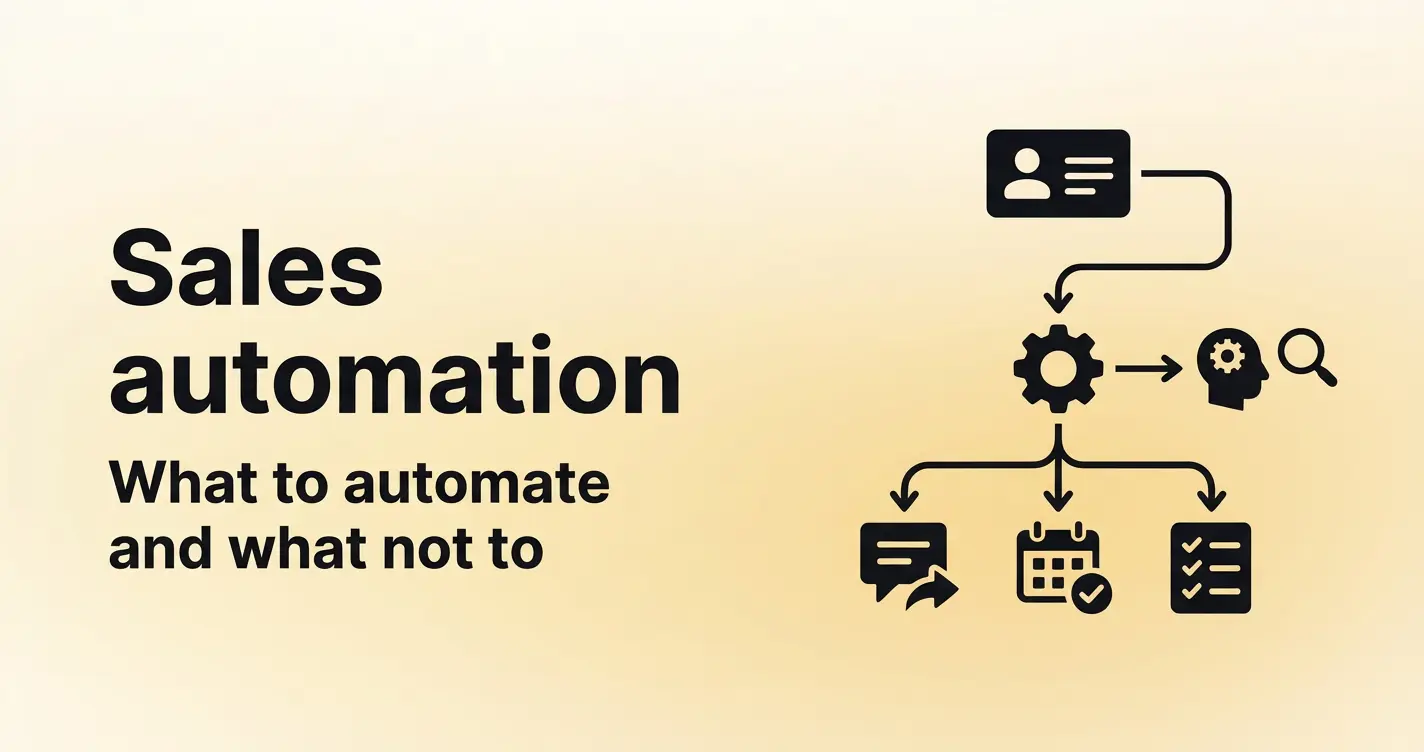
For years, sales automation mostly meant digitizing the administration. Logging calls and moving pipeline stages. The rep still did the work; they just did it inside a CRM instead of a spreadsheet.
The mid-2010s changed that. Sales engagement platforms introduced sequences like multi-channel tracks that executed outbound automatically, without a rep manually queueing each step. Automation started doing production work, not just recording it.
Generative AI pushed it further. Today's tools write personalized copy, identify high-intent buyers, and update CRM fields from conversation data. A lot of what used to be on a rep's daily task list can now run on its own.
So the question shifts to which parts of your workflow are actually worth handing off, and which ones still need a human in the loop? That's what this guide covers.
TLDR
- Sales reps lose significant time each week to manual tasks like note-taking, CRM updates, and follow-ups.
- Sales automation uses software to handle repetitive work so reps focus on revenue-generating activities.
- The highest-impact automations target the meeting lifecycle: pre-meeting scheduling, in-meeting notes, and post-meeting CRM sync.
- Not every task should be automated. Negotiations, objection handling, and relationship-building moments require human judgment.
- Prioritize by frequency and judgment: automate high-frequency, low-judgment tasks first.
- Measure impact through time saved per rep, CRM data completeness, and forecast accuracy.
What is sales automation
Sales automation is the use of software to handle repetitive, manual tasks across the sales cycle so reps can spend their time on conversations, deal strategy, and closing.
It covers the full span of sales work including prospecting, outreach, meeting workflows, CRM management, and reporting. Where marketing automation focuses on lead generation and nurture before a prospect reaches sales, sales process automation picks up after that handoff and focuses on deal progression.
There are two levels to understand here.
- Task automation handles a single action on its own, like logging a completed call to your CRM.
- Workflow automation chains multiple actions across systems, like recording a meeting, generating a summary, syncing key fields to the CRM, and sending a follow-up email, all triggered by one event.
Most teams start with task automation. The ones that get the most value move to workflow automation, because that is where the compounding time savings live. Thinking about sales automation as a workflow design decision rather than a software purchase changes how you evaluate what to automate and which tools to use.
What sales tasks can you automate
To maximize ROI, sales automation should be viewed through the lens of high-friction workflows rather than a flat list of disconnected tasks. By automating the Meeting Lifecycle Workflow, teams can recover up to 2.5 hours of productivity per rep, per day, time previously lost to manual administration.
Here is what sales workflow automation looks like at each stage of the meeting lifecycle.
Pre-meeting
- Lead routing and scheduling can run on rules you define: territory, company size, industry, round-robin rotation. When a new lead comes in, it gets assigned to the right rep without anyone touching a spreadsheet or forwarding an email.
- Meeting scheduling eliminates the back-and-forth of finding a time. Prospects book directly from a shared link or embedded calendar. The system handles time zone detection, availability checks, and confirmation emails.
- Prospect research and call preparation can be partially automated by pulling relevant company data, past interaction history, and CRM notes into a pre-call brief. Reps walk into meetings with context instead of spending 10 minutes searching through their CRM, email, and previous call notes to piece together a picture of where the deal stands.
During the meeting
- Real-time note-taking captures what is said in the conversation so reps can focus on listening and responding instead of typing. AI-generated meeting notes replace the incomplete bullet points reps write after the fact.
- Call recording and transcription create a searchable record of every meeting. Managers can review specific moments without listening to an entire 45-minute call. Reps can revisit what a prospect said without relying on memory.
- Live bookmarking lets participants flag key moments (pricing discussions, objections, next steps) during the call, making post-meeting review faster for everyone involved.
Post-meeting
- CRM field updates are one of the highest-impact automations. Instead of reps manually logging call outcomes, deal stage changes, and next steps, the system syncs this data from the conversation record to the CRM. Fields get populated with what was said, not what the rep remembers two hours later.
- Follow-up email drafts can be generated from the meeting context: action items, commitments made, and next steps discussed. Reps review and send rather than writing from scratch.
- Action item extraction pulls commitments and to-dos from the conversation and assigns them to the right person. Nothing gets lost between the call and the next touchpoint.
- Meeting summary distribution sends a recap to all attendees and stakeholders, keeping everyone aligned without manual effort.
Ongoing and cross-cycle
- Lead scoring uses engagement data and interaction history to rank prospects by likelihood to convert. This helps reps prioritize their pipeline without guessing.
- Pipeline reporting aggregates deal data across your team and presents it in a format managers and RevOps can act on without building manual reports every week.
- Forecast data aggregation pulls conversation signals (buyer engagement, objections raised, decision-maker involvement) into your forecast model. This grounds your predictions in what happened in real meetings rather than what reps reported.
- Call scoring for coaching applies consistent evaluation criteria to every recorded call. Managers get an objective view of rep performance across the team without listening to every conversation.
Benefits of sales automation for revenue teams
The standard list of sales automation benefits (saves time, reduces errors, improves consistency) shows up in every guide on this topic. Those claims are true, but they are too abstract to help a sales leader justify the investment or know what to expect.
The impact of automation looks different depending on your role.
What reps gain
Reps recover the time they lose to administrative tasks every week. The biggest time drains for a sales rep are note-taking during and after calls, manual CRM updates, scheduling coordination, and follow-up email writing. Automating these tasks gives reps four or more hours back per week. That time goes toward pipeline-building activities: more calls, better preparation, and faster follow-ups.
Reps also gain accuracy. When CRM data is auto-synced from conversations, the record reflects what the prospect said. Reps no longer have to reconstruct a 30-minute call from memory before updating a deal.
Follow-up speed improves as well. When a meeting summary and draft follow-up are generated within minutes of the call ending, reps respond while the conversation is still fresh for the buyer. That speed signals competence and keeps deals moving forward.
What managers gain
Sales managers spend a significant portion of their week trying to understand what is happening across their team's pipeline. When meeting data flows into the CRM and call scoring happens automatically, managers get visibility without chasing reps for updates.
Coaching becomes more consistent. AI-scored calls give managers an objective baseline for every rep, surfacing patterns (missed discovery questions, weak objection handling, incomplete next-step commitments) that would take hours to identify through manual call review. Instead of selecting two or three calls per week to review, managers see scored results across every conversation. That coverage turns coaching from a sporadic activity into a repeatable system.
What RevOps gains
Revenue operations teams benefit most from the data quality improvements that come with an automated sales process. When CRM fields are populated by conversation data instead of manual entry, pipeline reports become reliable. Forecast models improve because they are built on what buyers said in meetings, not on what reps entered into a dropdown field.
Tech stack consolidation is the other major gain. When scheduling, note-taking, CRM sync, call scoring, and reporting run on a single platform, RevOps maintains one system instead of five. Data flows between stages without custom integrations or manual handoffs. The total cost of ownership drops, and the time spent managing tool sprawl goes back into process improvement.
Learn more about how these workflows integrate into a broader strategy in our guide on how RevOps teams use revenue intelligence software.
What you should not automate (and why it matters)
Sales automation works because it removes low-judgment, repetitive tasks from your team's plate. But not every sales task fits that description. Some tasks depend on real-time human judgment, and automating them creates more problems than it solves.
- Contract and pricing negotiations require adaptation in the moment. A buyer raises an unexpected concern. A stakeholder joins the call with a new requirement. The rep who can adjust the conversation, reframe the offer, or acknowledge a valid objection is the rep who closes the deal. No automation handles that.
- Objection handling follows a similar pattern. The best responses to objections are grounded in empathy and context: understanding what the buyer is worried about and addressing it in a way that builds trust. Templated responses to objections feel like templated responses, and buyers recognize them.
- Relationship-building conversations like QBR discussions, executive check-ins, and renewal conversations lose value when they feel formulaic. These are the moments where a customer decides whether they trust your team. Automating the structure of these meetings is fine. Automating the content of the conversation is not.
- Over-automated outreach is the most common version of this mistake. Fully AI-generated email sequences with no human review or personalization erode response rates over time. Prospects can tell when an email was written by a system that does not know them. The first few might get opens. The rest get ignored or flagged as spam.
Here is a decision framework you can apply to any task in your sales process:
- Automate the task if it is repetitive, low-context, and the output quality does not depend on real-time human judgment.
- Keep it manual if the buyer's trust depends on feeling heard, understood, or responded to in the moment. When in doubt, ask whether a templated response would feel adequate to the buyer receiving it.
Automation should make the human parts of selling better. It should remove the admin work that prevents reps from being fully present in conversations. The teams that automate everything end up with efficient processes and zero buyer trust. The teams that automate the right things end up with more time for the work that closes deals.
How to automate your sales process step by step
Here is a six-step process for rolling out sales process automation in a way that builds momentum and delivers measurable results.
Step 1: Map your current sales process and identify manual touchpoints
Before you automate your sales process, you need to see it clearly. Document every step in your sales cycle from first contact to closed deal. For each step, note whether it requires human judgment or whether it follows a predictable, repeatable pattern. Flag every manual task: data entry, email writing, scheduling, note-taking, reporting. These are your automation candidates.
Step 2: Quantify the time cost of each manual task
Ask your reps and managers how much time they spend on each manual task per week. Be specific. "CRM updates" is not a useful measurement. "Updating deal stage, next steps, and call notes after each meeting" is. Multiply per-rep time by team size to get the total weekly cost. This number becomes your baseline for measuring impact.
Step 3: Prioritize by impact
Not all manual tasks are equal. Start with the ones that are high-frequency (happen after every meeting or every day) and low-judgment (the output does not change based on context). CRM entry, meeting scheduling, note-taking, and follow-up distribution are the usual starting points. These tasks burn time without requiring the rep's expertise, and automating them produces visible results within the first week.
Step 4: Select a platform that covers multiple automation needs
Avoid adding a separate tool for every task you want to automate. A dedicated scheduling tool, a standalone note-taking app, a CRM sync plugin, and an independent coaching platform can create the same fragmentation problem you're trying to solve. Instead, evaluate platforms that consolidate multiple workflows into a single system. Many of the top sales automation tools combine scheduling, meeting recording, AI notes, CRM updates, coaching, and analytics in one place, reducing context switching and integration overhead. When possible, choose a platform that covers the entire meeting lifecycle rather than stitching together multiple point solutions.
Step 5: Implement in phases and measure after each one
Start with one workflow, like post-meeting CRM sync and note distribution. Measure time saved per rep and CRM data completeness after two weeks. Use those numbers to build internal buy-in before expanding to the next automation.
A team that starts by automating post-meeting workflows sees measurable results in the first week. That early proof makes it easier to get buy-in for automating pre-meeting scheduling and lead routing in the next phase. Teams that try to automate everything at once create adoption friction. Teams that phase the rollout build confidence with each win.
Step 6: Review and optimize quarterly
Automation is not a set-and-forget system. Review which automations are delivering value every quarter. Retire the ones that are not. Adjust triggers, templates, and workflows based on what your team reports.
The goal is a system that improves over time, not one that creates a new layer of maintenance. As your sales process evolves (new products, new markets, new team members), your automations should evolve with it.
How to measure the impact of sales automation
Here are five metrics that tell you whether your sales automation investment is delivering value.
- Time saved per rep per week. Track how many hours each rep spends on admin tasks before automation and compare to the same measurement 30 days after implementation. The target is a measurable reduction in time spent on note-taking, CRM updates, scheduling, and follow-up writing.
- CRM data completeness rate. Measure the percentage of required CRM fields that are populated after each meeting. With manual entry, this number is often below 50%. With automated CRM sync from conversation data, it should be above 90%. This metric tells you whether your pipeline data is reliable enough to support accurate reporting.
- Follow-up response time. Track the average time between the end of a meeting and when the follow-up email goes out. Automated follow-up drafting cuts this from hours (or days) to minutes. Faster follow-ups keep deals moving and signal professionalism to buyers.
- Coaching coverage. Measure the percentage of recorded calls that receive a quality score versus total calls. Without automation, managers score a fraction of calls. With AI-powered call scoring, coverage reaches 100%, giving you a complete picture of rep performance.
- Forecast accuracy. Compare your pre-automation forecast variance (the gap between predicted and actual outcomes) to post-automation variance. When forecast models are built on conversation data (buyer engagement, objections, decision-maker involvement) rather than rep-reported deal stages, the gap should shrink. This is one of the highest-value metrics for RevOps teams building a case for expanded automation.
Start with time saved and CRM completeness. Those two numbers tell you whether the system is working before you move to more complex metrics.
Conclusion
Sales automation delivers the most value when you start with the meeting lifecycle. That is where your reps lose the most time to manual work: scheduling, note-taking, CRM updates, follow-ups, and call review.
Automate the tasks that are repetitive and low-judgment. Keep the human-dependent work manual. Measure the impact through time saved and data quality.
Avoma automates the full meeting lifecycle in one platform: Scheduling, recording, AI-generated notes, CRM sync, call scoring, and deal intelligence. If your team is still handling these tasks manually, calculate the hours you are losing every week and evaluate whether that time could be spent on the work that closes deals.
Frequently Asked Questions
Sales automation removes administrative tasks from a rep's workload. It does not replace the rep. Tasks like note-taking, CRM updates, scheduling, and follow-up drafting are handled by software. Tasks that require human judgment, relationship-building, negotiation, and real-time problem-solving remain with the rep. The result is that reps spend more of their week on conversations and deal strategy rather than data entry.
Small teams often benefit more from automation than large ones because they have less capacity to absorb admin work. A five-person sales team where each rep saves four hours per week recovers 20 hours of selling time weekly. The key for small teams is selecting a platform that covers multiple needs (scheduling, notes, CRM sync, coaching) rather than assembling separate tools that increase cost and complexity.
Implementation timelines vary based on scope. Automating a single workflow like post-meeting CRM sync and note distribution can take one to two days with a platform that integrates with your existing CRM. A full rollout covering scheduling, recording, transcription, CRM sync, coaching, and reporting takes two to four weeks when phased. Teams that try to implement everything at once face longer timelines and lower adoption rates.
Sales automation handles the execution of repetitive tasks: syncing data, scheduling meetings, generating notes, and scoring calls. Sales enablement focuses on preparing reps to sell: training programs, content libraries, coaching frameworks, and onboarding processes. Automation reduces the time spent on admin. Enablement improves the quality of selling activities. Many platforms now overlap, offering both automated workflows and enablement features in one system.
Adoption depends on whether reps experience a direct reduction in their daily admin work. Start by automating the task reps complain about most, which is usually CRM updates or note-taking. Show measurable time savings within the first two weeks. Avoid launching with features that feel like surveillance (call scoring, activity tracking) before reps see the personal benefit. Reps adopt tools that make their day easier, not tools introduced as management oversight.


Dive into Our Latest
Avoma Insights.



What's stopping you from turning every conversation into actionable insights?


