
Get answers from meetings, deals, and pipeline with Ask Avoma
Ask Avoma is an AI copilot that answers questions about meetings, deals, accounts, and pipeline activity. Search transcripts, emails, CRM records, and web sources in one place. Get supporting evidence for answers, so you can move faster without digging through recordings.




The answers are in your customer conversations. Getting to them is the hard part.

Digging through recordings for one detail
Running pipeline reviews on data you can't trust
Manually building the same report every week
Insights that never reach the people who need them
One AI copilot for meetings, deals, and pipeline questions
Query every meeting, deal, and account at once
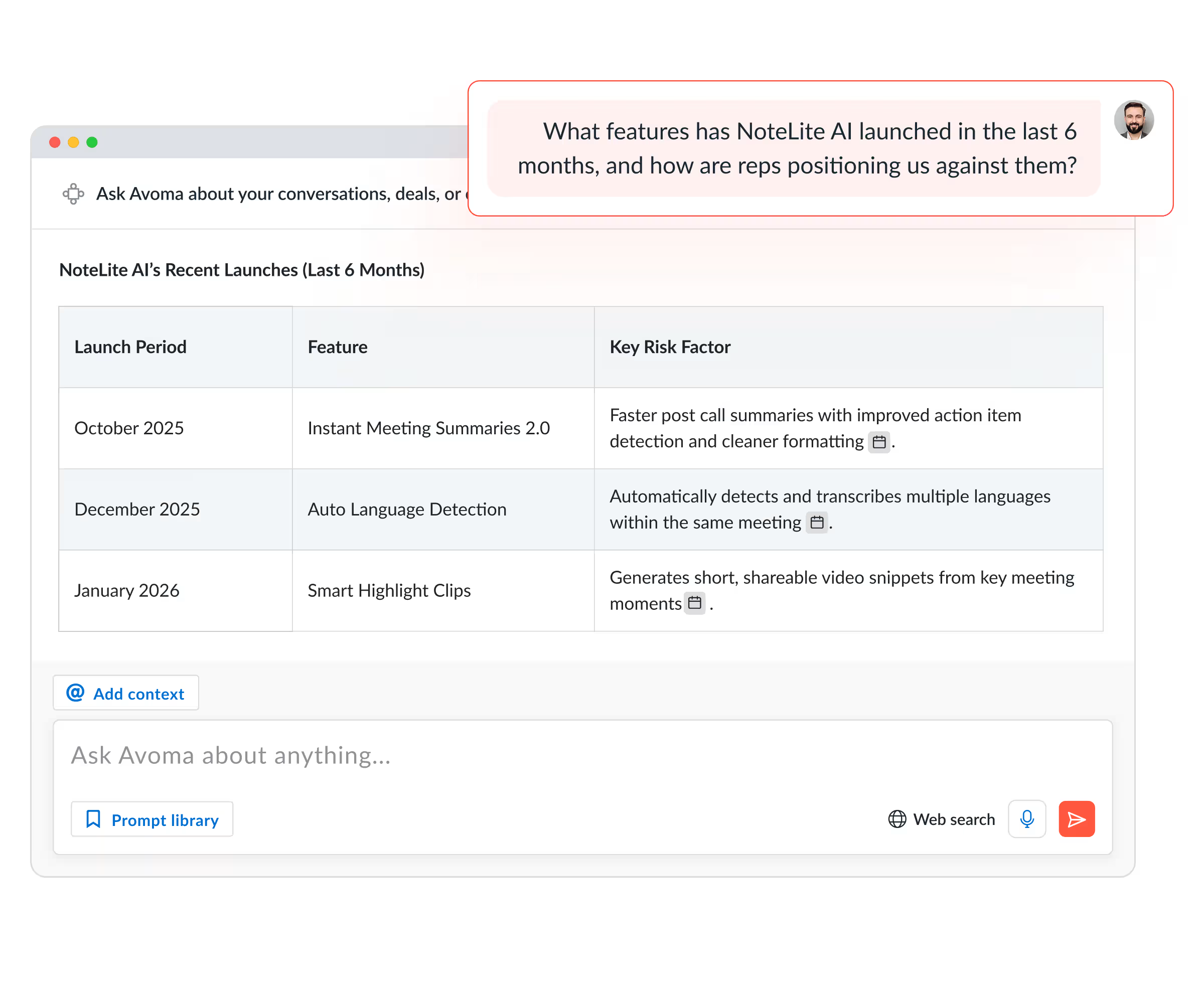
Ask about team pipeline health, a specific rep's deals, or churn signals across all your accounts. Ask Avoma's global search runs across your entire org's meetings, calls, emails, and deal data. No manual update required, no rep check-in needed.
- Search across all transcripts, notes, and emails in one query
- Filter by team, deal stage, account, or time period
- Every answer cites its source so you can verify in one click
Automate your pipeline briefings and weekly reports
Set a prompt once. Get a fresh report in your inbox, Slack channel, or Teams on whatever cadence you choose. Your Monday pipeline briefing, your weekly coaching summary, both run automatically.
- Schedule any prompt to run daily, weekly, or on a custom cadence
- Deliver reports to Slack, MS Teams, or email
- Turn any saved prompt into a recurring intelligence feed

Standardize the questions your whole team asks
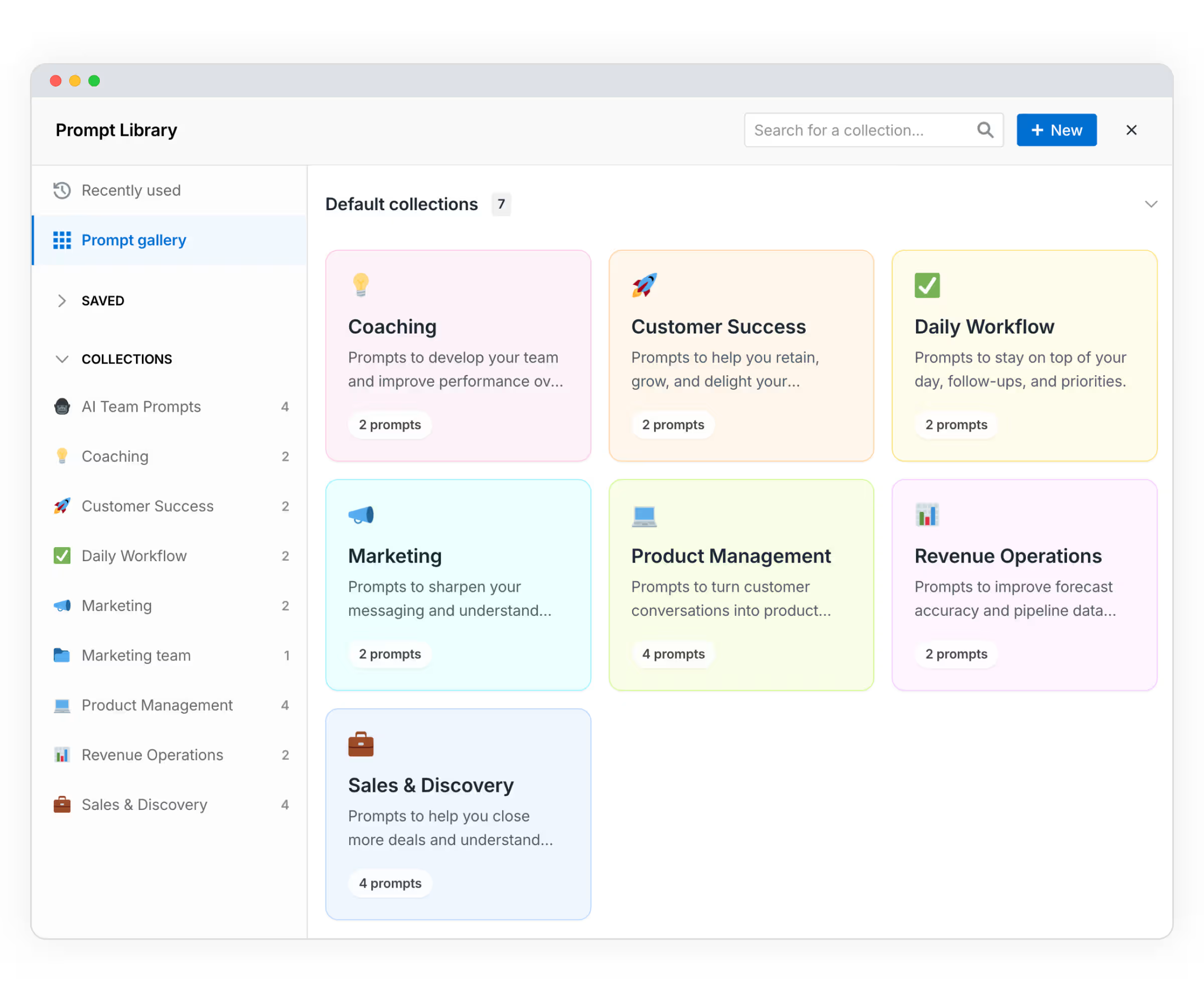
Admins build and share org-level prompt collections organized by function. Every rep, manager, and CS lead asks the same high-quality questions and gets answers you can actually compare.
- Pre-built collections for Sales, CS, Leadership, and RevOps
- Default prompts ready for new users on day one
- Save, edit, and reuse prompts directly from the chat
Choose exactly what context you're asking about
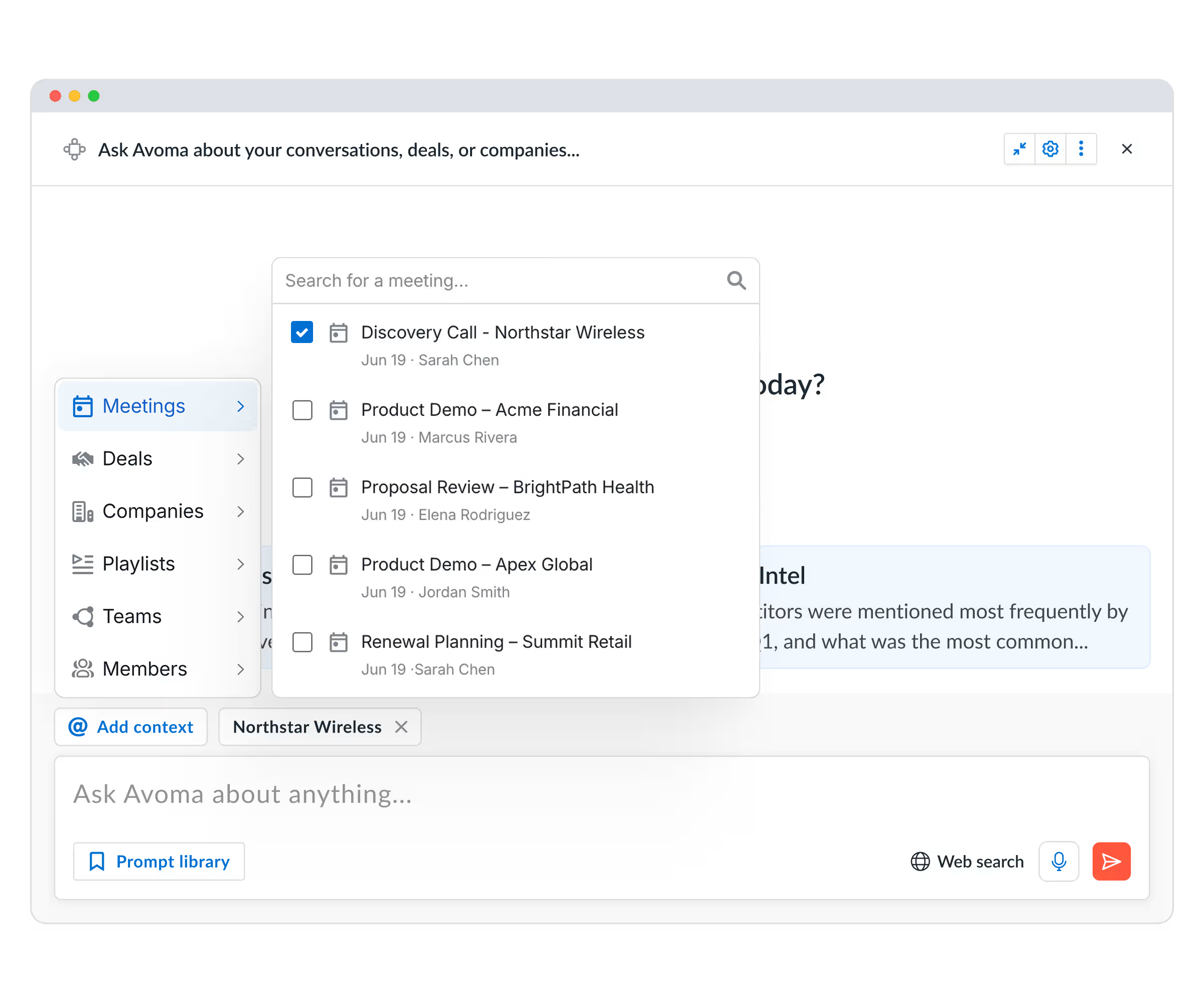
Tag a specific meeting, deal, account, or playlist and Ask Avoma answers only from that context. Open it from a deal page and the scope loads automatically, nothing to configure.
- Hand-select meetings, deals, accounts, or users as context
- Scope pre-fills when you open from a meeting or deal page
- One unified interface replaces the old split between meeting, deal, and global copilot views
Pull in market intelligence alongside your internal data
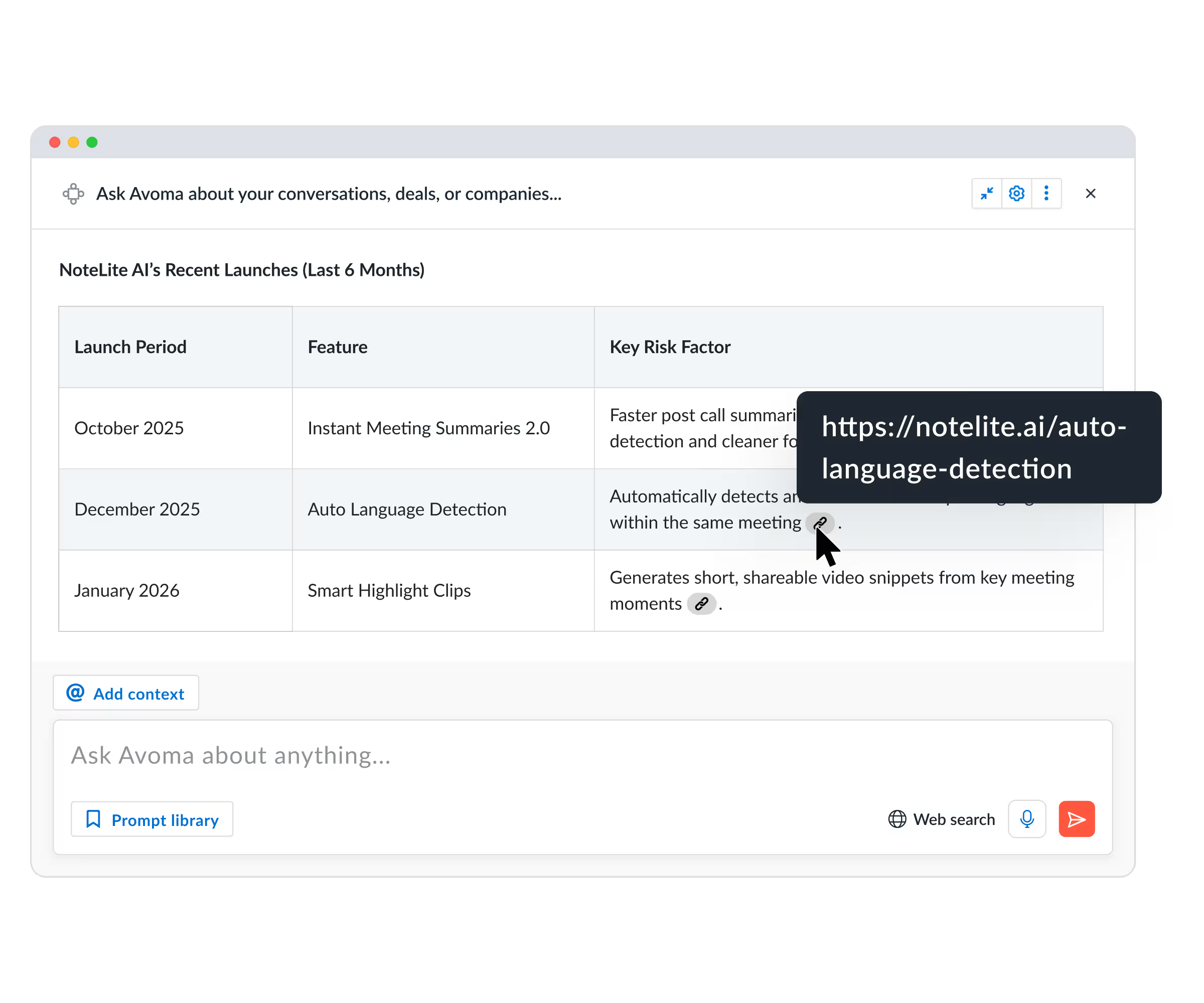
Renewal prep needs competitive context. Pipeline reviews benefit from market benchmarks. Ask Avoma now searches the web alongside your deals and transcripts, competitive positioning, pricing signals, and market trends in the same response as your internal data.
- Automatic web search, no extra steps needed
- Every web-sourced answer includes a citation you can click through
- Most useful for competitive prep, renewals, and deal strategy
15 minutes
4 out of 5
42%
How Ask Avoma finds answers across meetings, deals, and pipeline data
Ask about a meeting, deal, account, renewal, or your team's pipeline. Search a single conversation or your entire workspace using plain language.
Ask Avoma searches meeting transcripts, AI notes, CRM records, emails, and deal activity to find answers. Rsponses includes citations, so you can verify the source.
Copy responses with or without timestamps, or schedule prompts to run automatically. Deliver pipeline reviews, coaching summaries, and forecast updates to Slack, Teams, or email.
Everything your revenue team needs, connected
Trusted by teams who need answers
Frequently asked questions

What's stopping you from turning every conversation into actionable insights?
