
Book sales calls instantly, cut no-shows, and have every booking log itself to your CRM
Avoma's sales call scheduling software lets prospects book meetings instantly using a simple link, with no back-and-forth emails, time zone confusion, or missed confirmations. Share your availability, and the system handles scheduling, reminders, and updates automatically.




Scheduling friction slows deals and wastes sales capacity

Back-and-forth emails kill deal momentum
Time zone errors mean missed meetings
No-shows drain your team's capacity
Bookings live outside your CRM
Automated scheduling features that streamline booking and reduce admin work
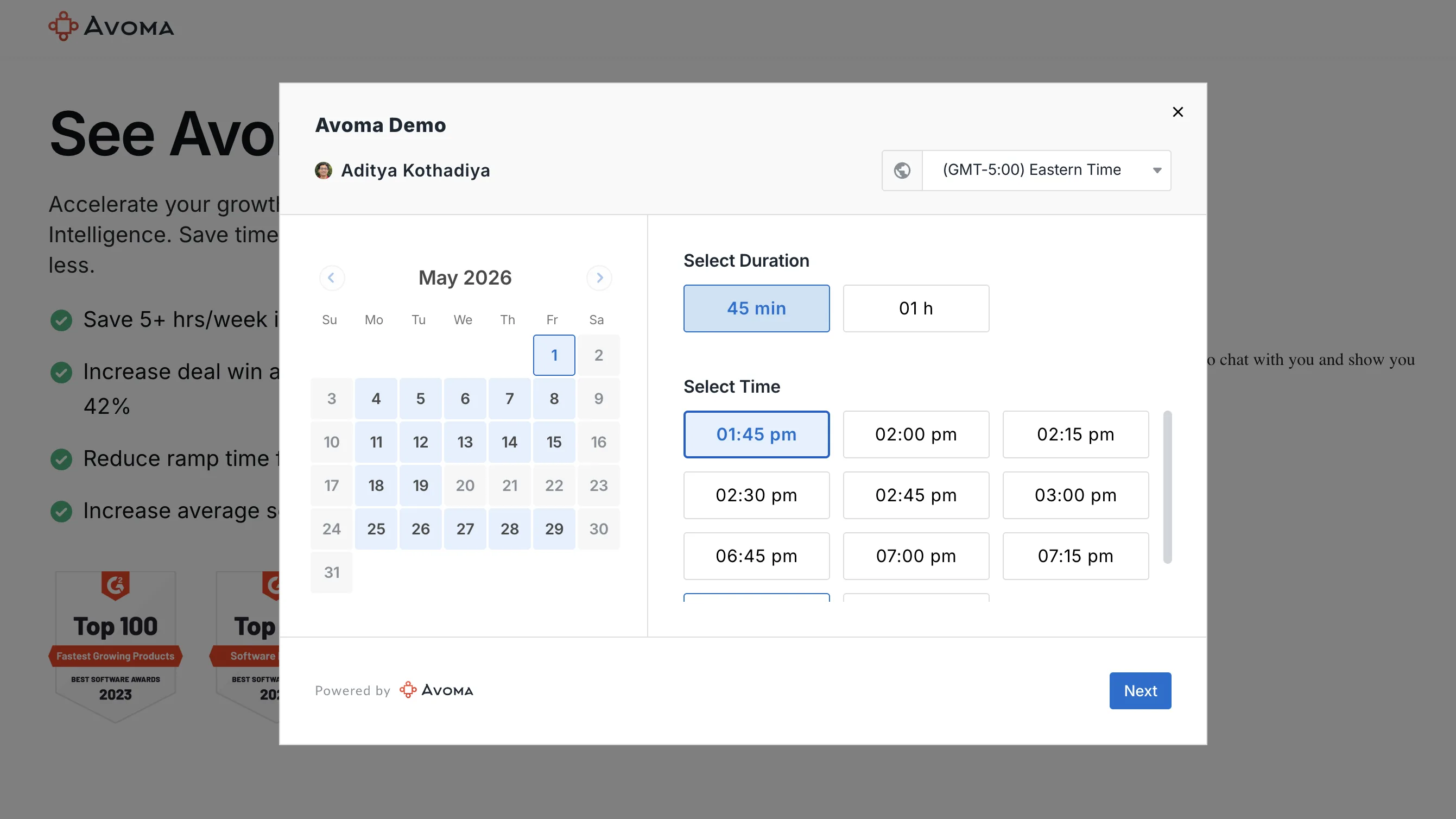
Instant booking links with no calendar chaos
Create unlimited meeting booking links for 1:1, group, or team sessions. Control availability windows, buffer times, and time zone preferences so buyers always book into a slot that actually works and reps never get double-booked.
- Unlimited scheduling pages per user
- Custom availability windows and buffer time controls
- Automatic time zone detection for global prospects
Keep every booked meeting on the calendar
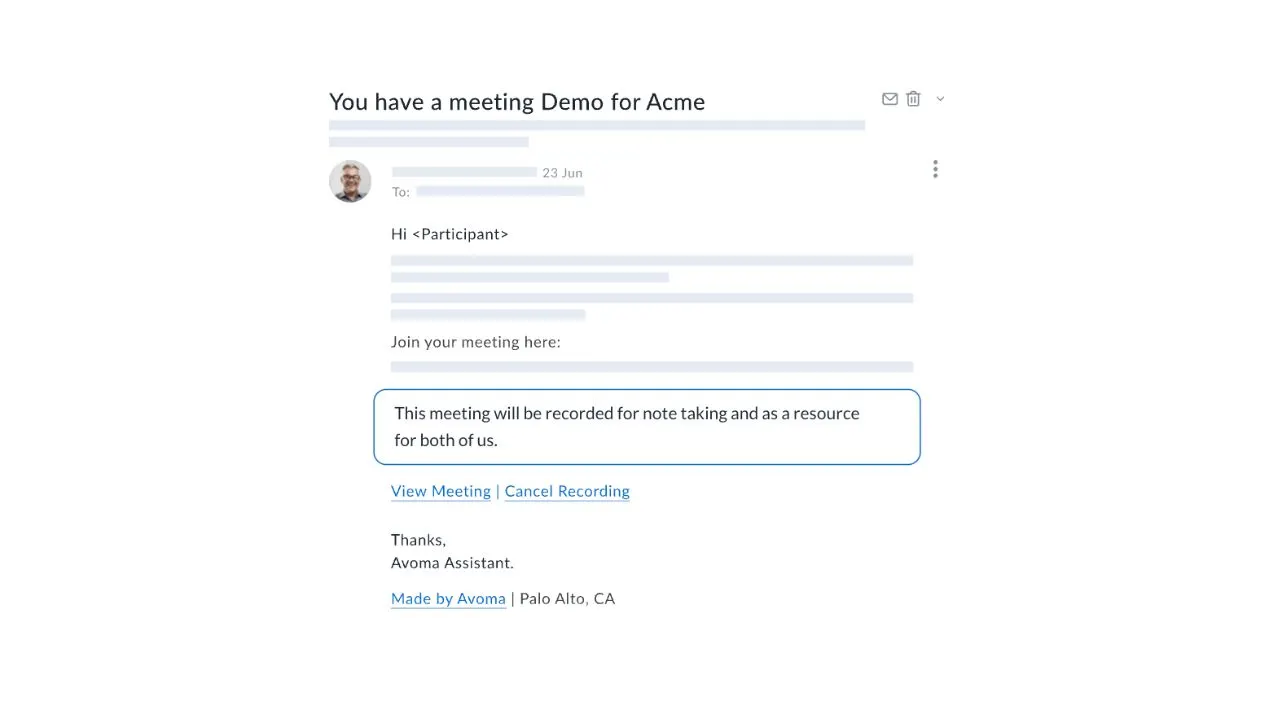
Avoma automatically sends personalised reminder sequences before each sales appointment booking, timed to maximise attendance. Prospects can reschedule directly from the reminder without emailing the rep, so your calendar stays accurate and your prep time is never wasted.
- Multi-step reminder sequences before every meeting
- One-click rescheduling from reminder email
- Configurable timing per meeting type
Real-time availability, always accurate
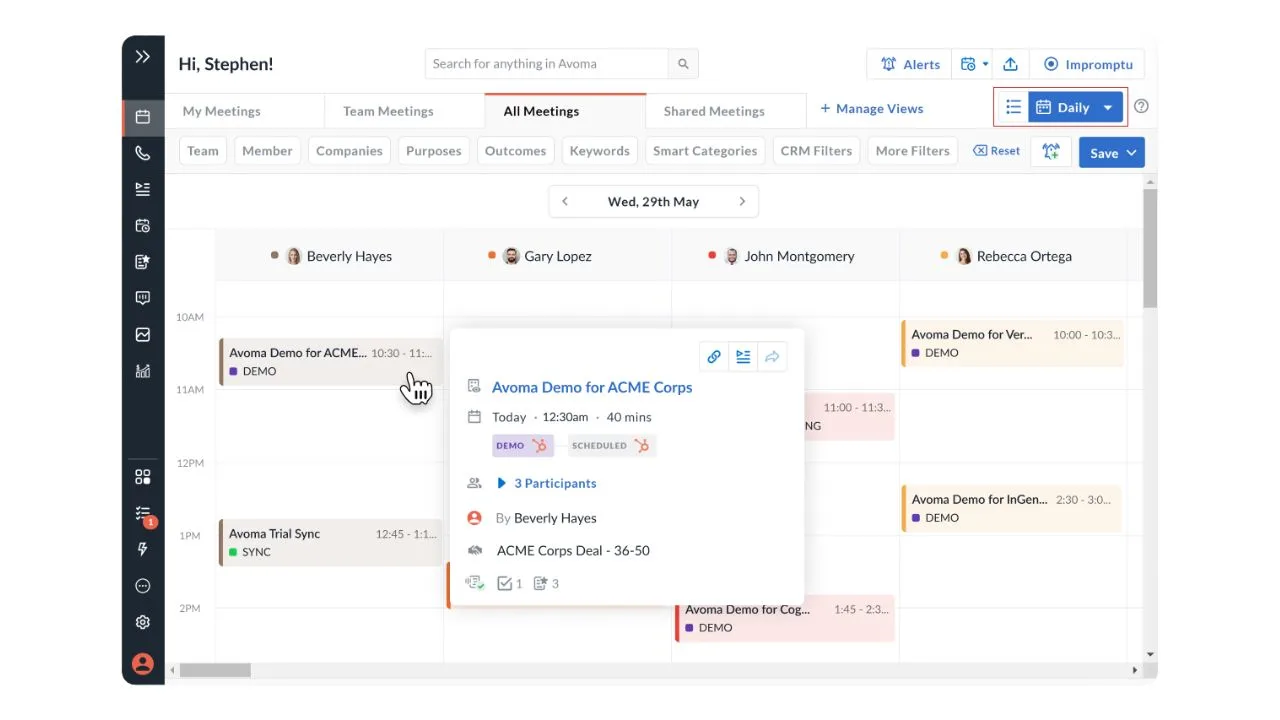
Avoma syncs directly with Google Calendar and Outlook so your scheduling pages always reflect your actual availability, including internal meetings, blocked time, and existing commitments. No more calendar sync scheduling gaps or double-bookings.
- Two-way sync with Google Calendar and Outlook
- Blocked time and internal meetings respected automatically
- Real-time availability updates as your calendar changes
Automatically log every booking in your CRM
Ensure every interaction from your scheduling flows is captured without manual effort. Keep your pipeline accurate with real-time updates for bookings, changes, and cancellations.
- Every booking automatically logged in HubSpot and Salesforce
- Reschedules and cancellations sync as CRM activities
- Eliminates manual data entry for reps
- Maintains clean and reliable pipeline data for reporting
.webp)
Built for 1:1, group, and multi-host scheduling
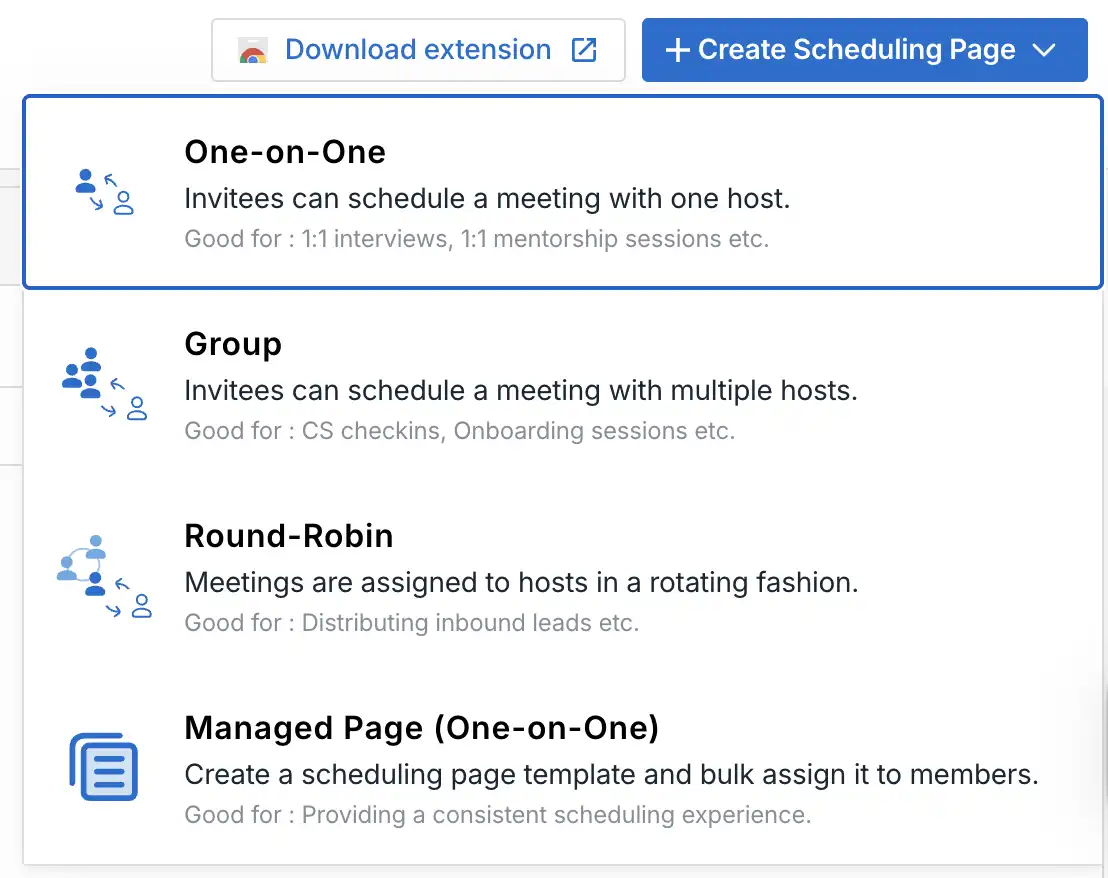
Whether it's a cold discovery call scheduling link or a multi-person demo, Avoma handles 1:1, group, and managed scheduling pages. Each page is fully configurable, meeting duration, confirmation copy, redirect URLs, and calendar event details.
- 1:1, group, and managed scheduling page types
- Custom confirmation messages and redirect URLs
- Configurable meeting duration and event details
Improve lead conversion by uncovering scheduling bottlenecks
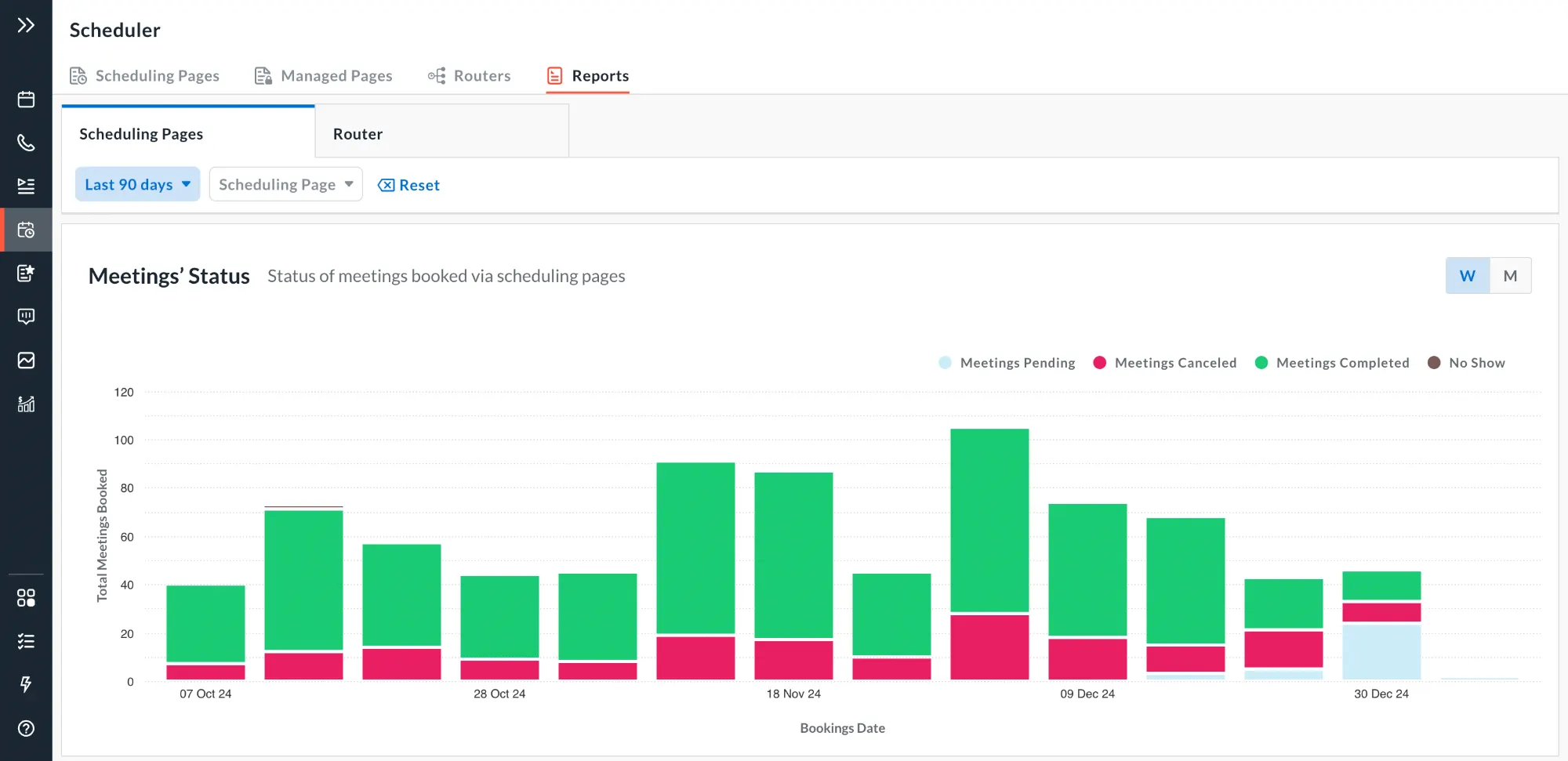
Understand what happens after a meeting is booked. Track trends, booking activity, and outcomes to identify gaps and optimize your scheduling and follow-up processes.
- Time-series reports to analyze booking trends over time
- Visibility into booking activity including submissions, status changes, and outcomes
- Identify bottlenecks like cancellations and no-shows
- Optimize scheduling performance to improve conversion rates
2×
5+ hrs
<5 min
Simple steps to automate scheduling from booking to follow-up
Connect Avoma to Google Calendar or Outlook in a few clicks, then create your scheduling page. Set availability, buffer times, and meeting duration so prospects always see accurate, real-time availability.
Add your meeting booking link to emails, LinkedIn, your website, or your signature. Prospects can view your availability in their time zone and book instantly without back-and-forth communication.
When a meeting is booked, Avoma sends confirmations, schedules reminders, and logs everything to your CRM. Scheduling, follow-ups, and calendar updates happen automatically without manual effort.
More from Avoma's connected intelligence platform
Trusted by teams who move fast
Frequently asked questions

What's stopping you from turning every conversation into actionable insights?
