
Keep your meetings private and secure
Privacy-focused AI meeting transcription with enterprise-grade governance
Capture meeting insights without compromising privacy. Avoma combines secure AI meeting transcription with access controls, consent management, and enterprise-grade governance.

Trusted by teams who can't afford compliance gaps
%20(1).png)
%20(1).png)
.png)
%20(1).png)
%20(1).png)
%20(1).png)
.webp)
%20(1).png)
The hidden risks of unsecured meeting recordings and transcripts
AI meeting transcription can improve productivity, but without the right privacy controls, sensitive conversations, confidential recordings, and meeting data can quickly become a compliance and security risk.

Sensitive meetings get recorded by default
Most tools record everything unless someone manually opts out. HR reviews, board discussions, and executive strategy calls end up in a shared library — visible to people who were never meant to see them. Avoma automatically marks all internal meetings as private, so confidential conversations stay that way from the start.
No control over who accesses what
Without role-based access, a junior rep can pull up a CXO negotiation call. A new hire can browse HR conversations. Avoma lets admins set team-level and role-level visibility rules so people only see the meetings relevant to their work.
Compliance gaps show up at the worst time
GDPR, SOC 2, and regional recording consent laws require more than a checkbox. When an audit hits or a data subject request lands, organizations with loose meeting governance scramble. Avoma builds consent notifications, data deletion rights, and access controls directly into the platform.
Users can override your privacy policies
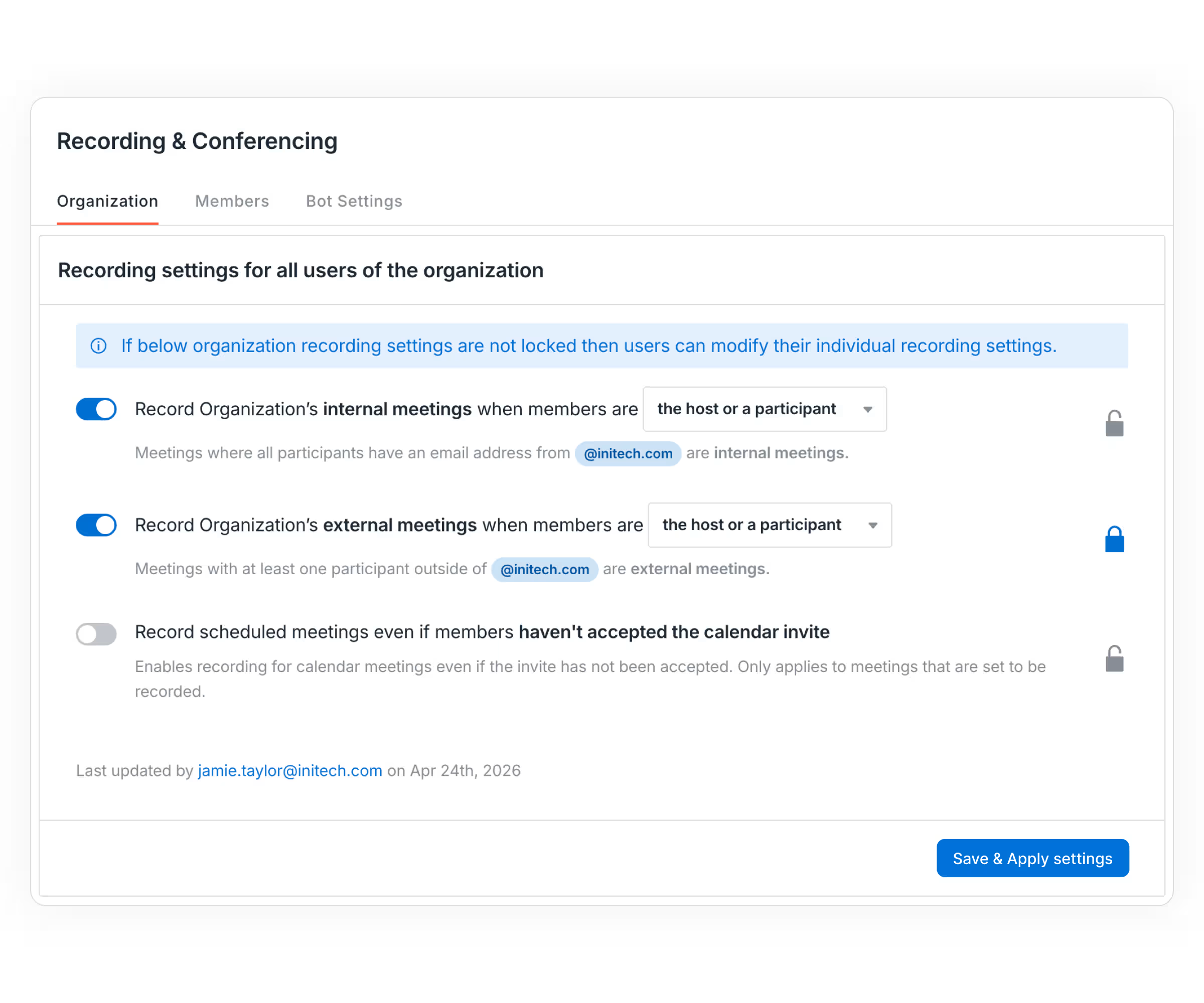
When individual users control their own recording and sharing settings, your org-wide policy is only as strong as the least careful person on the team. Avoma lets admins lock down recording policies at the organization level.
Protect every meeting with privacy controls built for modern organizations
From consent and recording policies to role-based access and secure sharing, Avoma gives you complete control over meeting data.
Real-time pipeline analytics
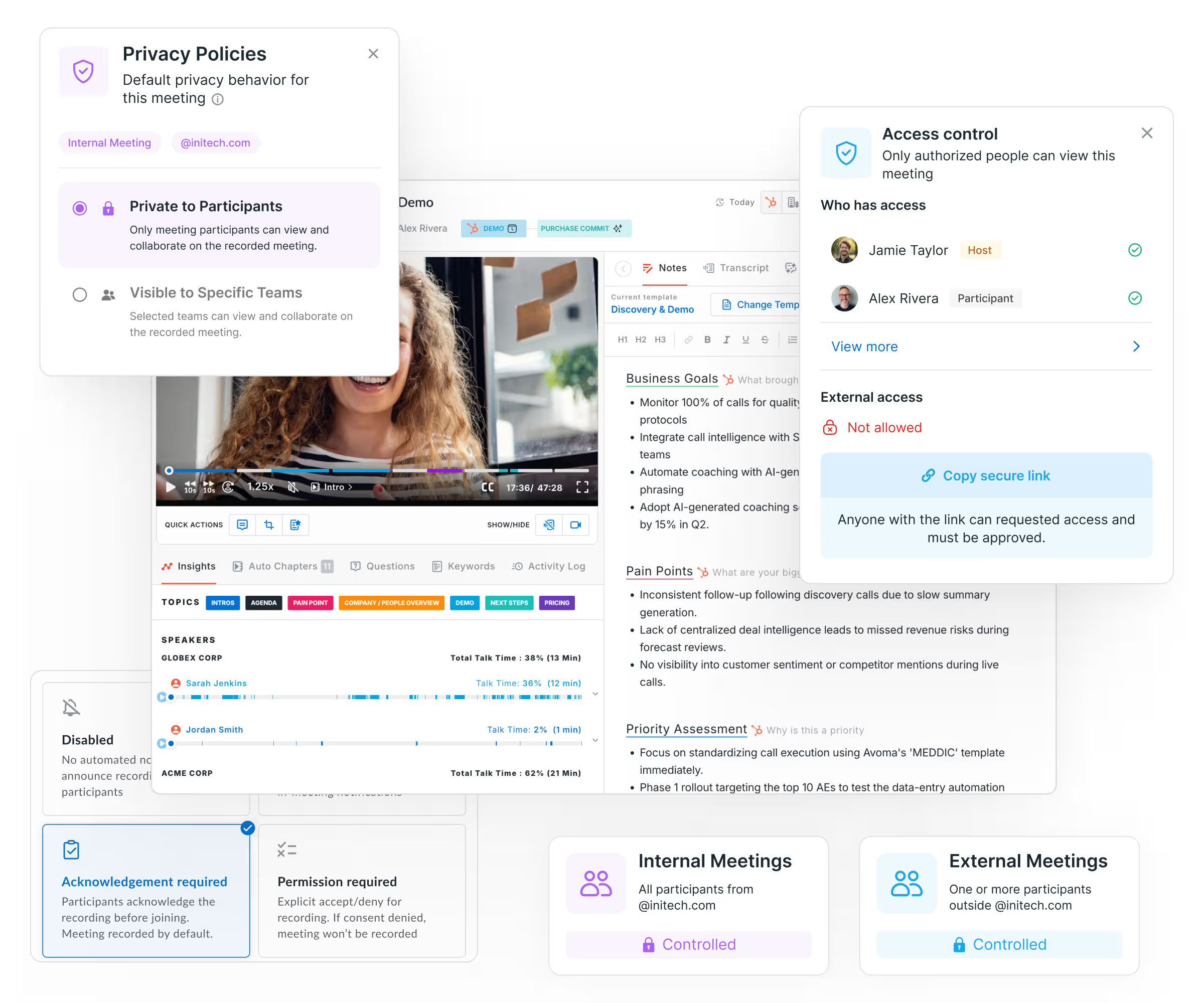
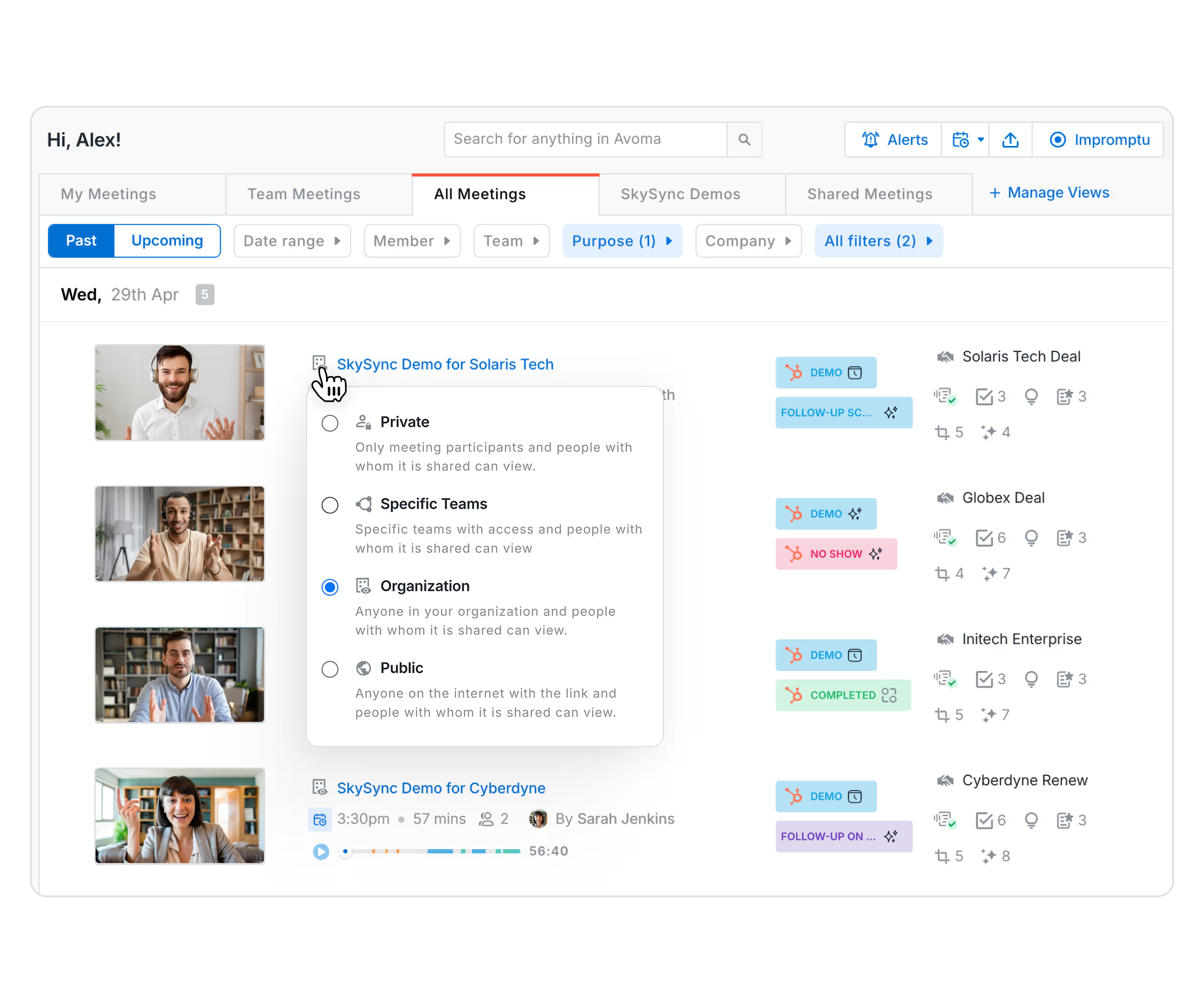
Control exactly who can access meeting recordings, transcripts, and notes with four privacy levels designed for enterprise collaboration and data protection.
Real-time pipeline analytics
Set recording permissions, privacy defaults, and compliance requirements once. Avoma automatically applies them across teams to reduce risk and maintain governance.
Real-time pipeline analytics
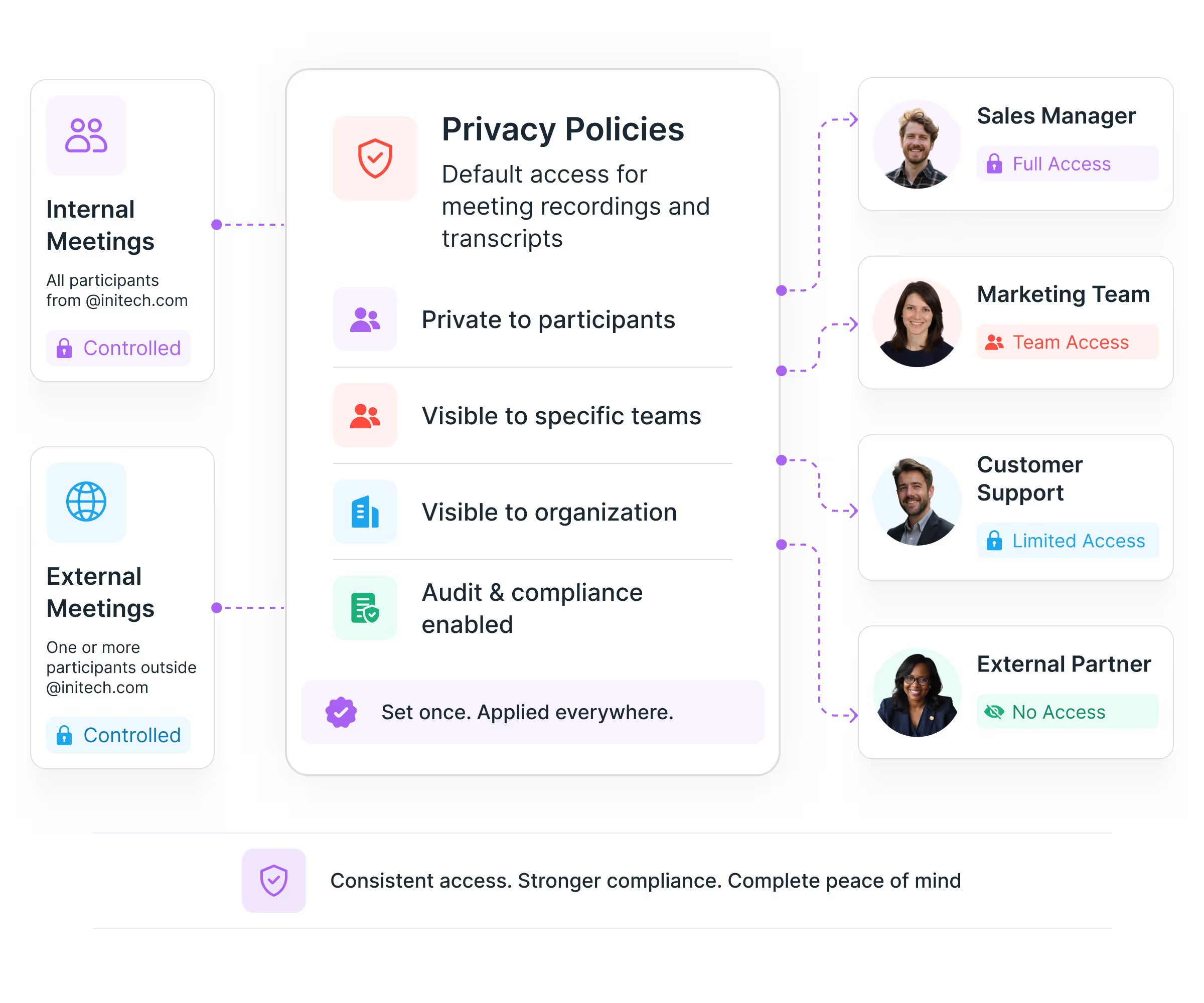
Protect confidential meeting recordings and transcripts with least-privilege access. Ensure employees only see the meetings relevant to their role, team, or reporting structure.
Real-time pipeline analytics
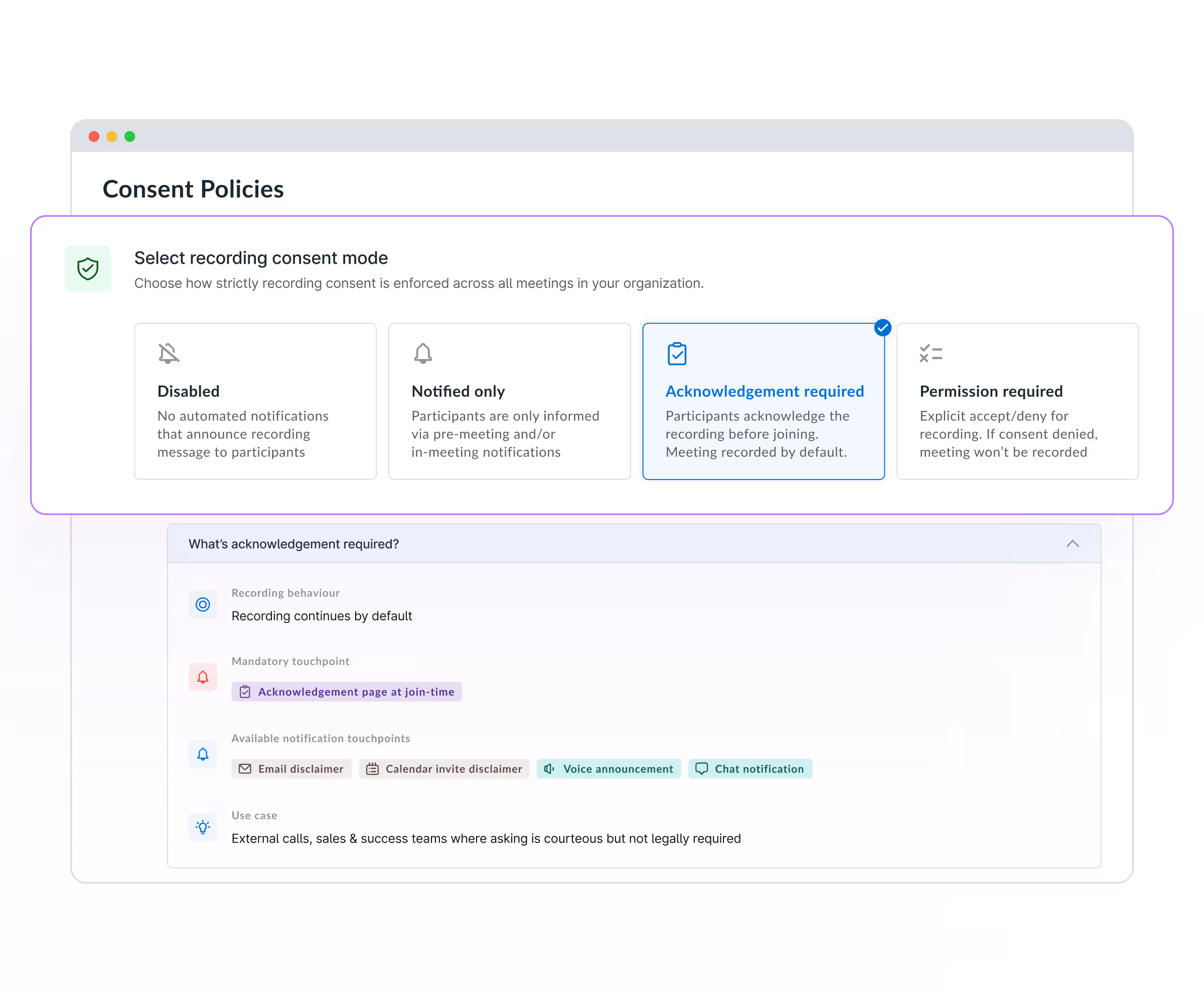
Support GDPR, recording consent requirements, and enterprise security standards with flexible consent controls. Automatically notify participants or require explicit approval before recording starts. If consent is denied, recording is blocked automatically.
Real-time pipeline analytics
Keep executive meetings, HR discussions, legal reviews, and performance conversations private by default. Access is limited to participants and explicitly authorized viewers only.

Real-time pipeline analytics
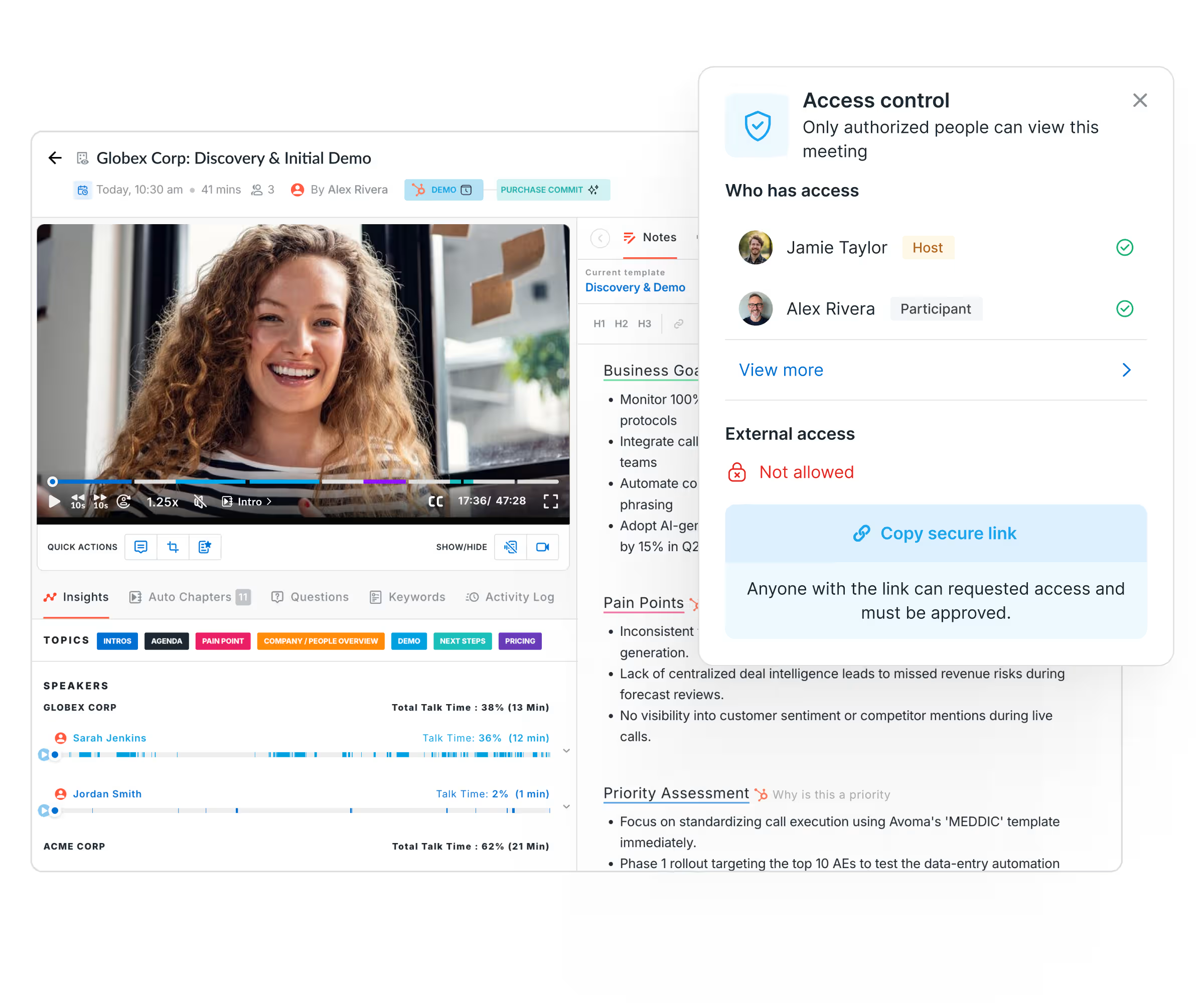
Collaborate without exposing sensitive information. Control access for every shared meeting, require authentication for external viewers, and share only the clips that matter.
The results speak for themselves, so do our customers.

_BestEstimatedROI_Small-Business_Roi.png)


Meeting Privacy, Security & Compliance FAQs
Learn how Avoma helps organizations securely record, transcribe, govern, and share meeting data.
Avoma transcribes meetings automatically and applies your organization's access rules to every transcript, recording, and AI-generated summary — without relying on individual users to manage their own settings. Internal meetings default to Private. Admins control what gets recorded, who sees it, and whether users can change those defaults. That combination is what separates Avoma from tools that give you transcription but leave governance to chance.
Avoma gives admins centralized control over recording defaults, meeting visibility, and access policies for the entire organization. Crucially, admins can lock those settings so individual users cannot override them. This means your privacy standards are enforced consistently — whether a rep is recording a customer call, a manager is running a performance review, or an executive is in a board discussion.
No. Avoma's access model explicitly blocks admins from viewing Private meetings they weren't part of, unless the meeting owner has shared it with them directly. A sales manager cannot pull up a rep's private call. An IT admin cannot browse HR conversations. That restriction is by design, not by configuration — it cannot be switched off at the admin level.
Avoma sends automated consent notifications to all participants before a meeting is recorded, covering GDPR, US federal, and state-level two-party consent requirements. This runs automatically; organizers don't have to remember to disclose recording on every call, and organizations don't have to build manual processes to stay compliant across jurisdictions.
Yes. Avoma's Primary Team visibility setting restricts access to a specific team rather than the whole organization — useful where different business units handle different categories of sensitive data. A clinical team's calls stay within that team. A regional sales team's pipeline conversations don't bleed into other regions. If a user hasn't been assigned to a team, Avoma defaults that meeting to Private automatically rather than leaving it exposed.
Avoma holds SOC 2 Type II certification — an independent audit of security controls sustained over time, not a one-time snapshot. GDPR compliance is built into the product, with consent mechanisms, data deletion rights, and a Data Processing Addendum available for enterprise customers. SOC 2 reports are available through the Avoma Trust Center for procurement and security review.
No. Avoma employees have no access to your organization's data by default. Access can only be granted voluntarily by an admin — typically to allow Avoma's support team to investigate a specific issue — and can be revoked immediately after. This means your meeting content is not visible to Avoma for any purpose unless your admin explicitly opens that access.
Avoma admins can lock org-wide recording and visibility defaults so that individual users cannot change them in their personal settings. This matters because most governance failures in meeting tools happen at the user level — someone forgets to set a meeting to Private, or shares a recording without thinking. Avoma removes that dependency. The policy runs at the organization level, and locking it means it stays there.

What's stopping you from turning every conversation into actionable insights?
