
Introducing Avoma Home: Start your day with a plan built around your work

Table of Contents:
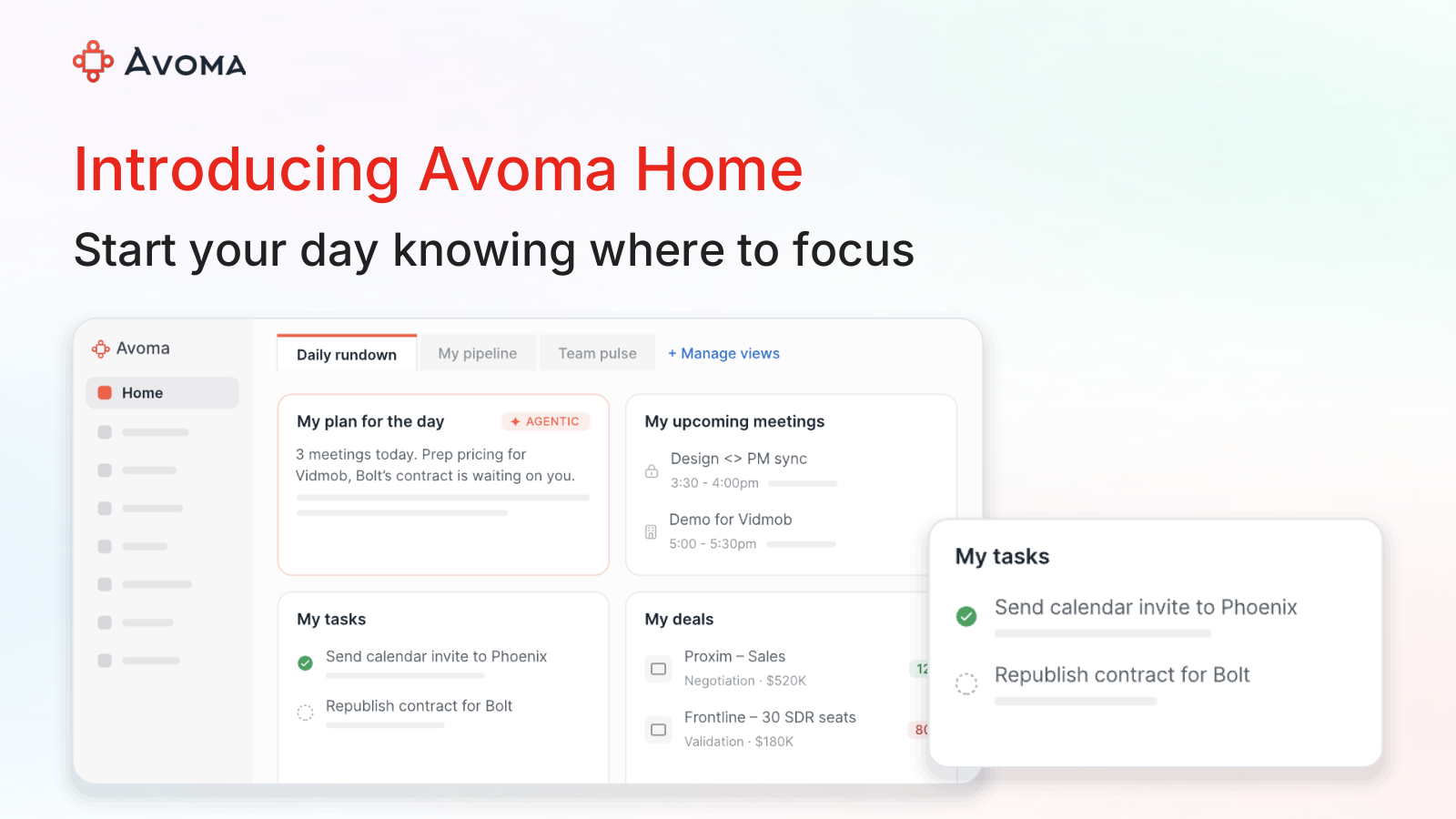
Your priorities are spread across meeting notes, tasks, and CRM records.
With back-to-back meetings, preparation and follow-ups can slip.
Today, we’re introducing Avoma Home to help you start your day knowing where to focus. Your priorities and personalized briefings come to you, so you spend less time finding updates and more time acting on them.
What is Avoma Home?
Avoma Home is a personalized daily workspace for revenue teams. It brings forward what needs your attention across meetings, tasks, deals, and accounts, helping you plan your day and catch up on recent changes.
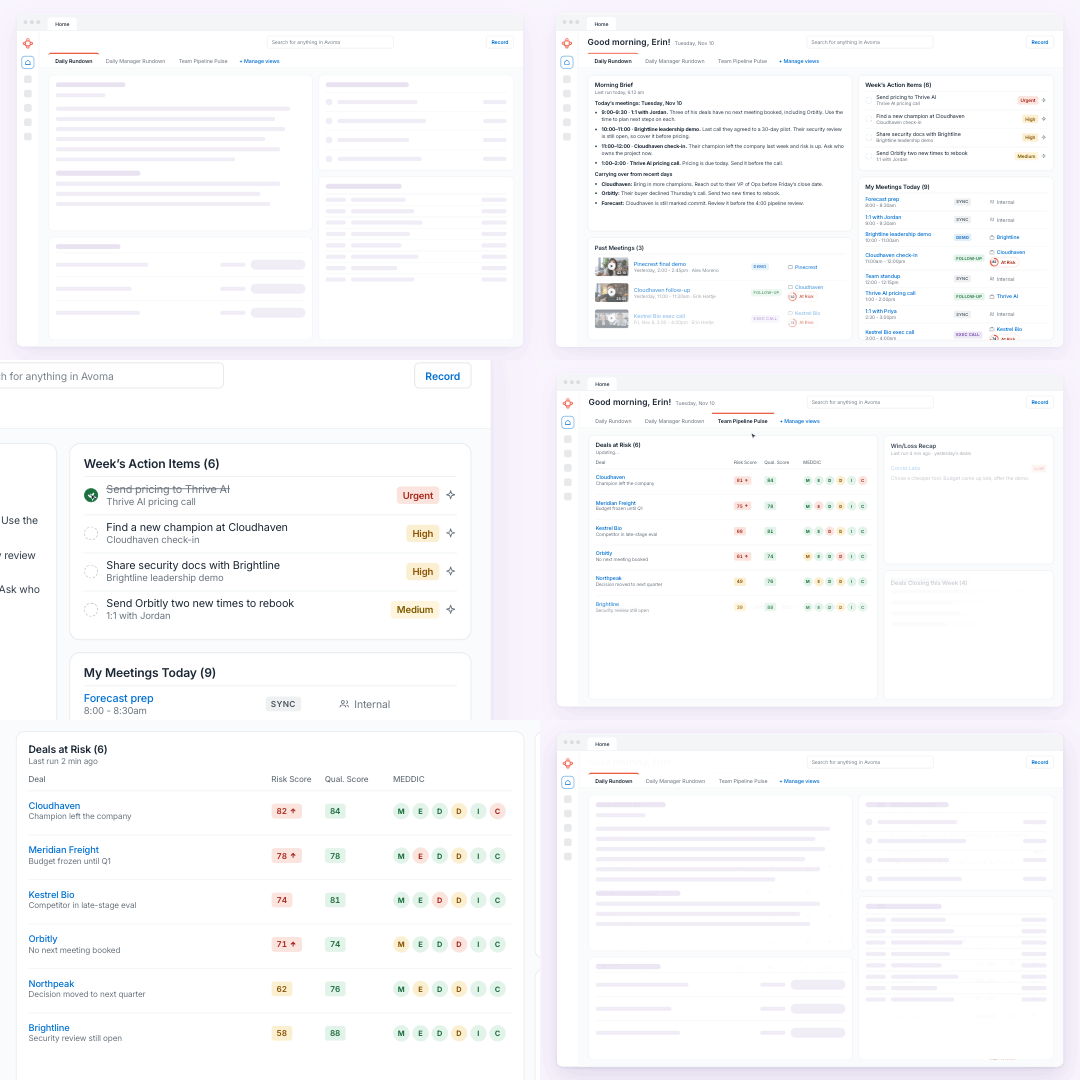
Home keeps updating as your work changes. You can organize separate views for different responsibilities, with Ask Avoma available when you need to explore a question further.
How Avoma Home works
Build a view around your role
Start with a daily rundown or a manager rundown. Organize your view around your responsibilities without waiting for an admin to set it up.
Bring your work together
Add activity widgets for meetings, tasks, deals, and accounts. Keep the information you need together to reduce the time spent checking separate views.
Choose what you need
Pick from more than 50 ready-made widgets, create your own, or use ones your teammates have shared. Adjust the layout to suit the work you’re doing.
Add personalized briefs
Use the Morning Brief for today’s customer and internal meetings. Add Daily Manager Brief or Coaching Rundown for recent conversation context that helps you prepare for team discussions.
Benefits of Avoma Home
Spend less time finding your next priority
Working out what to do next can take up the time between calls. Home brings your daily priorities to you, helping you use that time for preparation and follow-ups. Commitments stay visible as new work comes in, making promised next steps easier to keep track of.
Catch new deal and renewal risks earlier
Waiting for the next review can leave your team less time to address a slipping deal or renewal concern. Home highlights new risks from customer conversations and suggests next steps.
You can identify high-risk deals still forecast as commit or accounts with no next meeting. Sales and CS leaders can prioritize follow-up sooner, with fewer surprises in pipeline and account reviews.
Walk into meetings prepared
Finding previous commitments and open issues can take up your preparation time. Your Morning Brief brings you what was agreed last time, current blockers, and what to cover next, so you can pick up the conversation.
Managers can also focus coaching on specific needs. Coaching Rundown and Daily Manager Brief explain which reps need support and why, using recent conversation context.
How different teams use Avoma Home
Home adapts to the priorities of the person using it.
- Sales reps: Plan meetings and follow-ups while keeping attention on deals that need a push.
- Sales leaders: Identify where coaching or deal support can help the team make progress.
- CSMs: Prepare for customer meetings and follow through on commitments without checking multiple dashboards.
- CS leaders: Prioritize recent account health changes, renewal concerns, and urgent issues across the team.
- RevOps: Catch new pipeline risks and forecast gaps before the next review.
Start your day knowing where to focus
Avoma Home helps you spend less time gathering updates, arrive prepared, and follow through between meetings. Your priorities stay current as the day changes, so you can return to what needs attention next.
Open Home in Avoma and create your first daily rundown.
Frequently Asked Questions
Yes. Create separate views and choose the widgets and layout for different parts of your work.
Home supports sales, Customer Success, and RevOps, with views you can organize around your responsibilities.
Yes. Home updates as your work changes to bring forward current priorities and recent developments.
Yes. Ask Avoma is available in Home to help you explore questions and get more detail.
Home is included in all plans. Available widgets and Ask Avoma capabilities depend on your plan and assigned add-ons.





What's stopping you from turning every conversation into actionable insights?


