
What's new in Forecast Submission: AI signals, guided workflows, and full pipeline context

Table of Contents:
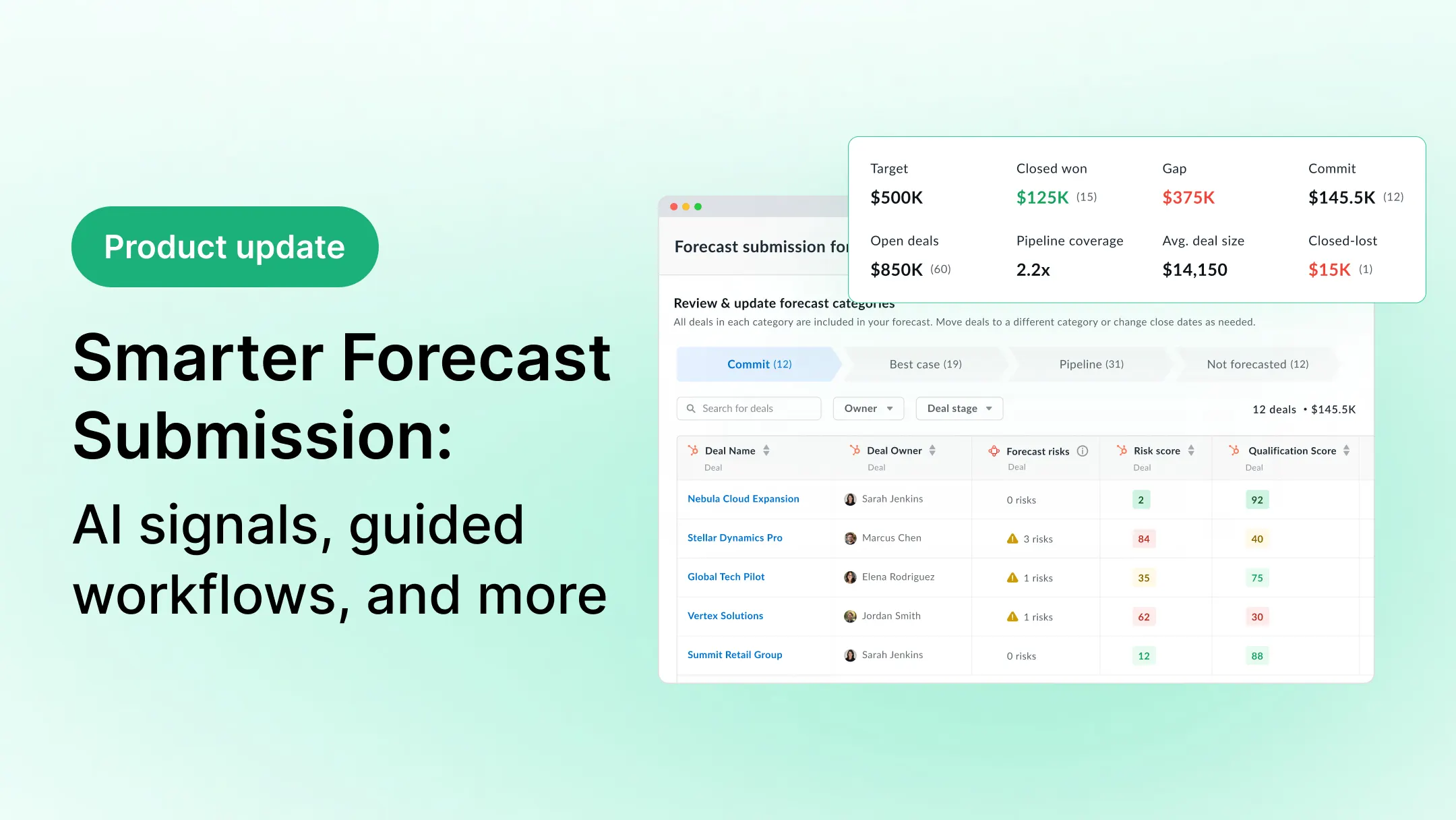
Forecast week for most sales teams looks the same. Reps check deal scores, pipeline metrics, and CRM data from multiple tabs before submitting. Meanwhile, managers receive numbers with little context. Submissions are inconsistent, and when figures shift week to week, there is rarely a clear record of why.
We fixed that.
Over the last several months, we shipped a series of improvements to the forecast submission experience inside Avoma's AI Forecasting Assistant. AI signals, full pipeline context, structured submission workflows, weighted pipeline metrics, reminders, and a complete audit trail are now built directly into the submission screen.
Here's what's new.
AI signals at the deal level, right inside submission

The forecast submission table now includes three new columns: Risk Score, Qualification Score, and Forecast Risks. They appear automatically alongside your existing deal details, so you can evaluate each deal on the spot — no toggling to another view, no cross-referencing a separate report.
For reps, this means a faster and more defensible decision about what belongs in their commit.
For managers reviewing their team's deals, risky or underqualified deals are easier to spot before they make it into the final number.
Who can access
Deal owners who have Revenue Intelligence license.
Full pipeline metrics in the submission drawer
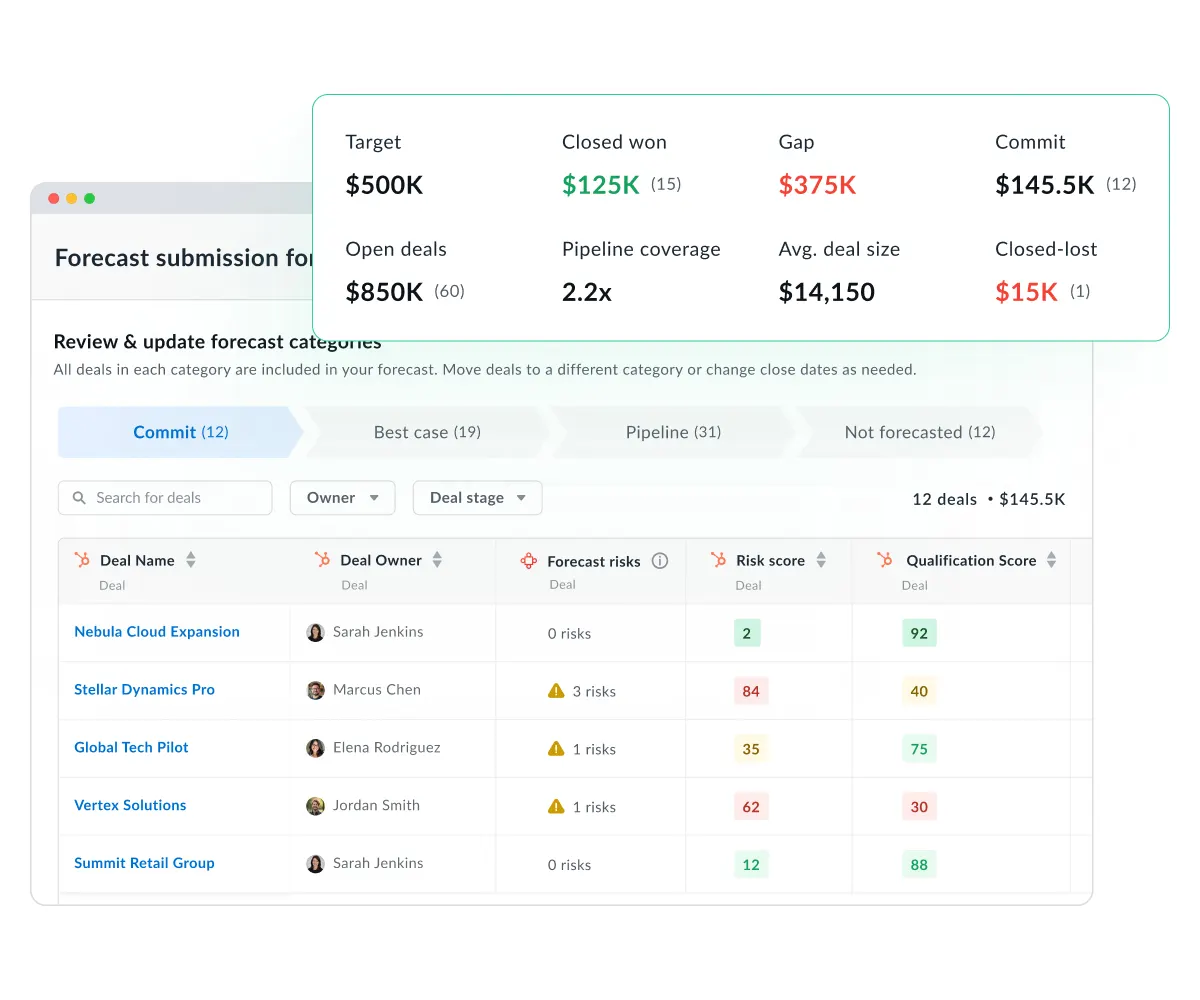
We redesigned the Forecast Overview to consolidate all key metrics into a single view, so your target, closed won, gap, commit, open deals, pipeline coverage, weighted pipeline, average deal size, and closed lost are now all made visible inside the submission drawer.
The idea is simple: The context you need to submit confidently should be in front of you while you're submitting, not somewhere else on the screen.
Who can access
Members who are part of forecast teams and who have edit or view access
A guided, category-based submission workflow
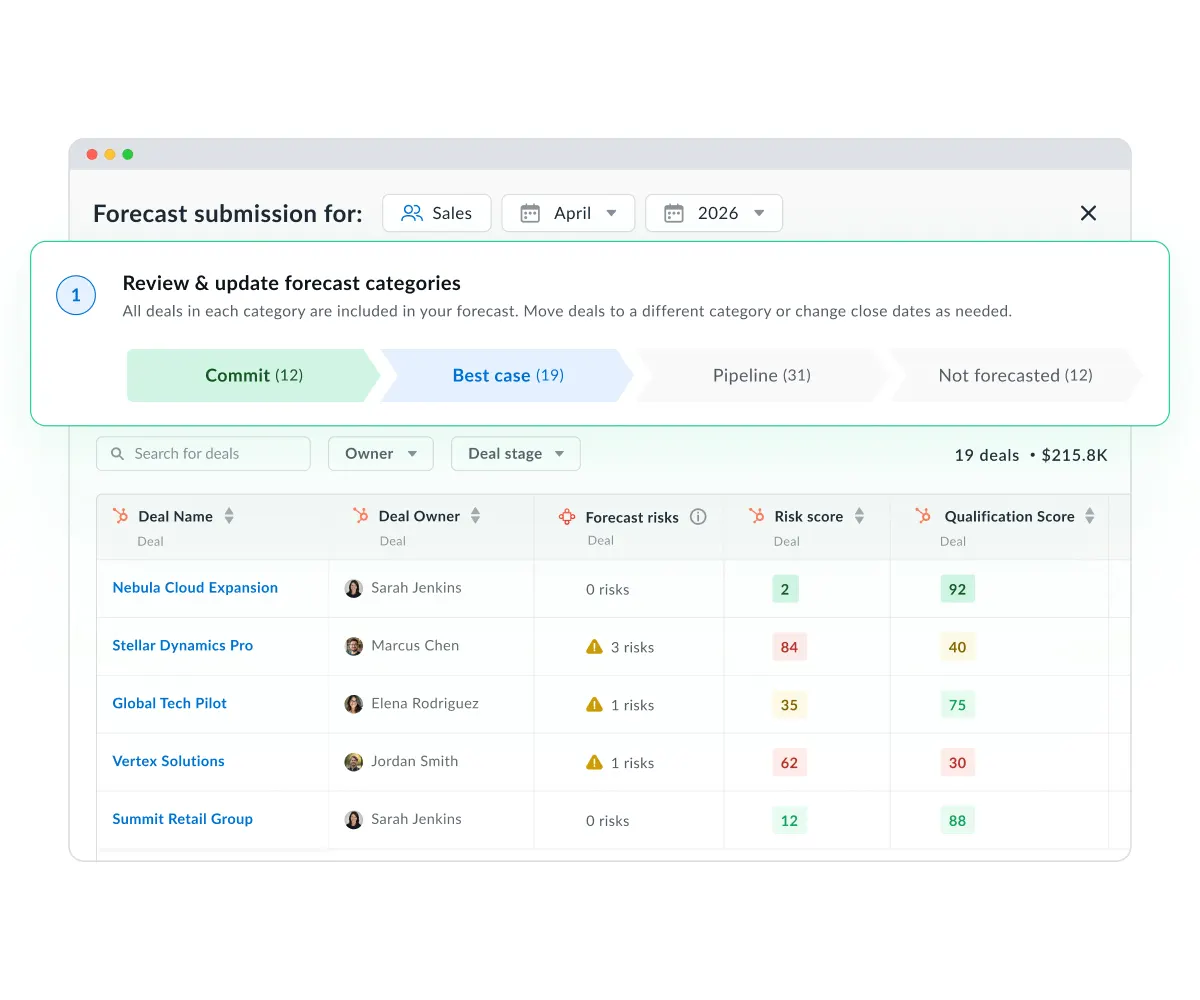
We have rebuilt the submission process itself. Instead of a single, flat list of deals, submission now walks you through each forecast category — Commit, Best Case, Pipeline, and Not Forecasted — with per-category deal counts and progression actions such as "Review next category" and "Continue to submission."
The Forecast Category column is sticky, so it stays visible as you scroll, and quick Use actions let you copy calculated totals, weighted totals, or rollups directly into your submission fields. It's a more structured process that makes it harder to miss something or rush through.
Weighted amounts for a more realistic view of pipeline
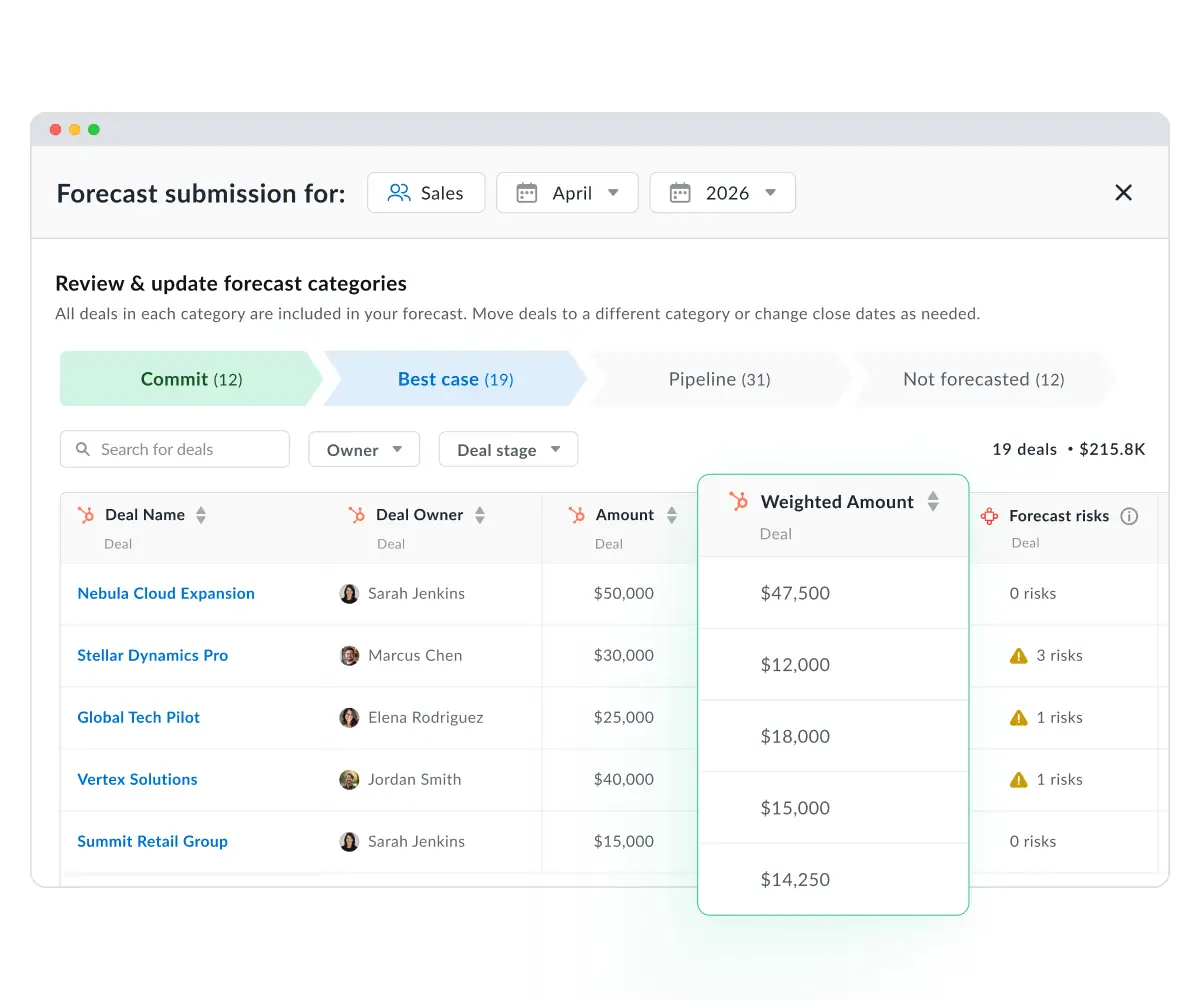
Forecasting on raw pipeline value can be misleading. A deal at 10% probability looks the same as one at 90% if you're just looking at the amount. Weighted Amount metrics now calculate totals based on deal-stage probability across Commit, Open Deals, Pipeline Coverage, and Average Deal Size, and a Weighted Amount column is available at the individual-deal level in the submission table.
This makes it easier to separate what's actually likely to close from what's just sitting in the pipeline.
Forecast reminders
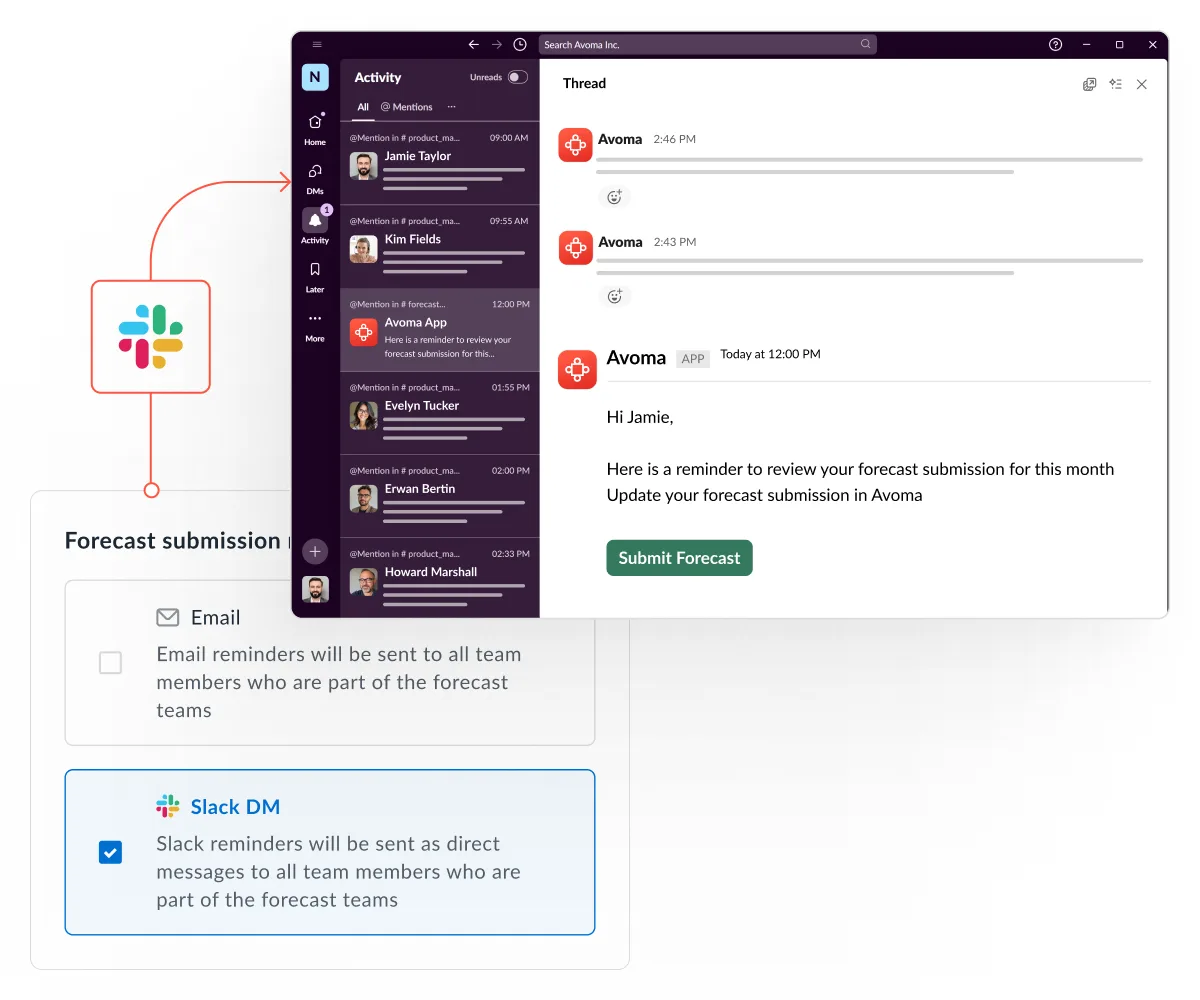
Consistent submissions are hard to enforce manually. Forecast Reminders let you schedule recurring nudges — by email, Slack, or both — so your team submits on time, every cycle. Reminders go out in each person's local timezone and only to members of your forecast teams.
Submission history and a full audit trail
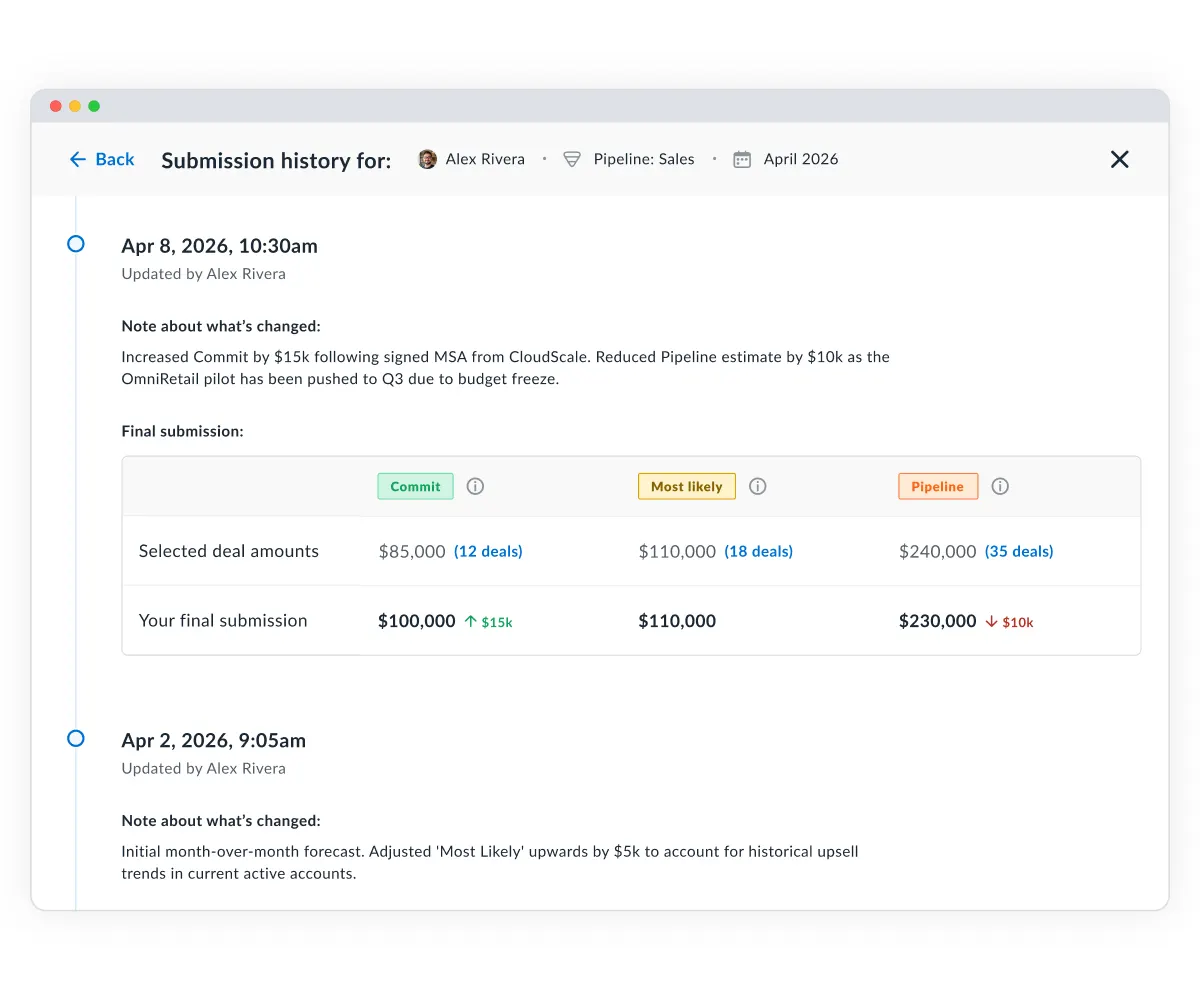
Every forecast update is now logged — who changed what, and when. The Submission History view lets you compare current submissions against prior weeks to track how Commit and Best Case numbers have shifted, and previous values and comments are accessible directly inside the Forecast module.
For managers, this means less guessing about what changed between cycles and more visibility into where confidence is shifting across the team.
How AI-guided forecast submissions benefit your teams. How does this benefit your team?
For reps, these updates mean faster, more informed submissions. The signals and pipeline context they need are right in front of them, and the workflow is structured enough to move through without second-guessing what's been covered.
For sales managers, it means full visibility at forecast time — team pipeline health, submission history, and the ability to enforce consistent cadence through reminders — without needing to piece it together from multiple sources.
For teams evaluating Avoma, this is what AI-assisted forecasting looks like in practice: not a separate dashboard to check after the fact, but signals and structure embedded directly into the moment decisions get made.
Get started
If you're an existing Avoma customer on the Revenue Intelligence tier, everything here is already live in your account. Open your forecast submission to see what's changed.
Not yet on Revenue Intelligence? Book a demo to see it in action.
Frequently Asked Questions


Dive into Our Latest
Avoma Insights.


What's stopping you from turning every conversation into actionable insights?


