
Hand your repeatable work to custom AI agents with the full context of your conversations, deals and CRM

Table of Contents:
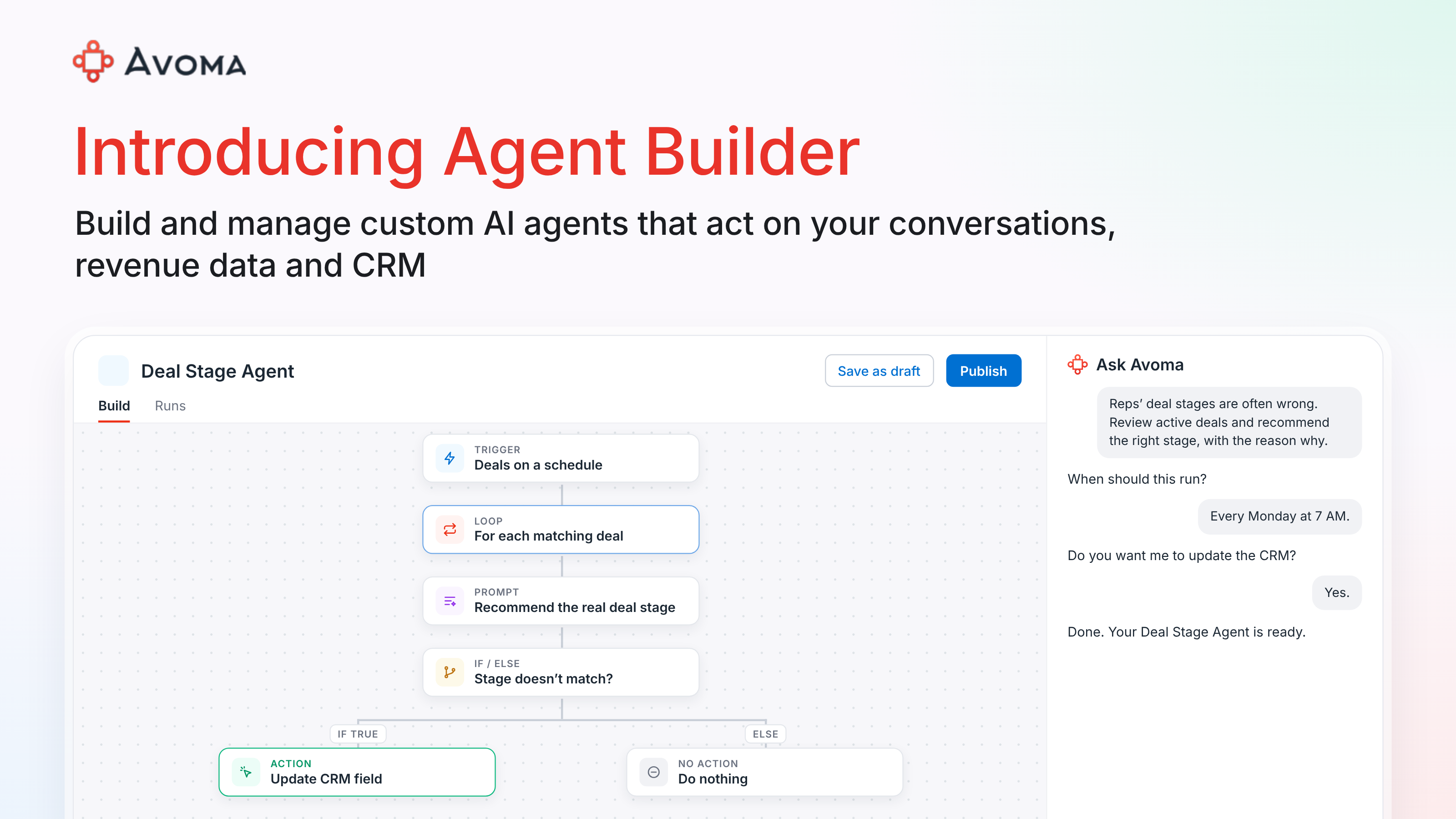
If you use Avoma, agents are already working for you. They write your meeting notes, score your calls and update your CRM. Now you can build your own.
Every revenue team works a little differently. Your VP of Sales wants deal stages that are actually right. Product marketing wants accounts segmented by what they said on calls. CS wants a health report before each renewal. Those requests usually land on RevOps, one at a time.
Today we're launching Agent Builder, a no-code workspace where you build, customize and manage AI agents that work like a teammate. Each agent has the full context of your conversations, emails, deals and CRM. You decide its role, what it does, when it shows up, the actions it takes and the guardrails it follows.
Here's what you can do with it.
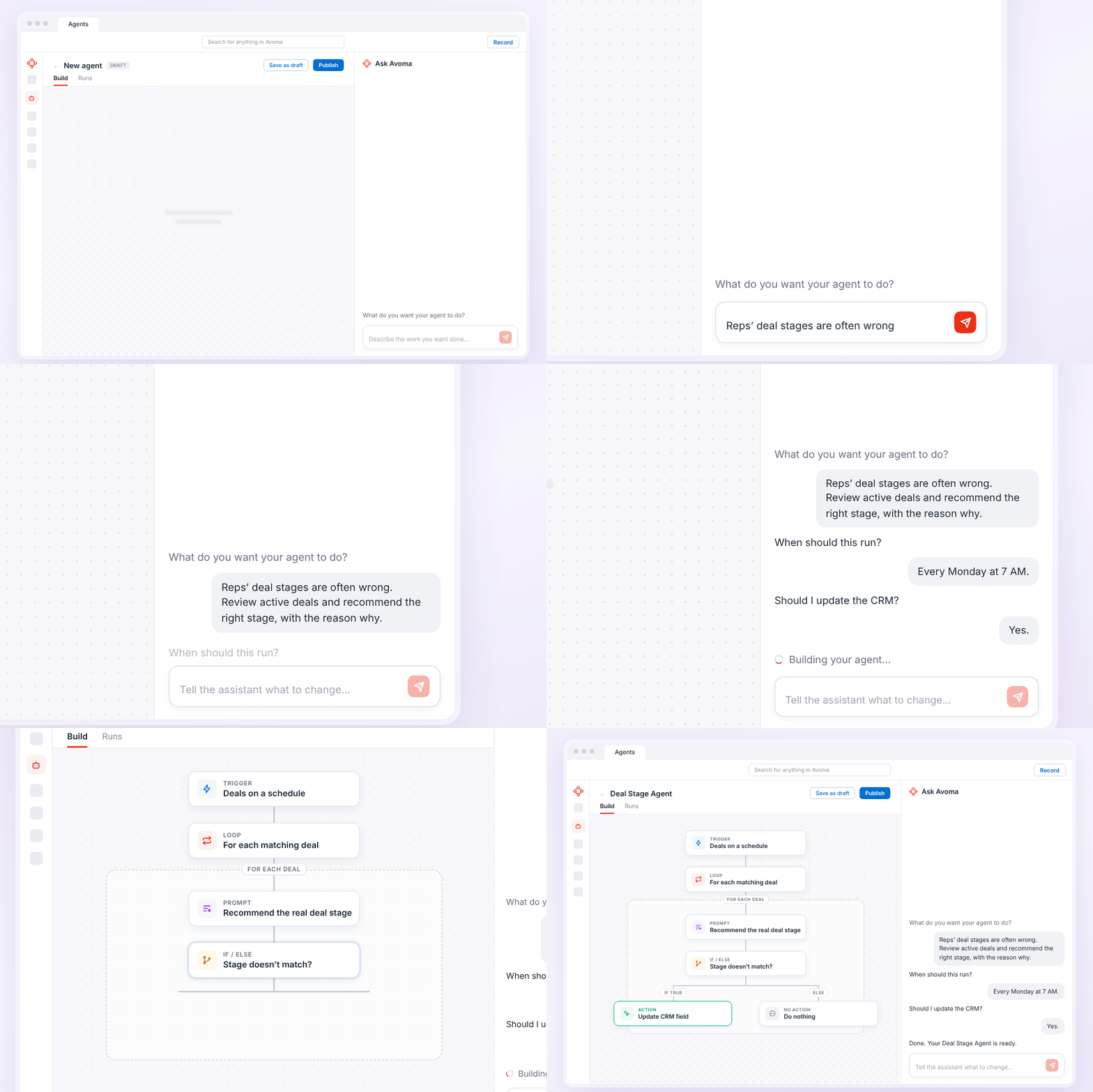
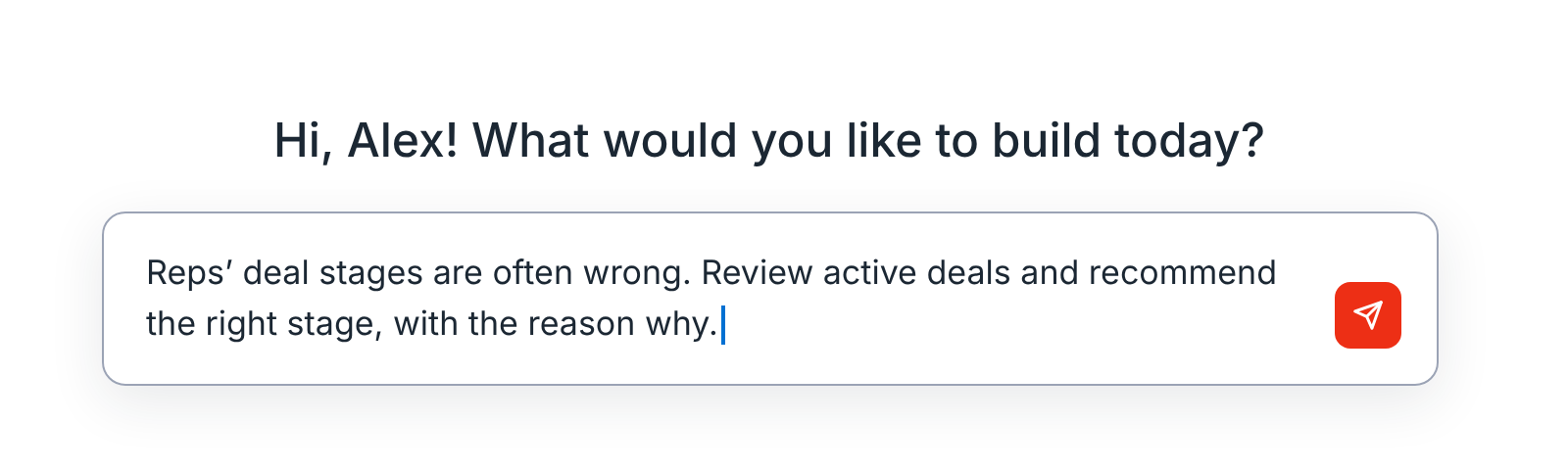
Just tell Ask Avoma what you need, and it builds the agent for you.
You don't have to write prompts, map out steps and test them until something finally works. Tell Ask Avoma what you need, the same way you'd explain it to a teammate.
Ask Avoma will ask a few clarifying questions if needed. Then it builds the agent for you, with the trigger, the steps, any if/else branches and the actions.
Not sure where to start? Pick one of our pre-built agents, like a sales-to-CS handoff or a pre-meeting brief, and adjust it to fit your process. Or start from our library of 50+ prompts.
Act on what customers actually say, not just what's logged
Most agent builders only see what's been entered into the CRM. That leaves out your best source of truth: what your buyers actually say.
Avoma agents work from your calls, emails, deals, scorecards and activity alongside your CRM data. So when your Deal Stage Agent finds a deal sitting in Negotiation, it also sees that the CFO hasn't joined a call, pricing hasn't come up and the buyer wants to revisit budget in Q1. It recommends Discovery and tells you why.
You can give your agents context from:
- Conversations and emails
- CRM data
- Deals and revenue signals
- Activity and engagement
- Internal meetings, like trainings and strategy sessions
- Coaching, scorecards and performance
Fine-tune any step in the workflow builder
Everything Ask Avoma builds is editable. Open the workflow builder to change when an agent runs or what it does, or skip the chat and build from scratch.
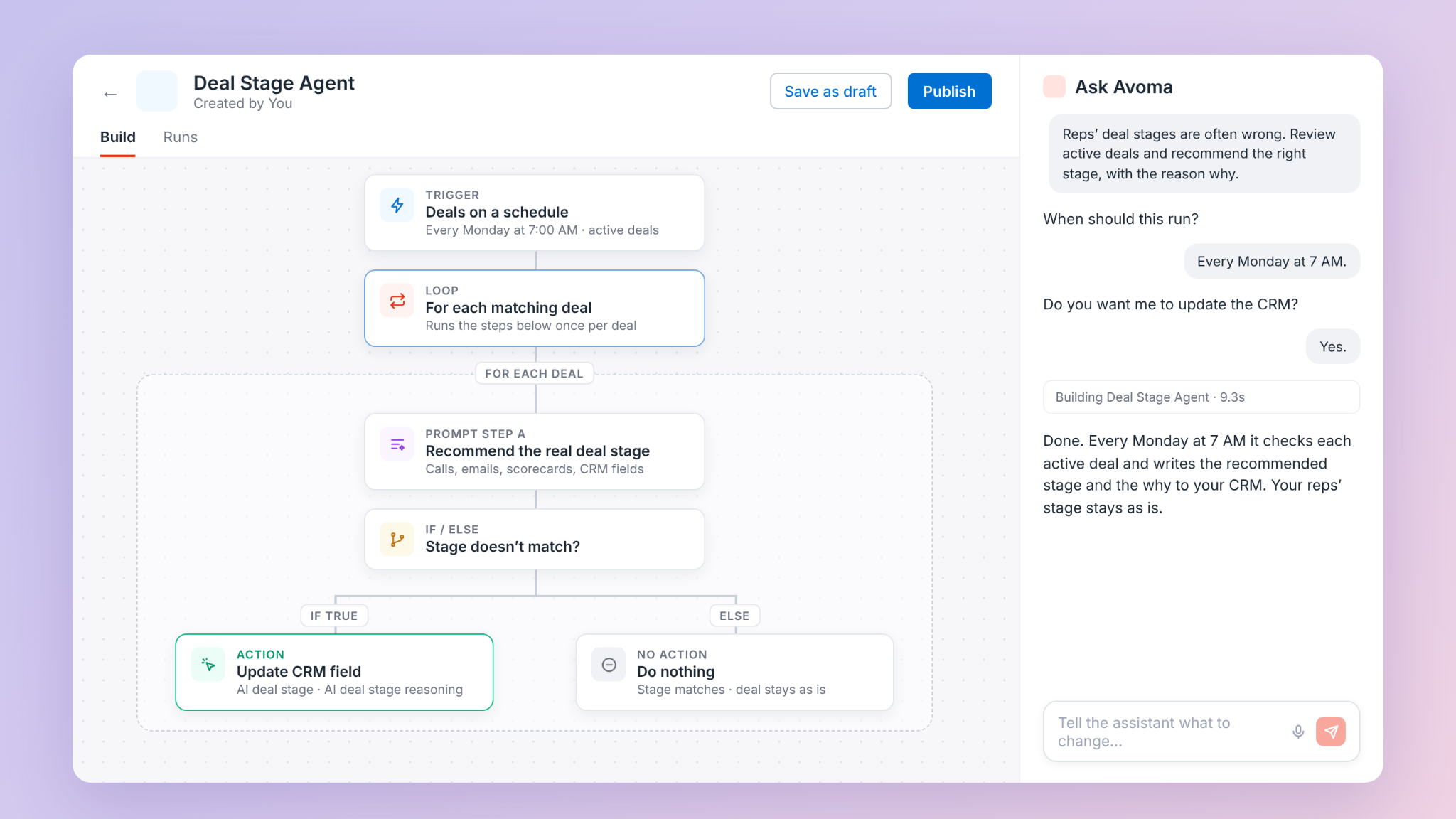
Start with the trigger: when a meeting starts or ends, when a deal is created or updated, on a schedule, or on matching deals on a schedule. Add filters, like only deals over $20K. Then choose what the agent does:
- Update CRM fields, including custom and AI fields, without looking up field IDs
- Send an alert to Slack or Teams
- Email you, your team or specific teammates a digest through Gmail
- Start an Ask Avoma chat
You can also shape how the agent works:
- If/else branches send the agent down different paths depending on what it finds. If a deal's stage looks right, it leaves it alone. If it doesn't, it updates the CRM and pings the deal owner in Slack.
- Parallel paths run steps at the same time.
- Delays wait before the next step.
- Loops work through each matching deal one at a time. Set a maximum of 1 to 50 iterations to keep checking active deals week after week, or stop after a few runs.
Decide what each agent can see and who can use it
Not every agent should see everything. A coaching agent for one rep doesn't need the whole team's calls, and an agent built for your managers shouldn't be open to everyone.
Each agent has its own guardrails:
- Personal meeting scope covers only your own meetings, including private ones.
- Cross-team meeting scope covers publicly visible meetings and leaves out private ones.
- Sharing settings control who can edit or run each agent, from only you to anyone in your company.
You can see each run an agent makes and what it did on each deal. Test an agent before it goes live to check its success rate and latency, so you know it works before your team relies on it. And Avoma is SOC 2 compliant, with privileged access controls built in.
See which agents are working, and share the ones that do
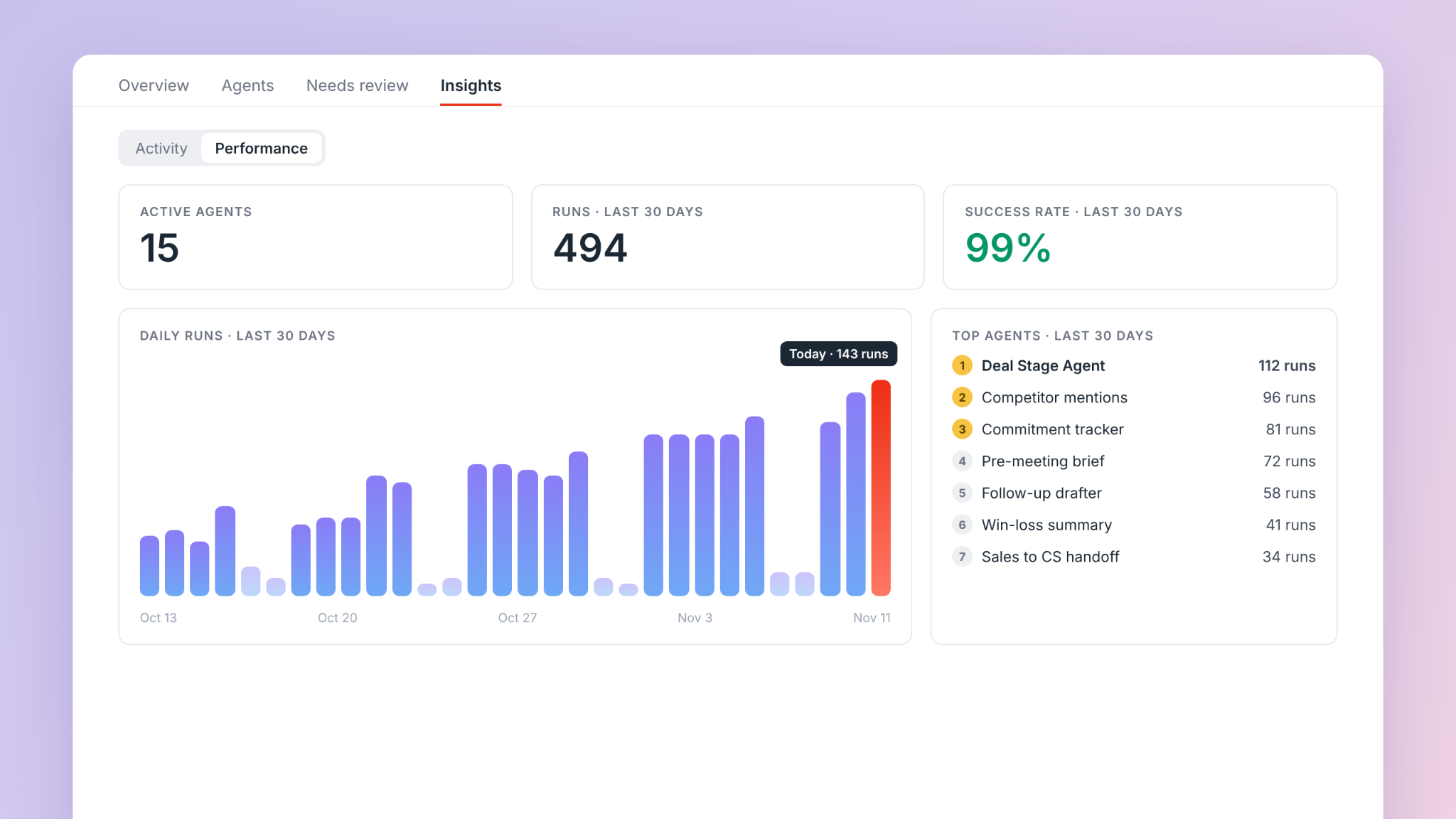
Team-level analytics show how your agents perform in one view: how many are active, how often they run, how often they succeed, and your top agents and top members. You'll know which agents are pulling their weight and which ones need a better prompt.
When an agent works, share it. Teammates can reuse it instead of building their own from scratch.
Get started with Avoma Agent Builder
Agent Builder is available now in Avoma, and for a limited time, you can try it free. The number of agents depends on your plan.
Open the Agents tab, tell Ask Avoma what you want done and build your first agent. Want a walkthrough first, or not sure what to build? Book a demo.
Frequently Asked Questions





What's stopping you from turning every conversation into actionable insights?


