
Avoma Insider - April 2026 Product update

Table of Contents:
Most pipeline problems don't announce themselves. A deal goes quiet, a forecast shifts in the final week, and by the time it shows up in a review, the moment to course-correct has already passed. The data was there. It just wasn't visible when it needed to be.
Avoma's April updates bring those signals closer to where decisions get made, across forecasting, pipeline management, AI workflows, and compliance. Here is what shipped.
Voice dictation comes to Ask Avoma
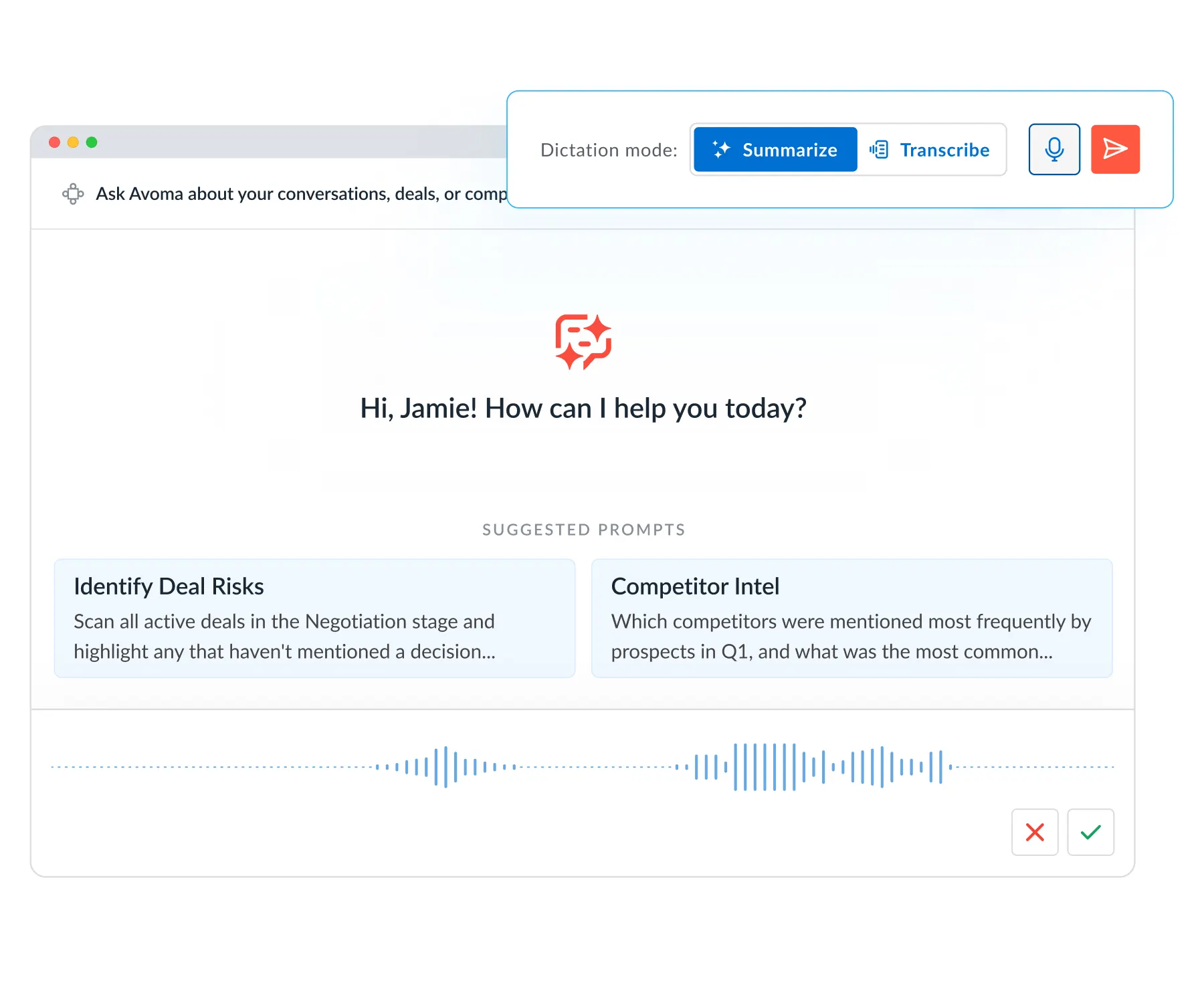
Typing out a detailed prompt between back-to-back calls is friction most reps skip. The result is Ask Avoma getting used less than it should, especially during high-volume days.
You can now dictate prompts out loud directly in Ask Avoma. Summary mode cleans up your spoken input into a structured prompt. Transcript mode inserts your words exactly as spoken, useful when you want to capture your thinking verbatim before a deal review.
Open Ask Avoma and hover over Dictate to get started.
A shared Prompt Library for your entire team
In most teams, one or two people figure out which prompts actually work for deal reviews, QBR prep, or call analysis. That knowledge stays in their personal account. Everyone else either starts from scratch or gets inconsistent output.
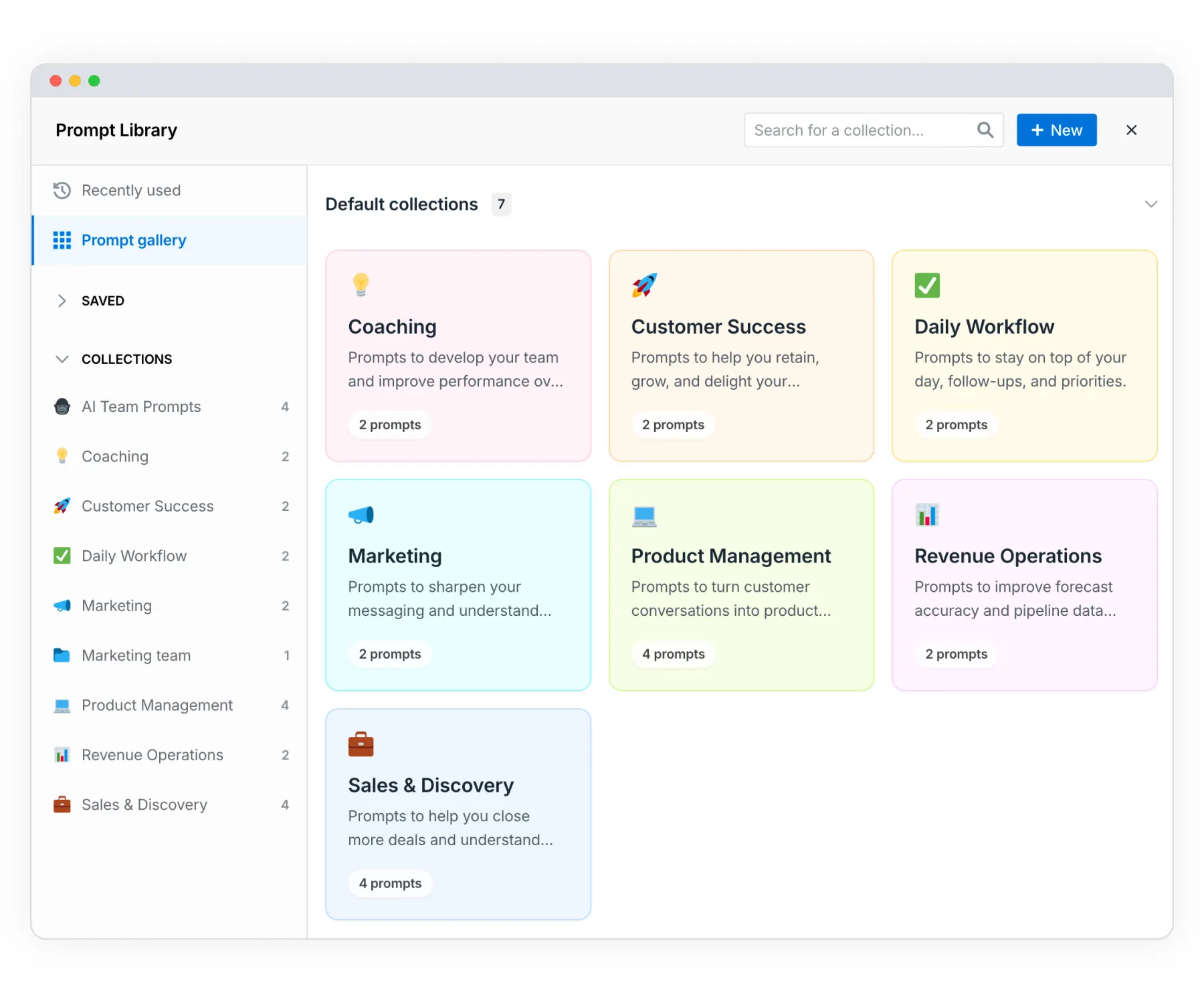
The new Prompt Library gives every user a pre-built set of high-value prompts organized by function, covering Sales, CS, RevOps, Coaching, and more. It also tracks each user's recent and most-used prompts so returning to a proven workflow takes one click.
Admins can build and manage org-level prompt collections directly from the library, which means you can standardize the questions your team asks across deal reviews and pipeline calls. For a ready-made starting point, the Ask Avoma Prompt Handbook covers the prompts sales and CS teams use most.
Org-level prompt creation launched in the March release. The Prompt Library builds on that with role-based organization, collections, and prompt history in one place.
Go to Ask Avoma and click Prompt Library. Available on Organization plan and above.
Smarter forecast submissions with deal signals, history, and reminders
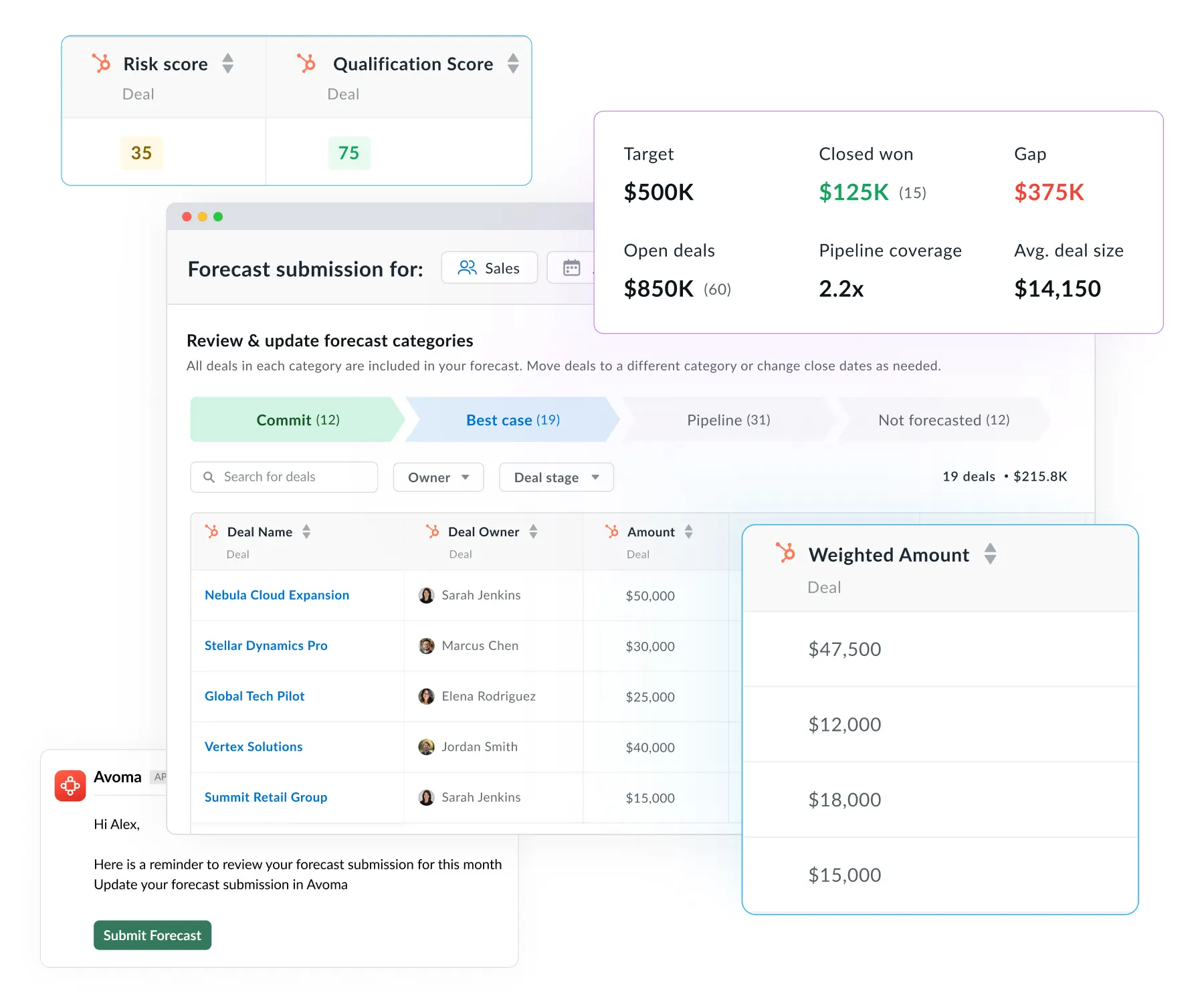
The problem with most forecast submissions isn't that reps don't want to be accurate. It's that the context they need to submit confidently lives somewhere else. Deal scores in one tab, pipeline metrics in another, and the submission screen open in a third.
The forecast submission screen now brings all of that together. Risk scores, qualification scores, and key pipeline metrics like gap, commit, and coverage are visible in context while you submit. A category-guided workflow walks through Commit, Best Case, and Pipeline separately, with totals ready to copy into submission fields.
Two additions make the process more consistent across cycles. Forecast reminders can be scheduled by email or Slack so submissions don't get skipped during busy weeks. Submission history logs every update so managers can see how numbers shifted and who made changes.
For teams thinking through how bottom-up rep input and top-down targets should inform each other, our post on top-down vs. bottom-up forecasting is worth reading alongside this update.
Open your Forecast and click Submit Forecast. Available with the Revenue Intelligence add-on.
Probability-adjusted pipeline health with weighted forecast amounts
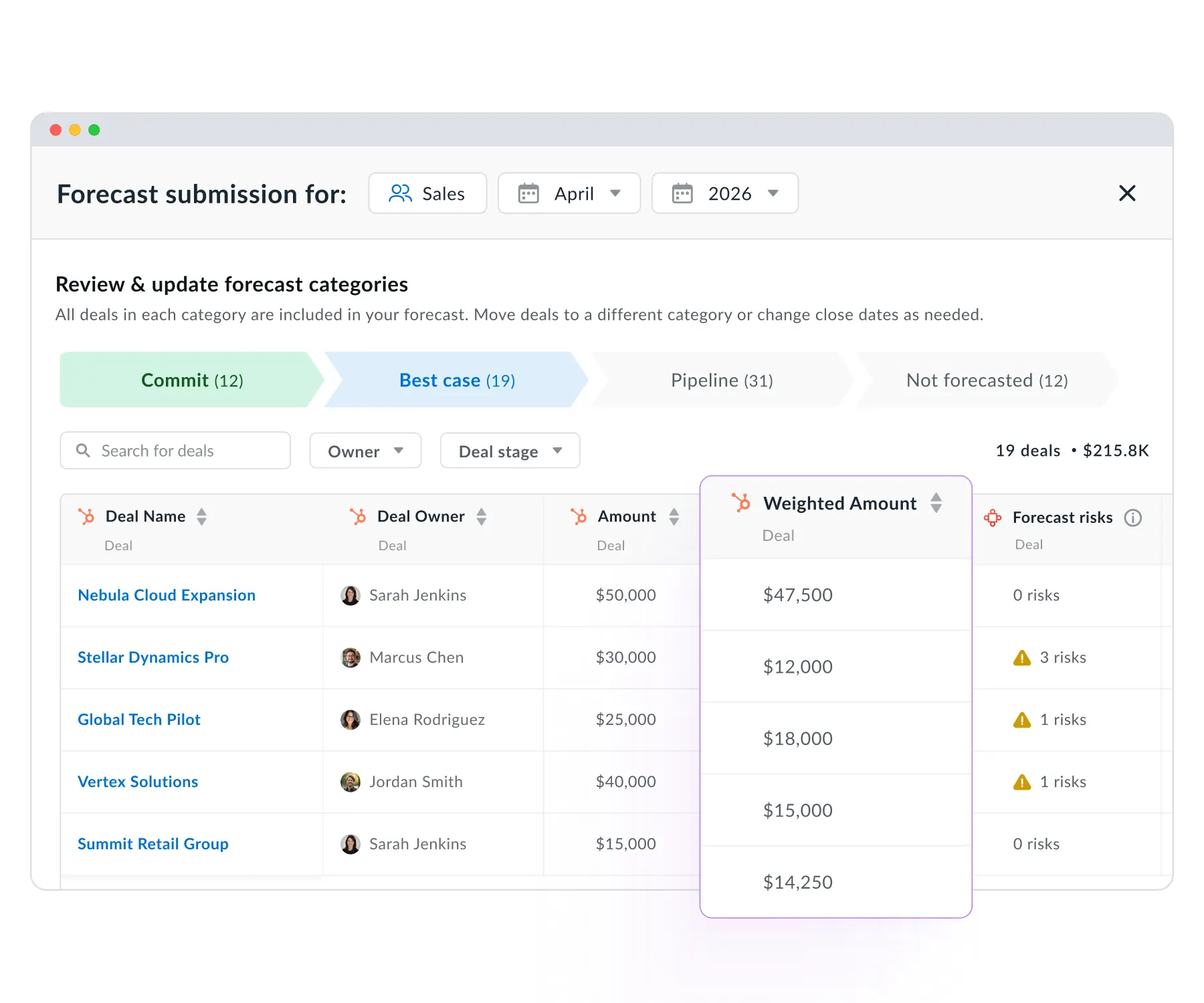
A $2M pipeline where most deals are in early discovery is not the same as a $2M pipeline where most deals are in final negotiation. Raw totals don't make that distinction, which makes coverage ratios and commit figures harder to trust.
The AI Forecasting Assistant now calculates weighted amounts, adjusting each deal's value by its stage probability rather than counting the full amount. The calculation pulls stage probability directly from your CRM, so it reflects your actual sales process.
This gives you a more grounded read on commit, coverage, pipeline health, and average deal size without manual adjustments.
To enable it: Settings → CRM → [Your CRM] Configure → Forecast → Forecast Amount → select Weighted Amount. Available with the Revenue Intelligence add-on.
Surface deals with no next step before they slip
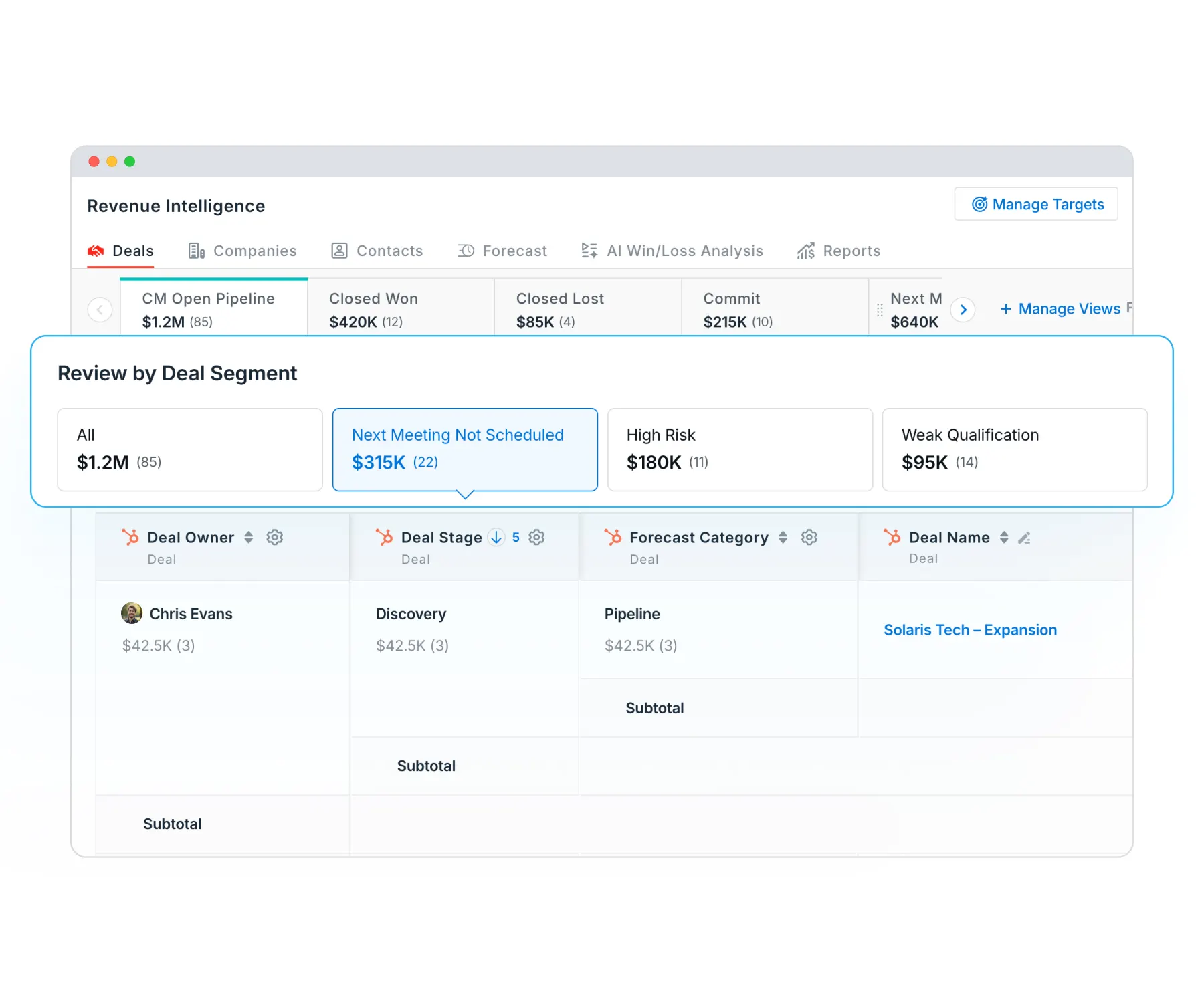
A deal without a next meeting scheduled is a deal at risk. By the time it shows up as a loss, the opportunity to intervene has already passed.
The Next Meeting Not Scheduled filter in your Deals dashboard gives reps and managers a single-click view of every open deal missing a future meeting. Reps can work through the list before deals go cold. Managers can use it as a standing agenda item during pipeline reviews to flag accounts that need a nudge.
This works well alongside the deal priority tabs shipped in March, which let you sort by risk, qualification gaps, and engagement without rebuilding filters each time.
Go to Deals → More Segments → Next Meeting Not Scheduled. Available with the Revenue Intelligence add-on.
Consent policies that match how your org actually works
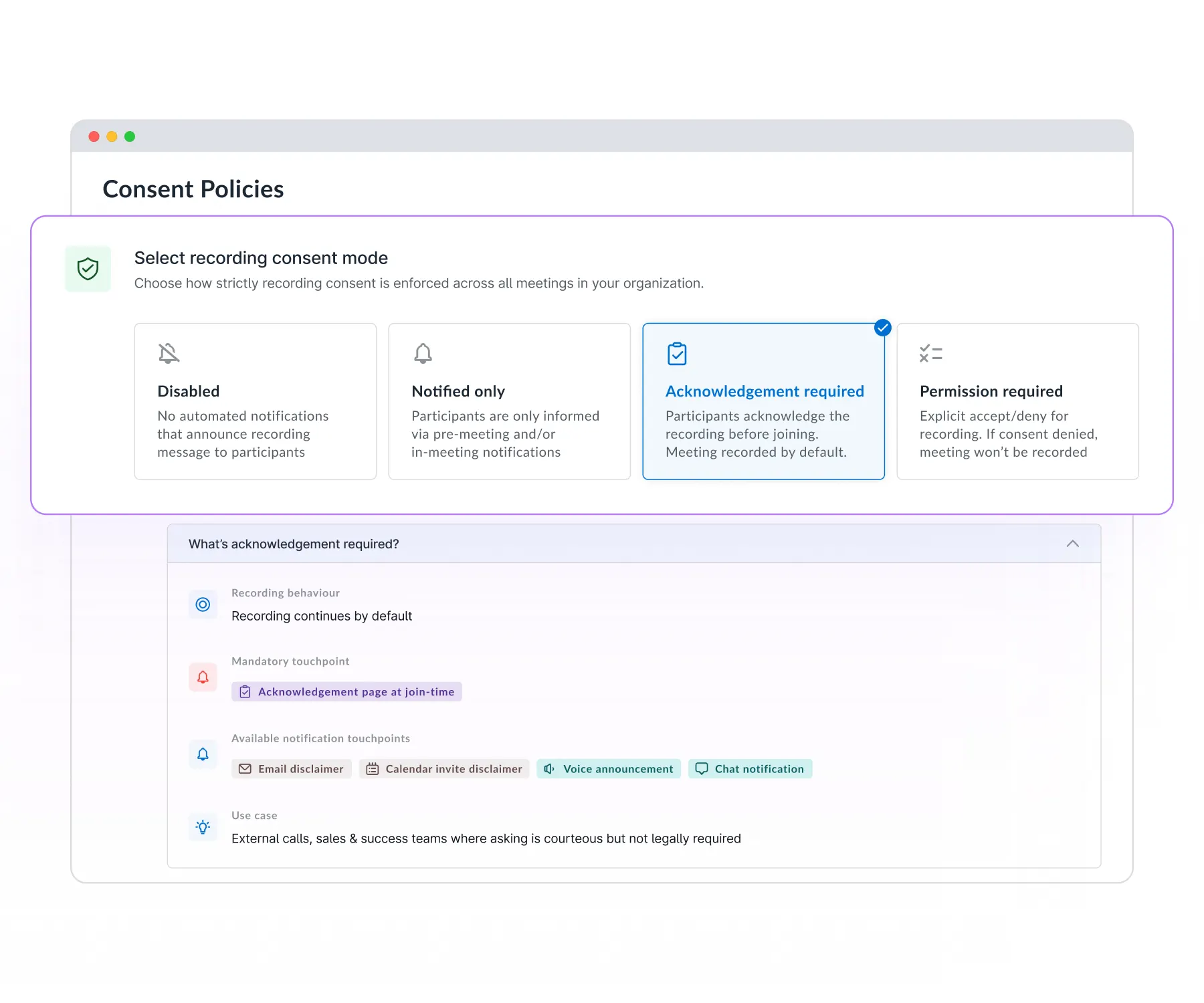
Recording compliance isn't one-size-fits-all. Legal requirements vary by region. Customer expectations vary by industry. A single default setting creates either unnecessary friction or gaps in coverage.
You can now configure consent policies at the org level with four distinct modes. Disabled turns off all notifications. Informed notifies participants that the meeting will be recorded without requiring any action. Acknowledgment shows a consent notice when participants join, where proceeding counts as consent. Permission requires participants to explicitly accept or decline before recording begins, and stops the recording if they decline.
Each mode also controls how the notification is delivered, whether through the calendar invite, a reminder email, a voice announcement, or an in-meeting chat message.
Go to Settings → Consent Policies. Acknowledgment and Permission modes require the Enterprise plan.
These updates extend Avoma's revenue intelligence capabilities across the workflows where pipeline decisions actually get made: forecast calls, deal reviews, and coaching. Sales, CS, RevOps, and Enablement teams work from the same data, with fewer manual steps between a signal and an action.
Missed last month? Catch up on the March 2026 product updates or the February 2026 updates.
If you want to see these workflows on your own calls and deals, schedule a demo and our product experts will walk you through the platform.
Frequently Asked Questions


Dive into Our Latest
Avoma Insights.


What's stopping you from turning every conversation into actionable insights?


