
Avoma Insider - August 2026 Product Updates

Table of Contents:
Ask Avoma could only search email already linked to a deal or account. A question like which bugs came in over email this week returned nothing. That gap closes this month: email counts as a source on its own.
August also adds a Claude connector listing, more control over a growing Automations list, and forecasting broken out by CRM deal property.
Here's what shipped in August.
Avoma joins Claude's connector directory
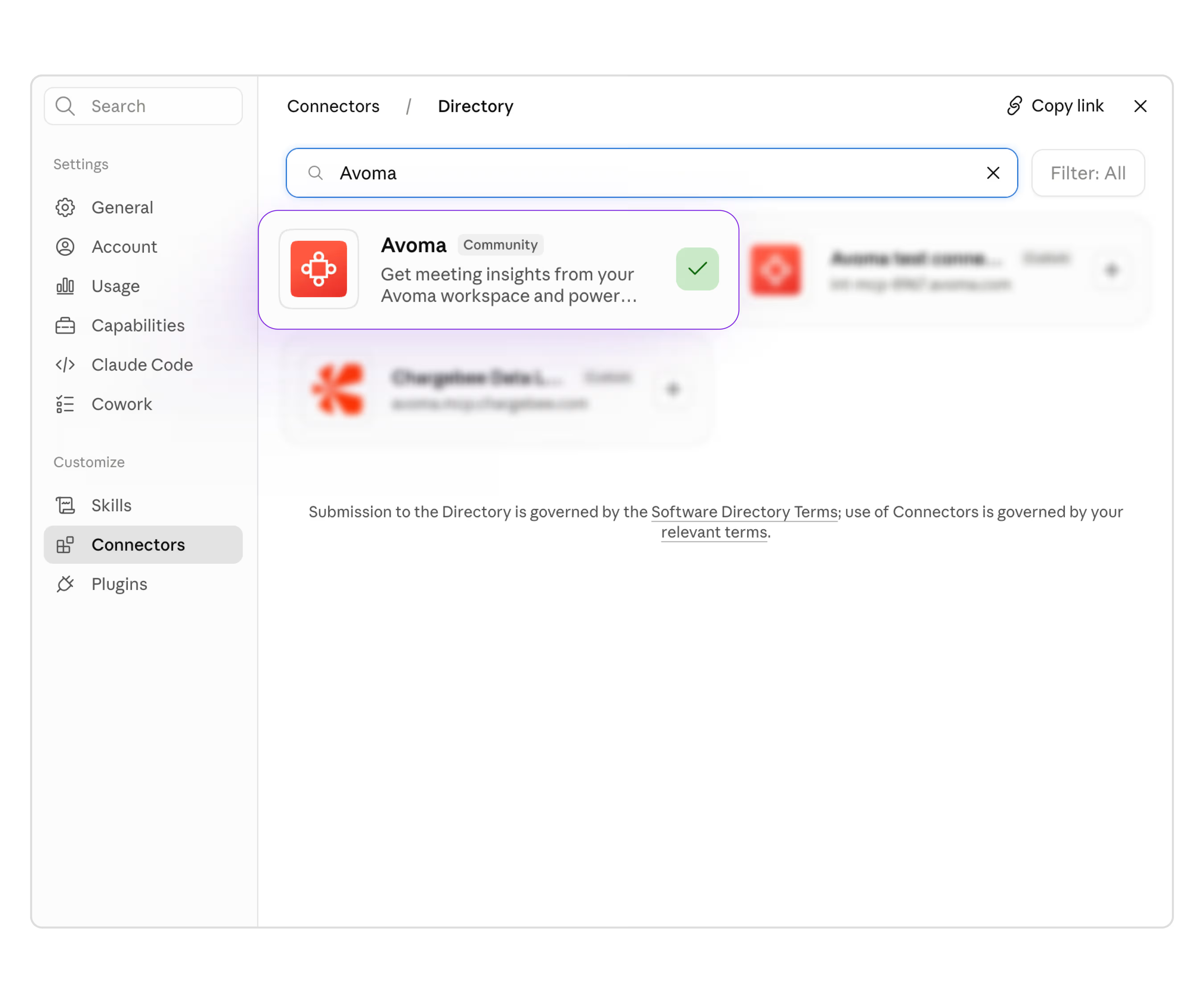
Before this, teams running Claude alongside Avoma had to connect it manually, as a custom connector added by URL. Avoma now sits in Claude's connector directory as a community connector, which Anthropic reviewed for safety and functionality before approval.
Get started: Search "Avoma" in Claude's connector directory.
Email is now a source Ask Avoma can search on its own
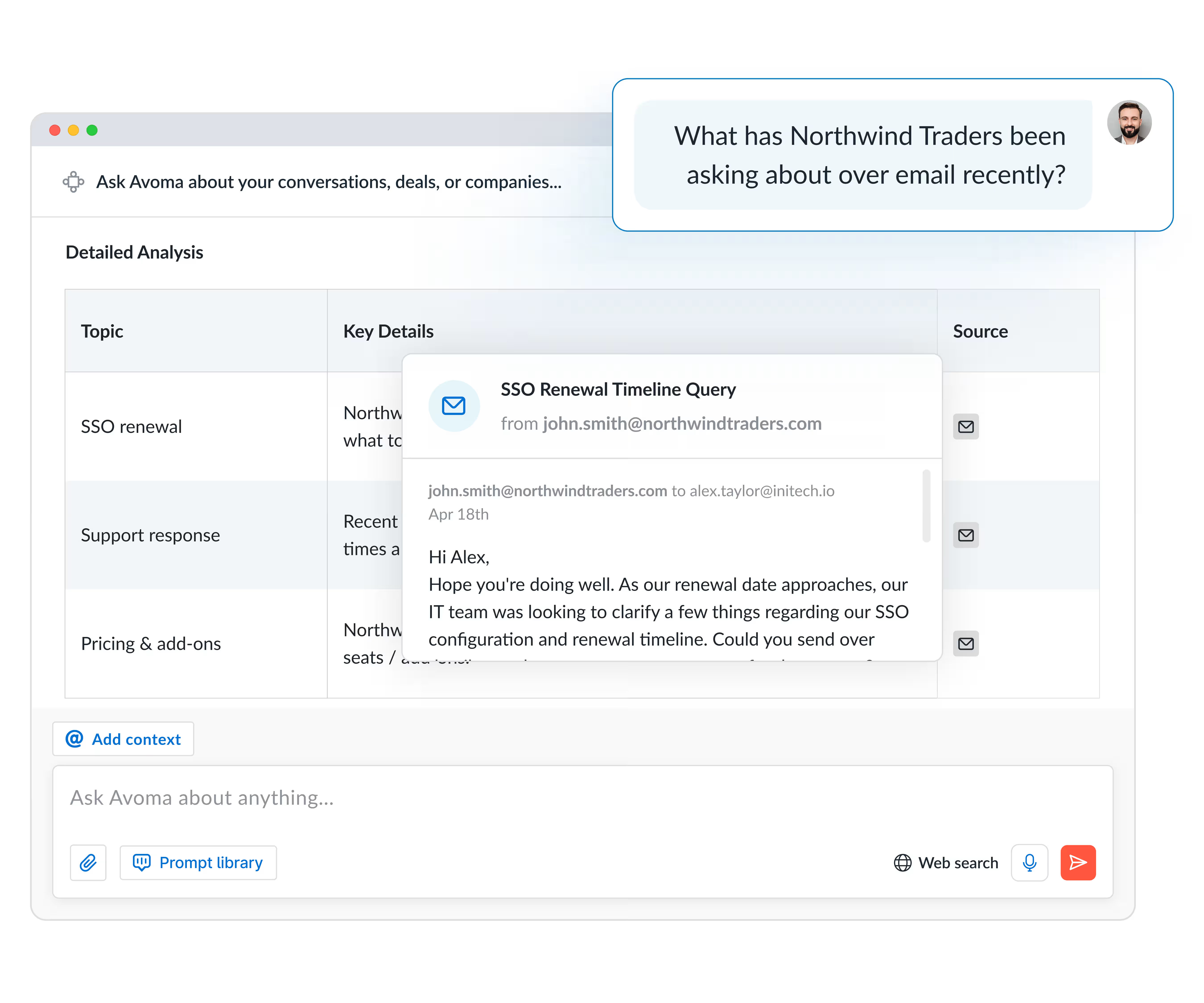
Ask Avoma scoped its email search to messages already tied to a deal or account. A question like which bugs came in over email this week, or which emails from deal contacts went unanswered yesterday, returned nothing. Ask Avoma never had that email in scope.
Email now stands on its own as a source, next to meetings, deals, and accounts. Those same questions return real answers now.
Stop an Ask Avoma response mid-generation and re-ask
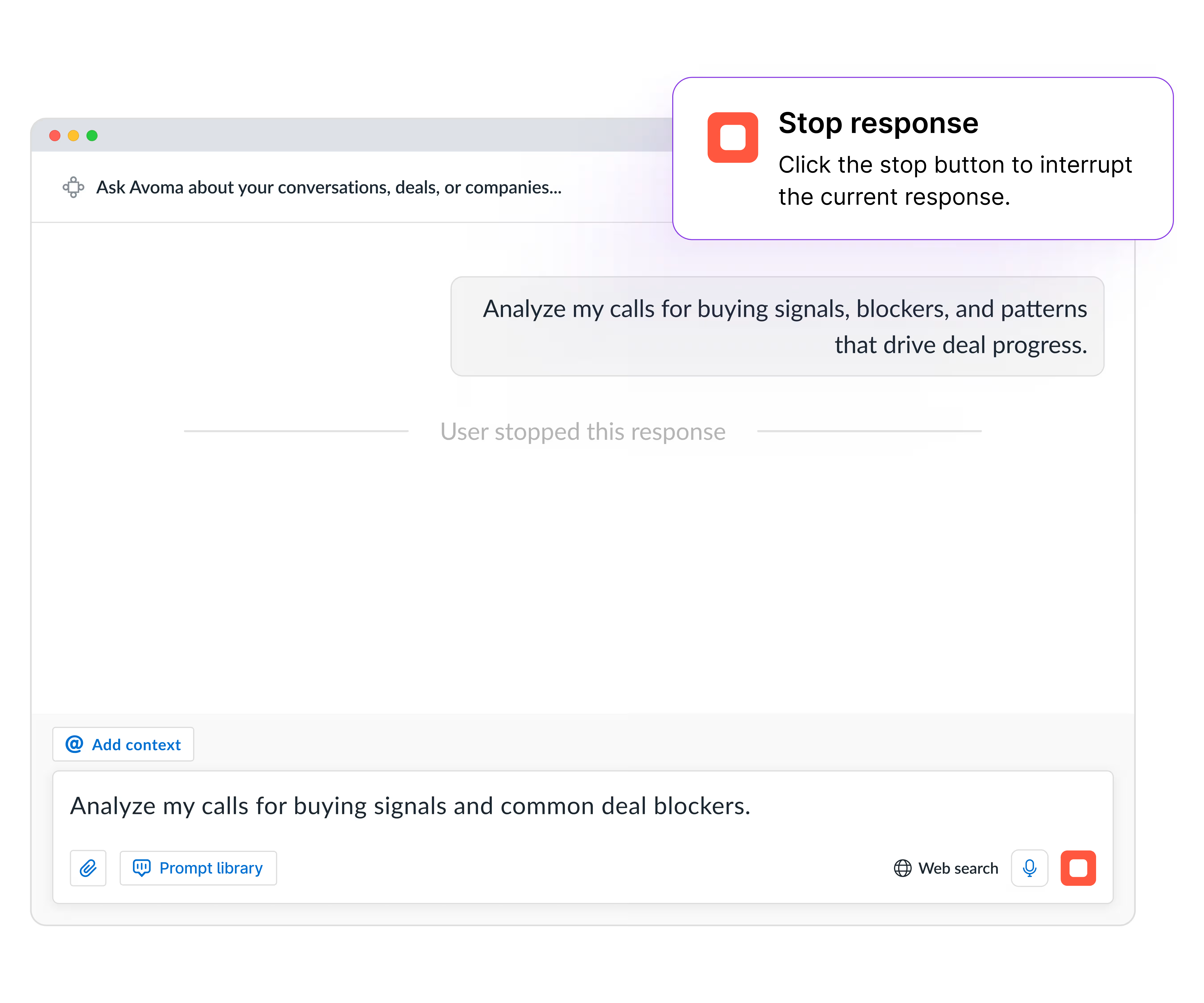
An off-target prompt used to cost you the full response time before you could try again. Now you can stop generation partway through, keep whatever part of the answer is useful, and send a new prompt.
Manage a growing list of Automations without losing track of a rule
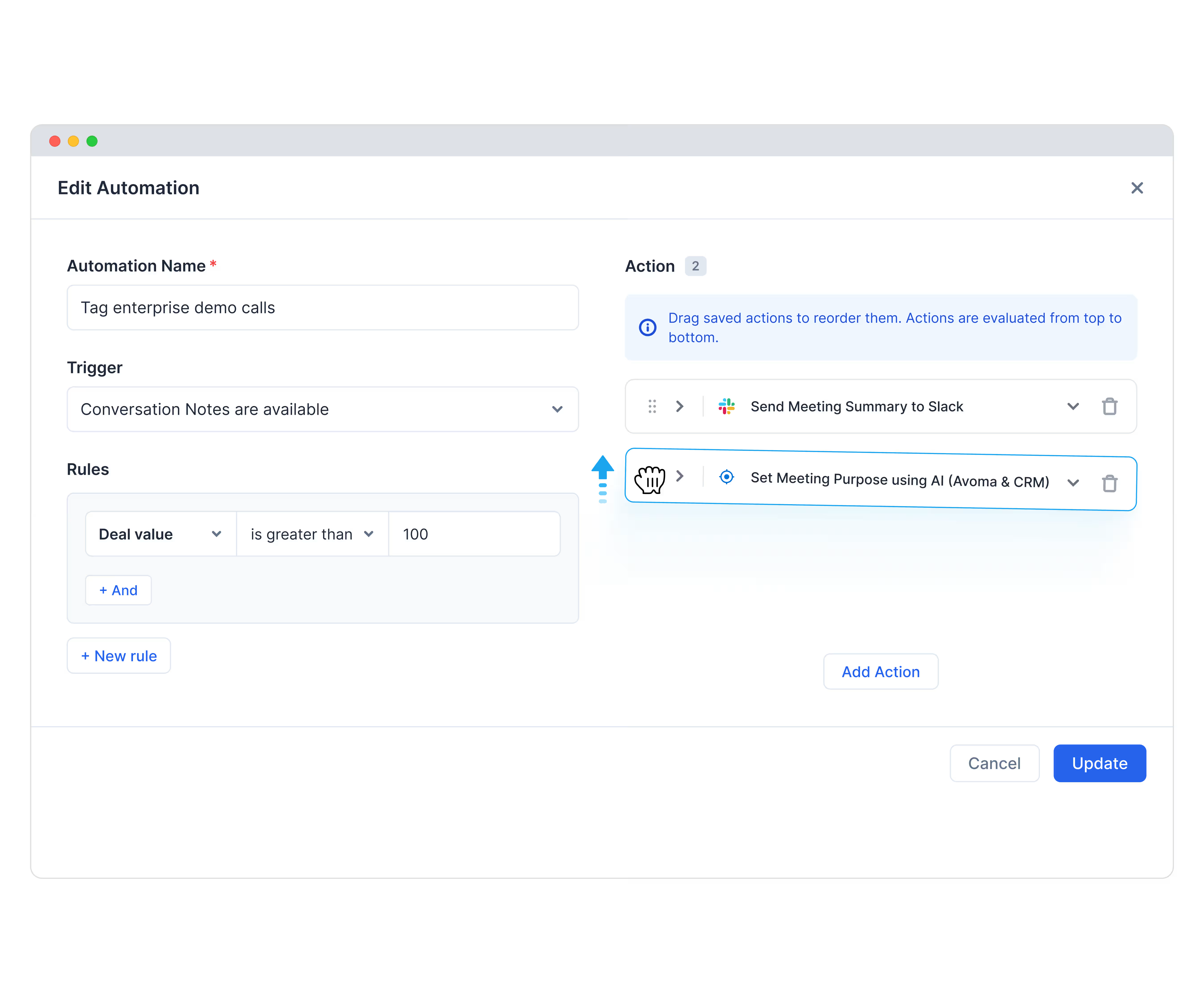
Once your automations list grows past a handful of rules, sequencing which one fires first, or finding a specific rule, means scrolling through the whole list instead of glancing at it.
- Reorder rules: drag and drop to reorder Automations.
- Reorder actions: drag actions to reorder them within a single automation.
- Find rules fast: search by name, or filter by trigger or action, to find a specific rule.
Deal Qualification Scores now write back to your CRM
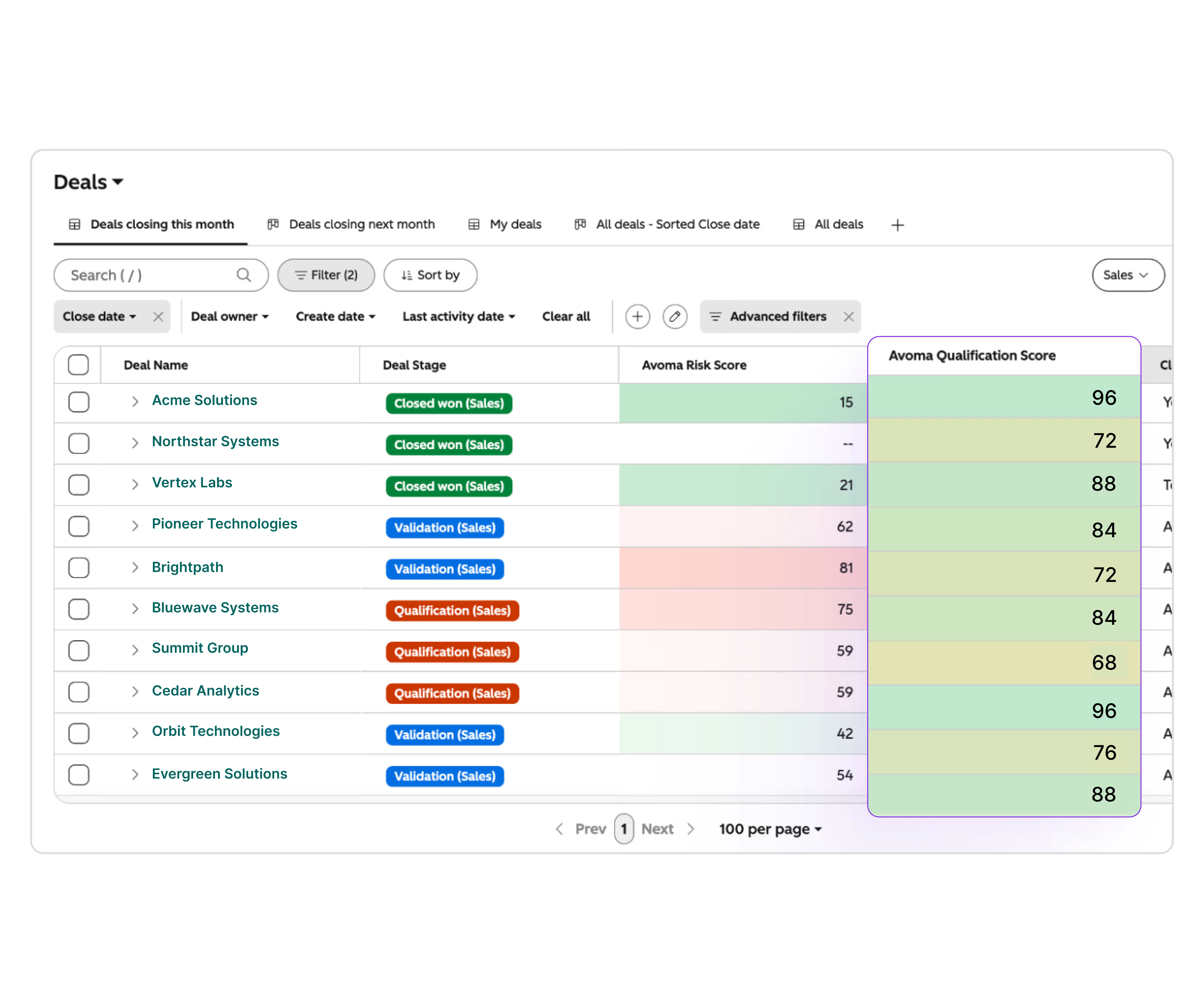
Deal qualification scores lived only inside Avoma's dashboards, separate from the CRM record a rep or manager opens day to day.
The Qualification Score now maps to any CRM deal field, custom fields included, and updates on its own whenever Avoma re-analyzes the deal. That closes a gap for teams whose forecast accuracy depends on CRM data quality.
Get started: CRM → Configure → Objects → Configure deal properties.
Break your forecast down by any CRM deal property
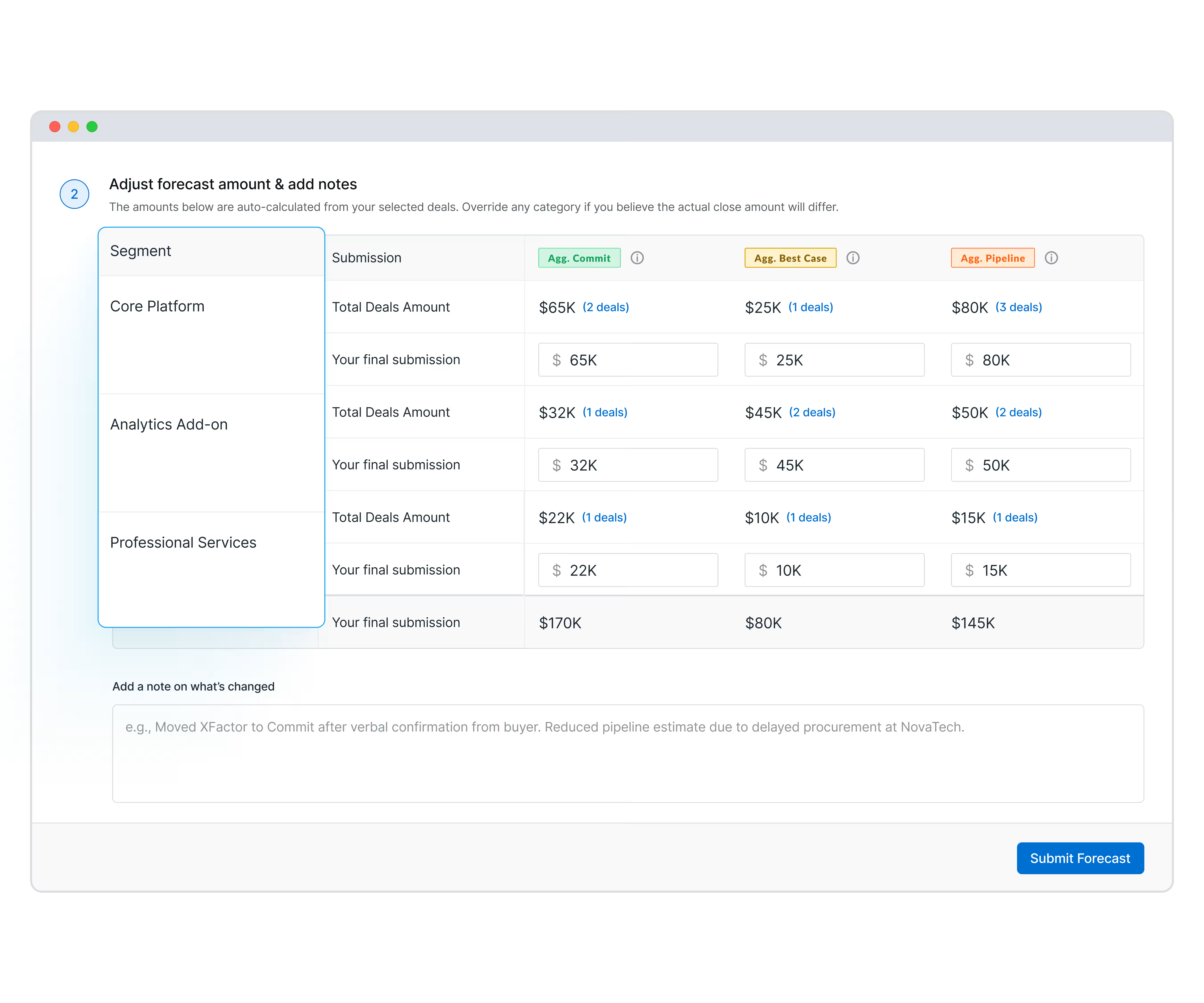
A single blended forecast target shows whether the business overall is on track. It won't show which product line, region, or deal source is behind.
Choose a deal property, product line, deal source, or region, for example, and set separate targets and forecasts per property. Results break out on your dashboard, tracked against the specific CRM amount field behind that property.
Get started: Settings → CRM → Configure → Forecast.
Avoma earns ISO/IEC 42001:2023 certification

Avoma earned ISO/IEC 42001:2023 certification this month, the international management system standard for responsible AI.
Missed last month? Catch up on the July 2026 updates.
If your team wants to see any of these features live, talk to your Avoma CSM for a walkthrough. You can also schedule a demo and our product experts will walk you through the platform.
Frequently Asked Questions


Dive into Our Latest
Avoma Insights.



What's stopping you from turning every conversation into actionable insights?


