
Avoma Insider: November 2026 Product Updates

Table of Contents:

A packed Q4 calendar leaves little time to prepare for meetings or investigate changes in your forecast. November’s updates help you get to that context faster, so you can start the day prepared and bring clearer answers to your forecast calls.
Here’s what’s new.
TL;DR: What's new in November
- Avoma Home: A personalized workspace that brings forward today's meeting briefs, deals with new risk, and recent changes in account health. All Avoma plans include it.
- Avoma in ChatGPT: Avoma is now an official app in ChatGPT's directory. Connect your account in a few clicks and query meetings, transcripts, and scorecards from ChatGPT.
- Forecast Snapshot: Compare Pipeline, Best Case, and Commit across submission periods and see which deals changed and why.
- Forecast Review: Run your weekly forecast call in a presentation-style view that keeps the discussion on commitments.
- Forecast by numeric deal properties: Forecast on seats, units, or other numeric properties in addition to Amount.
Start your day knowing where to focus with Avoma Home
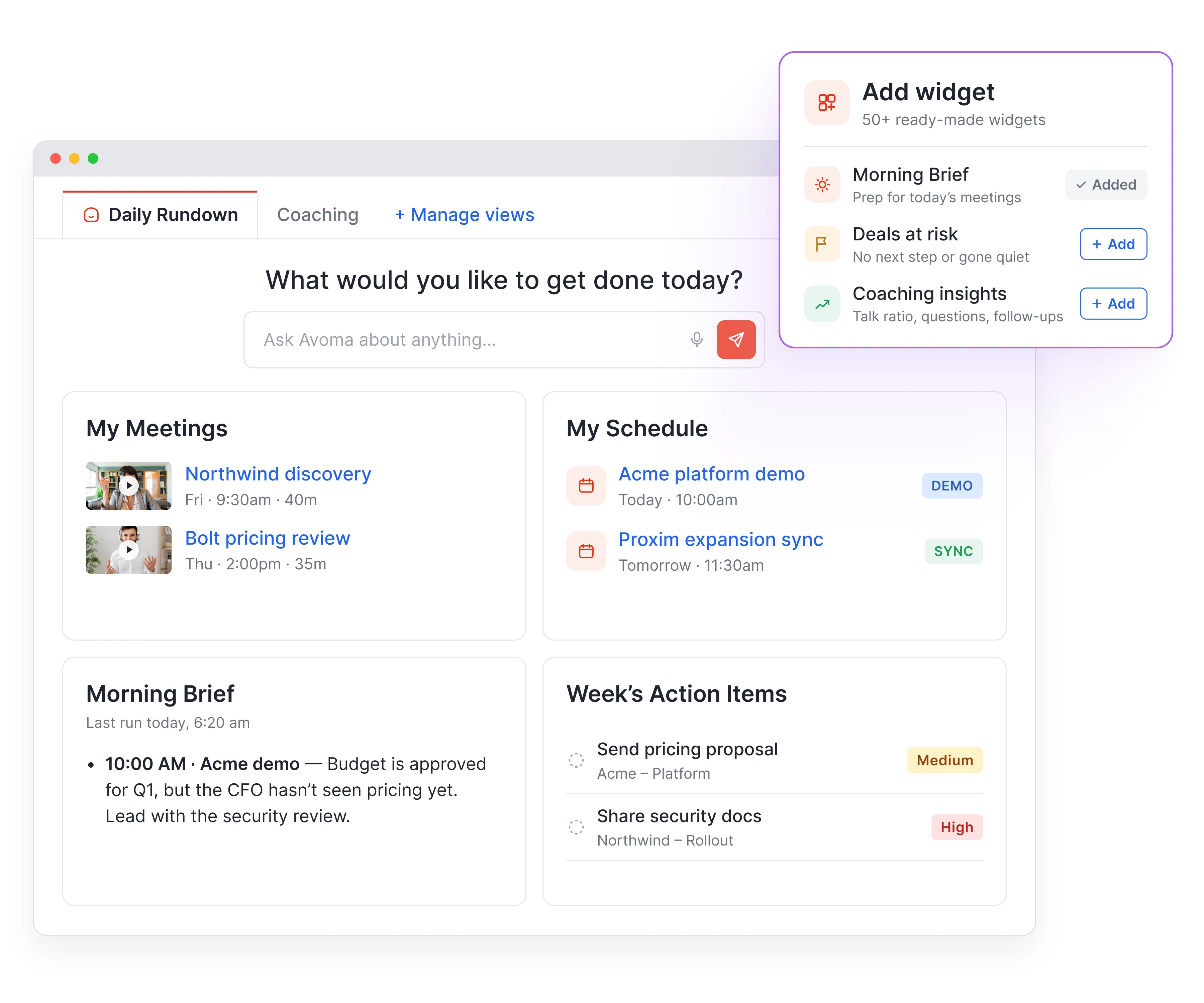
Avoma Home brings what needs your attention to you. It shows meeting briefs for today's meetings, deals with new risk, and recent changes in account health. Home keeps updating as your work changes, so you never work off a stale list.
You can create separate views for your day, your coaching, your pipeline, or your accounts. Choose from more than 40 ready-made activity and agentic widgets, or build your own. A rep can build a view around today's meetings and follow-ups. A sales manager can track coaching and deal risk in one place. A CSM can keep account health changes in front of them before renewal conversations.
Get started: Open Avoma and you will land on Home.
Availability: All Avoma plans include Home, with unlimited activity widgets. For a limited time, you can test 4 agentic widgets. Some widgets may require an add-on.
Avoma is now available in the ChatGPT app directory
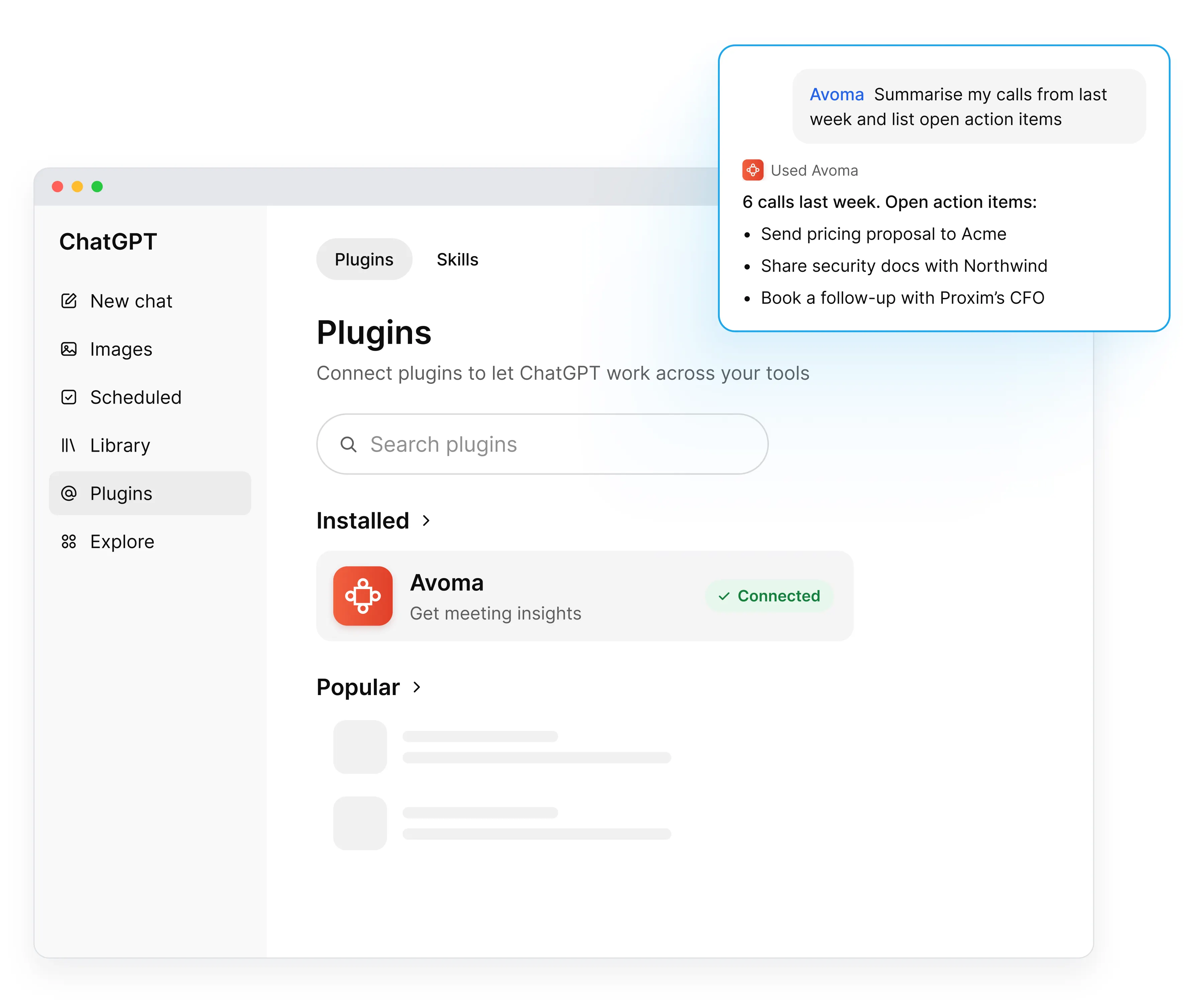
Avoma is now an official app in ChatGPT. You can connect your Avoma account from ChatGPT's directory without Developer Mode or custom configuration.
Once connected, ask ChatGPT to pull meeting notes and transcripts, check scorecard results, or surface patterns across meetings without switching tools.
Try asking:
- Summarize the objections raised in my calls with Acme this quarter.
- Which of my calls this week scored lowest on discovery?
- What patterns show up across our lost-deal calls from last month?
Get started: Open ChatGPT → Settings → Plugins (or visit chatgpt.com/plugins) → search Avoma → Connect.
Track how your forecast changed with Forecast Snapshot
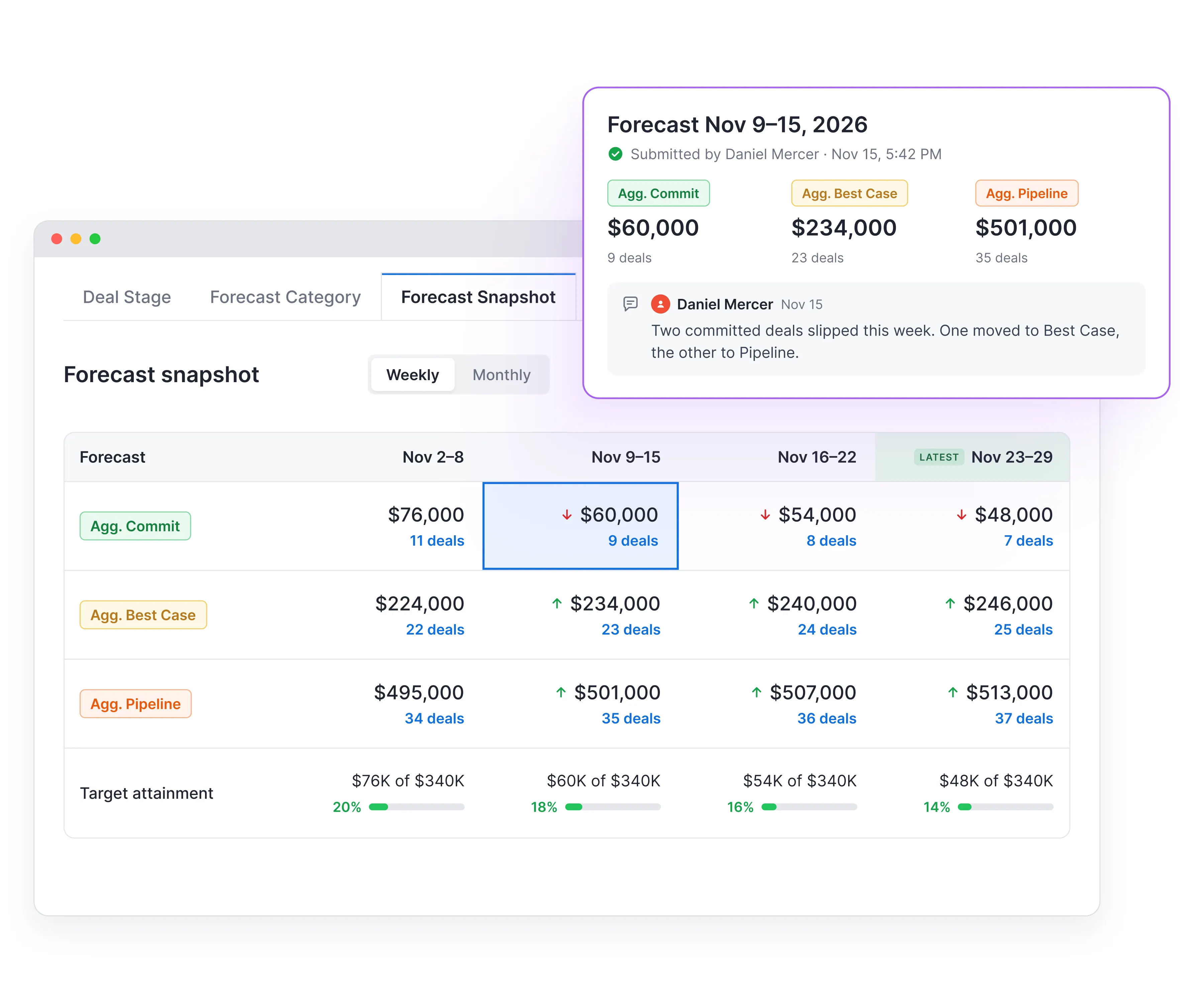
Forecast numbers move between submissions. When Commit drops or Best Case grows, managers spend the forecast call working out which deals moved and why.
The new Forecast Snapshot view lets you compare how your team's Pipeline, Best Case, and Commit forecasts changed from one submission to the next. Drill into a submission to see which deals it included, what changed in their stages or close dates, and the notes reps added.
Rep-level forecasts roll up to team totals, alongside deal counts and progress toward target. You can identify the changes you want to discuss before your next forecast call. For more on building a reliable process, read our guide to sales forecasting.
Get started: Go to Forecast → Manage views → select Forecast Snapshot and pin it.
Availability: Available for HubSpot and Salesforce customers using Aggregate (Advanced) forecasting. Requires the Revenue Intelligence add-on.
Run your weekly forecast call with Forecast Review
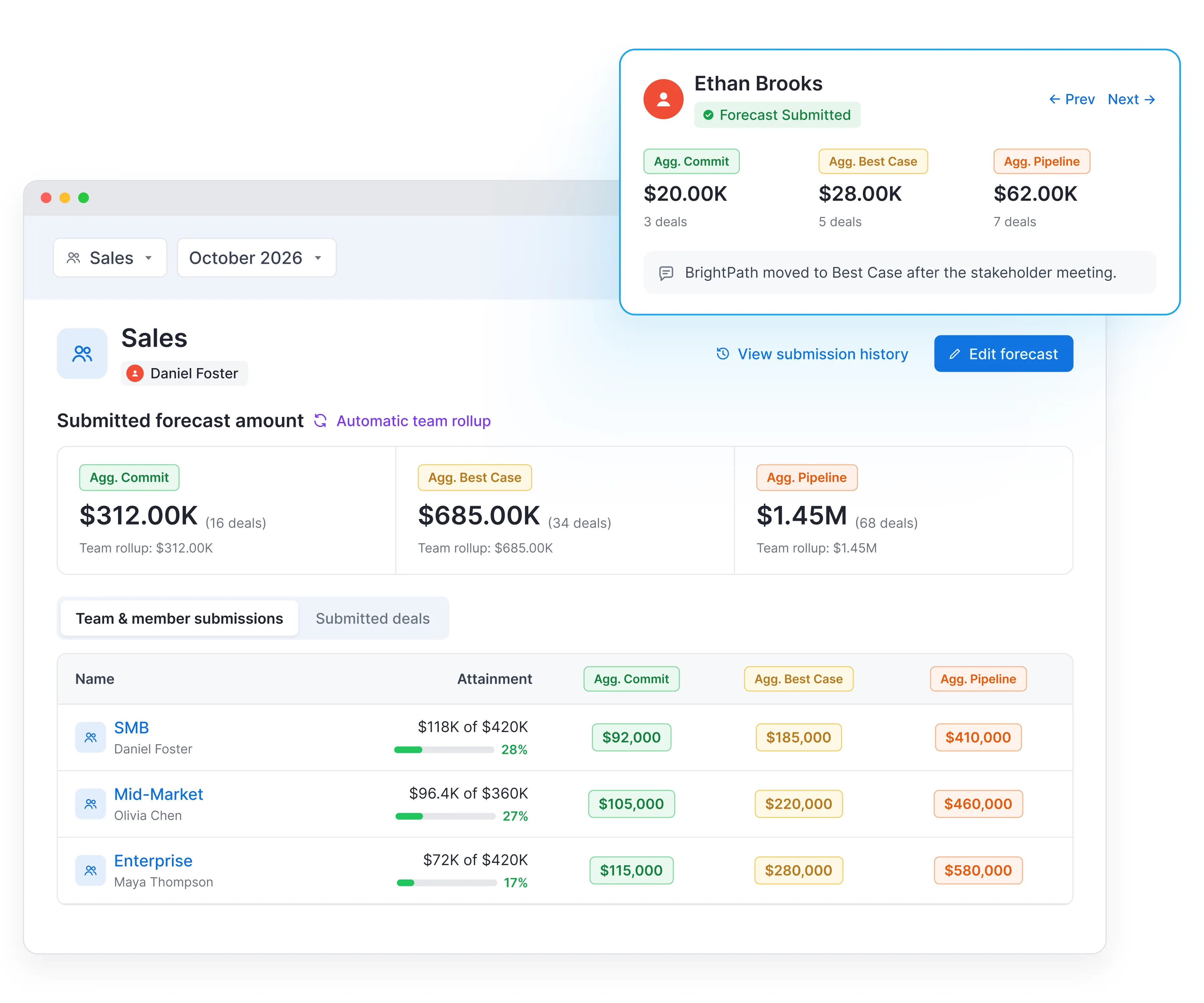
Weekly forecast reviews lose focus when reps start editing numbers mid-meeting or the group jumps between teams and deals.
Forecast Review gives you a presentation-style view to run the meeting. You review submitted numbers, notes, and deals together. Move through teams and reps in order, keep the discussion on commitments, and switch to Edit only when something needs to change.
Forecast Review pairs well with Forecast Snapshot. Use Snapshot before the call to spot what changed since the last submission. Then use Review during the call to walk through those changes with your team.
Get started: Go to Forecast → Review Forecast.
Availability: Requires the Revenue Intelligence add-on.
Forecast by seats, units, or other numeric deal properties
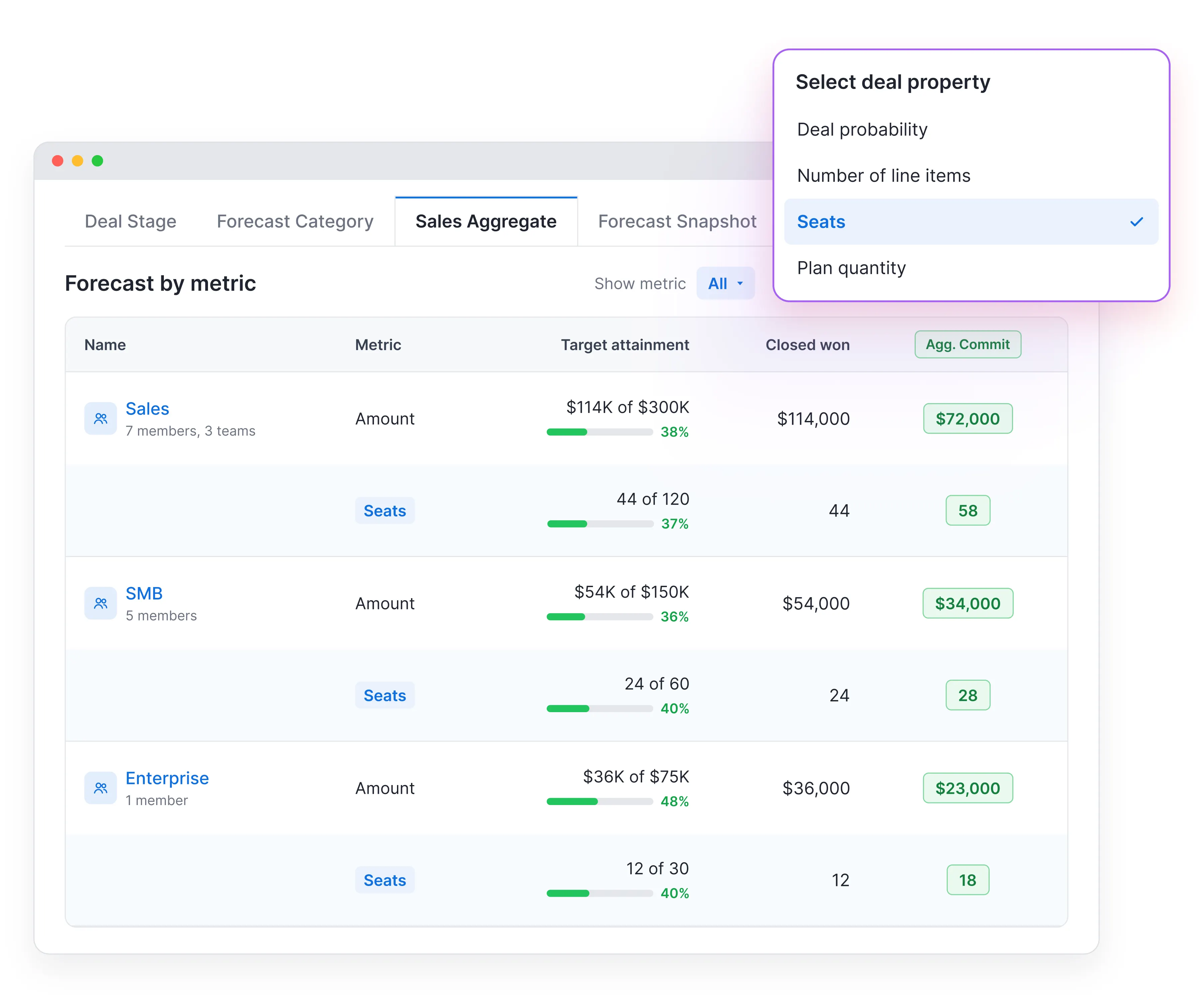
You can now forecast using numeric deal properties beyond Amount, such as seats, units, or other metrics specific to your business. Once you add a metric, your forecast totals, targets, and submissions update to reflect it. Sales and RevOps leaders can review revenue and volume targets in the same forecast workflow.
Get started: CRM → Configure → Forecast → Forecast metrics → Add a metric → Select deal property.
Availability: Requires the Revenue Intelligence add-on.
Missed last month? Catch up on the October updates here.
Want help applying these updates to your team’s workflows? Contact your Avoma Customer Success Manager for a walkthrough, or schedule a demo.
Frequently Asked Questions


Dive into Our Latest
Avoma Insights.



What's stopping you from turning every conversation into actionable insights?


