
Introducing botless recording, live notes, and live coaching in the Avoma desktop app

Table of Contents:
Some of your most important conversations never make it onto a calendar invite. A customer calls without warning, or a meeting happens in person around a table. These conversations don’t always come with a meeting link for a bot to join.
You still need a transcript and AI notes from those conversations. And when a prospect asks about a competitor or pricing, you want to answer on the call instead of saying “let me get back to you.”
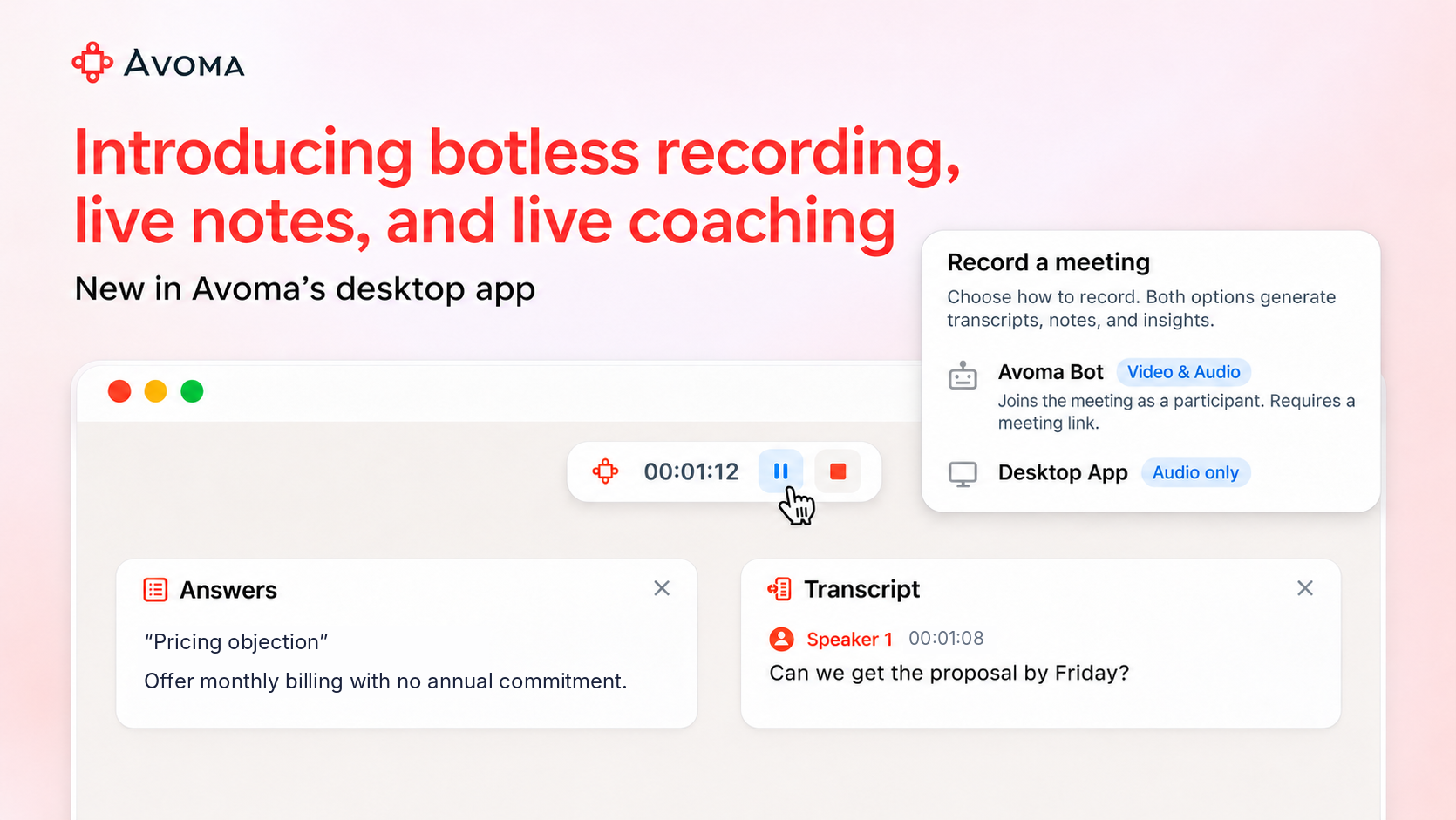
Today we’re introducing bot-free recording, live notes, and live coaching in the upgraded Avoma desktop app.
Record meetings in the Avoma desktop app without a bot
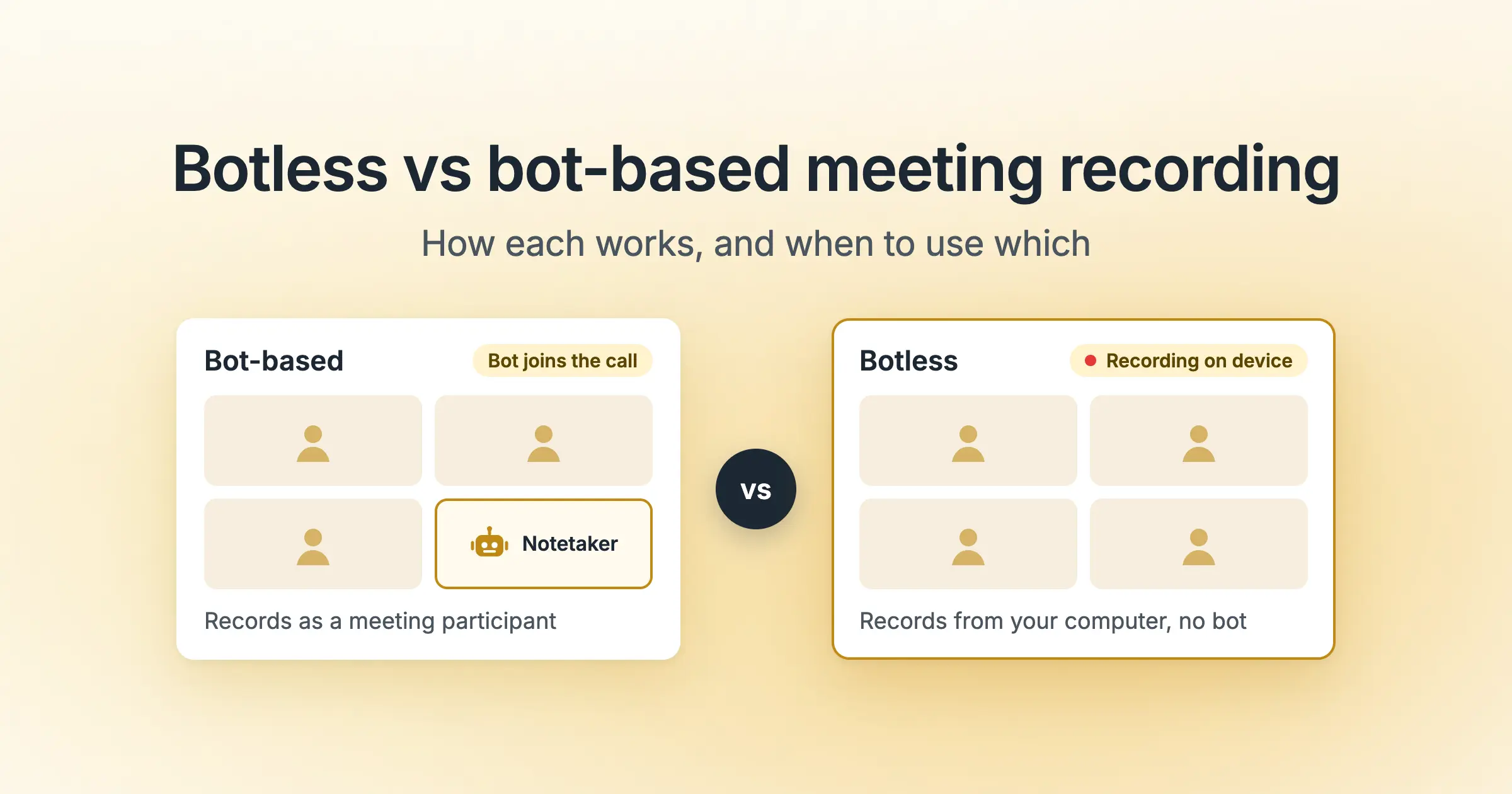
With botless recording, you capture conversations from your computer, and no bot joins as a participant.
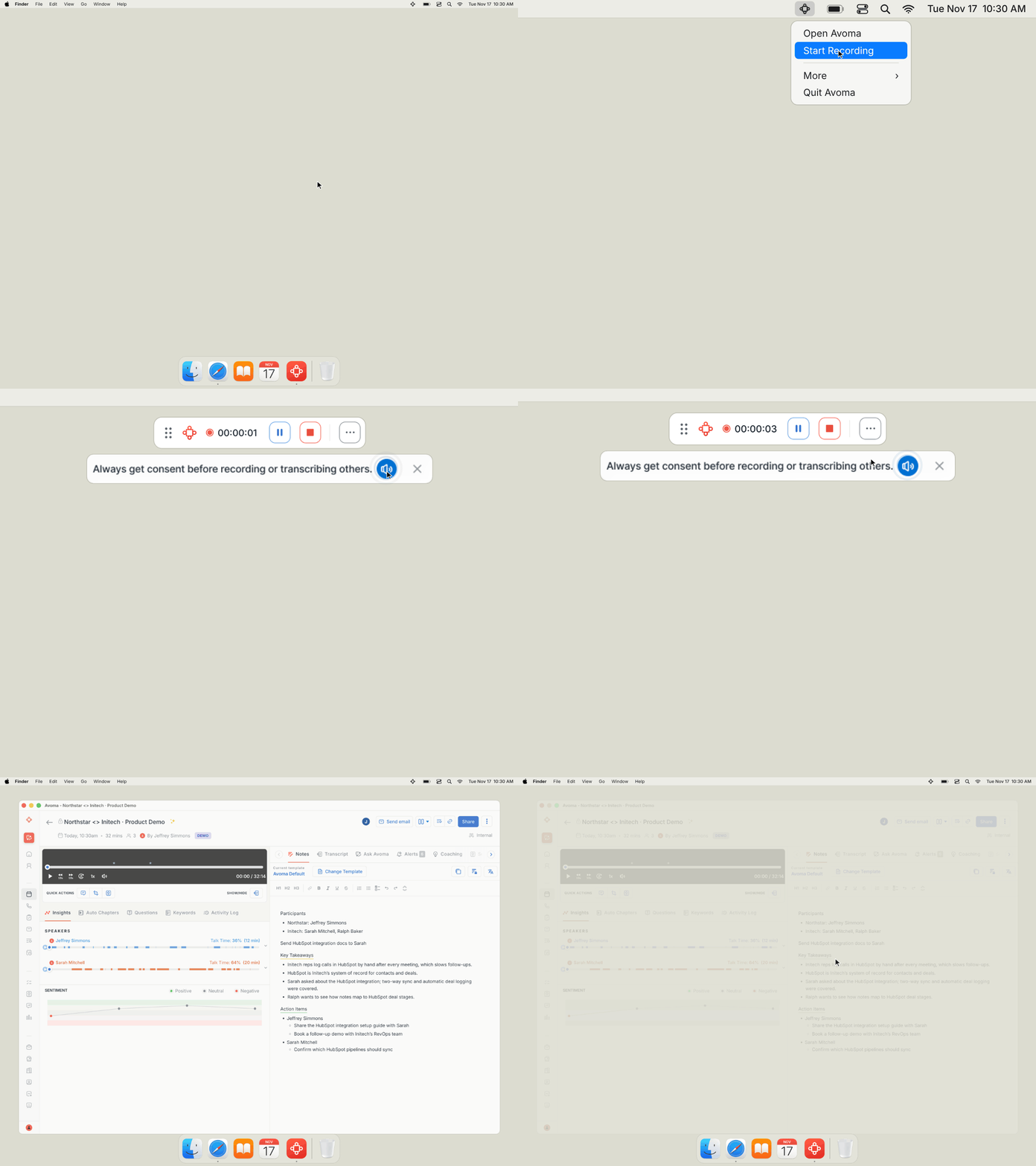
Start recording from your menu bar on Mac or system tray on Windows. It works with calls on Zoom, Google Meet, Microsoft Teams, and Slack huddles. It also captures in-person conversations through your computer's microphone.
Let participants know you're recording
You can play a spoken recording announcement through your computer's audio to let people know they're being recorded. Use it for in-person conversations and for calls where no meeting bot signals that recording has started. Recording consent rules vary by location, so check the requirements that apply to your calls.
Choose what to keep
Choose whether to save the audio recording or keep only the transcript and notes. When you stop recording, Avoma saves your transcript, AI notes, and the audio recording if you chose to keep it.
Keep the conversation connected to your work
Bot-free recording gives you the same CRM updates, sales coaching, and deal insights as a bot recording.
Follow the conversation with live transcription and notes
If you join late or lose track of a point, you can check it while the meeting is still going.
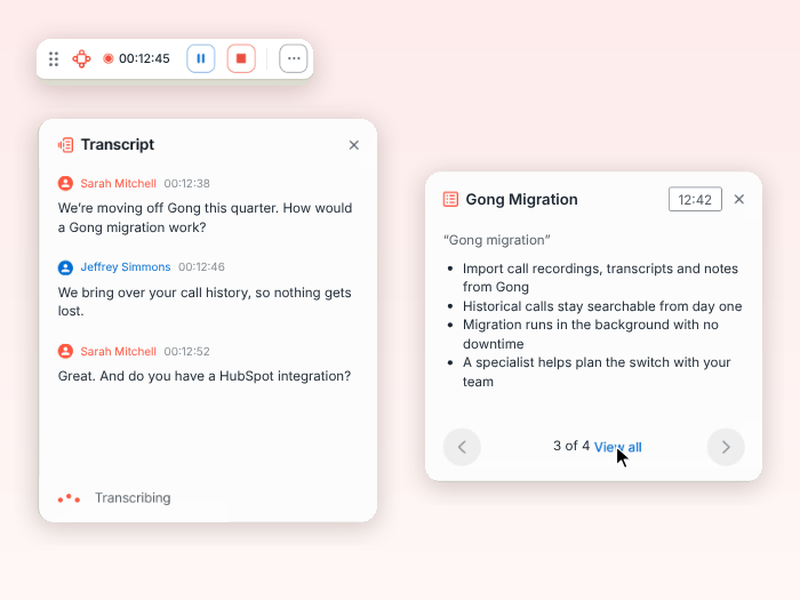
Live notes show the transcript and AI notes beside your meeting as you talk. Check what someone just said, revisit a requirement, or confirm a next step.

Add your own notes when something stands out. Your transcript, AI notes, and observations stay in one view while the discussion continues.
Live notes come with all paid seats. Use them on sales calls, customer check-ins, and internal meetings.
Get live coaching during calls
A prospect asks how you compare with a competitor or raises a pricing objection. During discovery, you also need to track the questions you still have to ask.
Live coaching helps account executives respond in the moment and follow their team's sales methodology.
Handle objections and questions with answer cards
Set up answer cards for the competitors, objections, and pricing questions your team hears most.
When a related topic comes up, Avoma surfaces the matching card with your team's guidance. If a prospect mentions a competitor, you see the approved talking points while the conversation continues.

Sales managers write the guidance once, and reps get it on the calls where they need it.
Know what to ask next
Avoma follows your sales methodology, including frameworks like SPICED and MEDDPICC, throughout the call.
It checks off topics as you cover them and suggests what to ask next, so you can see which discovery questions still need attention before the meeting ends.
Live coaching is available with the Conversation Intelligence add-on.
Get live assistance from Ask Avoma
Along with answer cards, you can use Ask Avoma during the call without leaving the meeting or stopping your recording.
Ask about the conversation in progress, like what the prospect said about budget or timeline, which questions are still open, or a summary of the call so far.

Suggested prompts help you get started, and you can copy an answer into your notes or download any file Ask Avoma creates.
Download the Avoma desktop app
Get the new and improved Avoma desktop app to use botless recording, live notes, and live coaching. It runs on Windows and on Macs with Apple silicon.
Use bot-free recording on calls and in-person meetings, follow live notes as you talk, and get answer cards when a prospect brings up a competitor or pricing.


Use bot-free recording on calls and in-person meetings, follow live notes as you talk, and get answer cards when a prospect brings up a competitor or pricing.
Use bot-free recording on calls and in-person meetings, follow live notes as you talk, and get answer cards when a prospect brings up a competitor or pricing.
Use bot-free recording on calls and in-person meetings, follow live notes as you talk, and get answer cards when a prospect brings up a competitor or pricing.
Use bot-free recording on calls and in-person meetings, follow live notes as you talk, and get answer cards when a prospect brings up a competitor or pricing.
Use bot-free recording on calls and in-person meetings, follow live notes as you talk, and get answer cards when a prospect brings up a competitor or pricing.
Use bot-free recording on calls and in-person meetings, follow live notes as you talk, and get answer cards when a prospect brings up a competitor or pricing.
Use bot-free recording on calls and in-person meetings, follow live notes as you talk, and get answer cards when a prospect brings up a competitor or pricing.
Frequently Asked Questions
Yes. Start recording from your menu bar or system tray without inviting a bot. For an in-person meeting, use your computer's microphone to capture the conversation.
The desktop app's botless recording captures audio. Avoma's bot-based recording remains an option to capture both video and audio.
No. You can choose to keep only the transcript and notes.
No. The floating in-call panels stay hidden from participants during screen sharing, so you can refer to your notes and coaching guidance while you present.
Live notes come with all paid seats. Live coaching requires the Conversation Intelligence add-on. Ask Avoma during calls requires the Organization plan or above. You access all three through the Avoma desktop app.


Dive into Our Latest
Avoma Insights.



What's stopping you from turning every conversation into actionable insights?


