
Botless vs bot-based meeting recording and things you must know

Table of Contents:
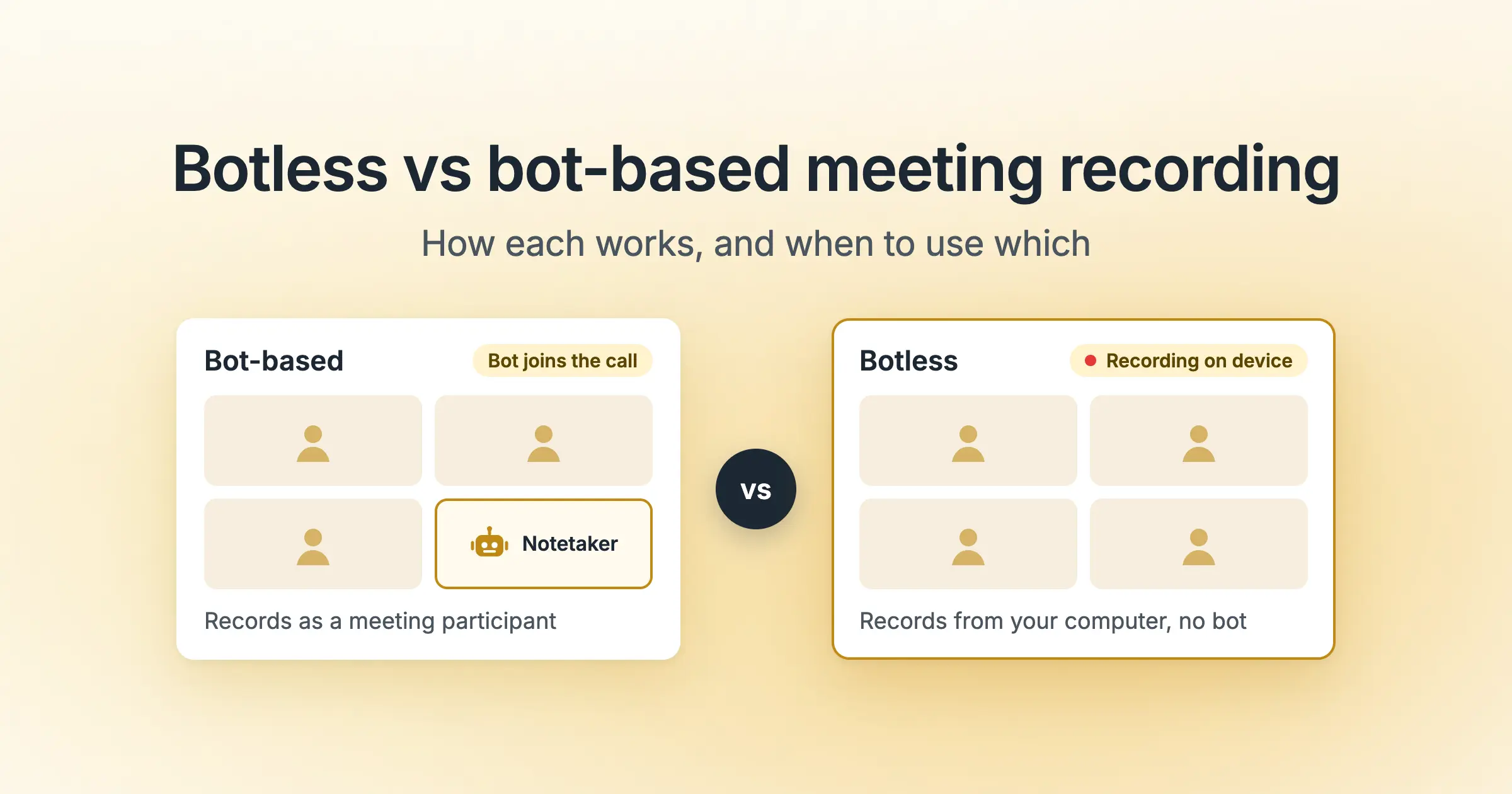
Your notetaker used to get into every call. Now a customer's Microsoft Teams meeting can flag it as a suspected bot and hold it in the lobby until someone lets it in.
If you run recording for a sales or CS team, some calls still need a bot and others need a recorder that never joins. This guide compares both on speaker data, consent and reliability, then gives you a meeting-by-meeting plan to turn into a team policy.
TL;DR
- Bot-based recording sends a notetaker into the call. Botless recording captures audio on your own computer or phone, so nothing joins.
- Bots win on speaker labels and meetings you can't attend. Botless covers in-person, phone, impromptu and bot-blocked calls.
- Consent rules apply to both. Botless needs a spoken notice or a tool that plays one.
- The practical setup for a revenue team is both: a bot by default, and botless for a set list of meetings.
What's the difference between bot-based and botless meeting recording?
Bot-based recording means a notetaker joins your Zoom, Microsoft Teams or Google Meet call as a separate participant. It gets invited from your calendar, shows up in the participant list, and records what the platform sends it.
Botless (or bot-free) recording means the capture happens on your device. A desktop or mobile app records your microphone and the audio your computer plays, so no one new appears in the call.
There are 4 common botless routes:
- Desktop app: Records your mic plus system audio. It works on any call your computer plays, including Slack huddles and dialers.
- Browser extension: Records the browser tab you joined from, often Google Meet only.
- Platform recording: Zoom cloud recording or Google Meet's recorder captures the call, and the notetaker imports the file. It depends on host permissions and your plan.
- Mobile app: Records in-person meetings from your phone.
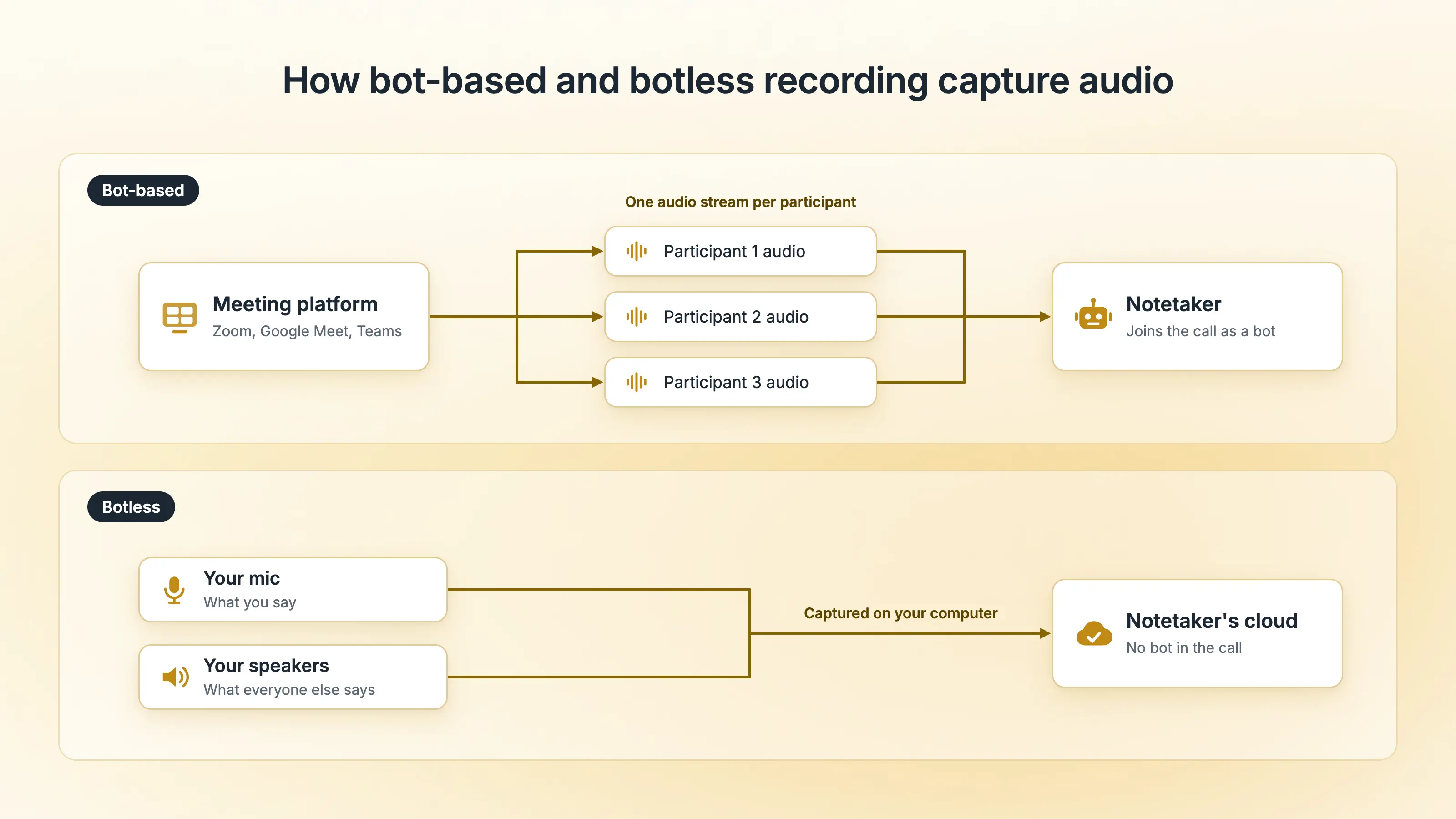
Where the capture happens shapes everything else, from who sees the recorder to how speakers get labeled.
Bot-based vs botless recording, side by side
The two methods differ most on speaker labels, attendance and disclosure.
| Dimension | Bot-based recording | Botless recording |
|---|---|---|
| How it records | Joins the call as a participant | Captures audio on your device |
| What participants see | A named notetaker in the participant list | No extra participant |
| Setup | Joins from your calendar invite | You start it, or the app prompts you |
| Meetings you don't attend | Records without you | Needs you and your device in the meeting |
| Speaker labels | Can use each participant's separate audio | Your mic plus one mixed track for everyone else |
| Where it works | Zoom, Teams, Meet and other supported platforms | Any audio your device plays, plus in-person on mobile |
| Typical failure | Blocked by the host's IT or stuck in the lobby | Nobody presses record, wrong mic, laptop asleep |
| Where audio goes | The vendor's cloud | The vendor's cloud, unless the tool is local-first |
| Consent | Required | Required |
The blocked-bot row is getting more common. Microsoft Teams now uses bot detection to hold outside notetakers in the lobby until an organizer admits them, and Microsoft is rolling out an option to block detected bots.
For revenue teams, the speaker-labels row matters most, and the next section shows why.
What botless recording changes for sales and CS data
Speaker attribution is the main difference. Word accuracy depends on audio quality, but knowing who said each sentence depends on how the audio arrives.
A bot inside Zoom or Teams can often receive each participant's audio as a separate stream. Recall.ai, which builds recording infrastructure for meeting tools, explains in its diarization documentation that separate streams make speaker attribution more accurate than one mixed track.
A desktop recorder hears your mic and your speakers. Your voice arrives on its own, but everyone else arrives mixed, and software has to separate them by sound.
Revenue workflows depend on who said what:
- Coaching metrics: Talk ratio, filler words and patience depend on knowing which voice is the rep's.
- Scorecards: A scorecard checking whether the rep asked about budget needs to know who asked.
- CRM notes: "The CFO approved budget" and "the champion approved budget" lead to different forecast calls.
- Meetings you miss: A bot can record a call you can't join.
Example: On a botless discovery call with 3 buyers, the transcript separates the rep from the buyers. Telling the CFO from the champion is harder, and that decides who raised the pricing objection. (Illustrative scenario.)
Pro Tip: Before moving a team to botless, record one internal multi-person call both ways and compare the speaker labels.
Speaker data is the main cost of going botless. Consent is the main risk.
Does botless recording get around consent rules?
Consent obligations stay the same with botless recording. Recording laws apply to the act of recording, whichever way the audio gets captured.
In the US, some states allow one-party consent, and others require all-party consent. A call spanning several states or countries can fall under more than one set of call recording laws.
A visible bot is a cue, but it doesn't prove anyone agreed, and botless recording removes even that cue. Lawsuits against AI notetakers, including a class action against Otter.ai, have made consent a standard question in any AI notetaker security review.
How each method handles disclosure:
- Bot-based: The tool can send notices or ask for consent first. Avoma's consent policies, for example, range from "Notified only" to "Permission required," where declining turns recording off.
- Most botless tools: Disclosure depends on the rep remembering. If they forget, nobody gets told.
- Botless with a spoken announcement: Some desktop apps play a recording notice through your computer's audio, so everyone hears it, including people on a phone or in the room.
Without an announcement feature, say it in the first 30 seconds:
"Quick note before we start: I'm recording this call so I can focus on our conversation. Is that okay with everyone?"
If anyone says no, stop recording and take notes by hand. Treat this as general information, and check the rules for each location with your legal team.
Common Mistake: Treating an accepted calendar invite as consent. Accepting means agreeing to attend, and recording needs its own notice.
With speaker data and consent covered, you can pick a method per meeting.
Which recording method fits which meeting
Default to a bot for scheduled calls where you need coaching data or might not attend. Use botless when a bot can't get in or isn't welcome.
The 3-question recording check runs in this order:
- Will you be in the meeting? If you won't, use a bot.
- Can a bot get in? For in-person, phone, Slack huddle or bot-blocked calls, use botless.
- Do you need to know which buyer said what? For multi-buyer calls you'll coach or forecast from, use a bot where allowed.
Whichever method you land on, tell people they're being recorded.
| Meeting type | Recommended method | Why |
|---|---|---|
| Discovery and demo calls you host | Bot, with botless as the fallback | Speaker data for coaching and CRM; switch if the buyer objects |
| Calls hosted by a customer that blocks bots | Botless | The bot won't get past their lobby |
| Sensitive calls (exec, legal, pricing) | Botless with spoken consent, or no recording | No extra participant; ask first |
| Internal 1:1s and team meetings | Bot | Records without you and labels speakers |
| Meetings you can't attend | Bot | A device recorder needs you in the meeting |
| In-person meetings | Botless (mobile or desktop app) | No meeting link for a bot to join |
| Phone calls | Dialer integration, or botless with an announcement | Meeting bots can't join phone calls |
| Slack huddles and WhatsApp calls | Botless | Meeting bots can't join these |
| Impromptu calls with no invite | Botless | No calendar invite for a bot |
A matrix only helps if reps know when to switch, which is what a written policy is for.
How to set a recording policy that uses both
- Set default recording rules, such as recording accepted external meetings only.
- List your botless meetings. Use the matrix rows that apply to your team.
- Set disclosure for each method. Use consent policies for bot recordings. For botless, require the spoken announcement or the disclosure line.
- Decide what to keep from botless calls. Some tools let you save the full recording, or only the transcript and notes.
- Install the apps. Reps get the desktop app for botless calls and the mobile app for in-person meetings.
- Spot-check after a month. Look for meetings that never got recorded and transcripts with wrong speaker labels.
How Avoma handles bot and botless recording
Avoma records both ways. The Avoma Assistant joins scheduled Zoom, Microsoft Teams and Google Meet calls, and Teams admins can set how lobby approval treats it. The Avoma desktop app records any call without a bot, from the menu bar on Mac or the system tray on Windows.
- Coverage: Zoom, Meet, Teams, Slack huddles, phone and WhatsApp calls, with no meeting link. The Avoma mobile app covers in-person meetings.
- Disclosure: An optional spoken announcement plays through your computer's audio. Bot recordings follow Avoma's consent policies.
- What you keep: Save the full recording, or only the transcript and notes, then set privacy levels for who can see it.
- After the call: Botless recordings get the same AI notes, CRM field mapping, scorecards and deal insights as bot recordings.
- Security: SOC 2 Type II, HIPAA, GDPR, SSO/SCIM and zero-day retention.
The desktop app runs on Windows and Mac (Apple silicon) and also shows live notes and coaching during calls.
The calls your bot can't reach still hold deal context worth keeping. Download the Avoma desktop app and start with the botless rows from the matrix above.
Use Avoma's Desktop App to record calls when meeting bots can't join or aren't welcome. Get AI notes, transcripts, and conversation insights without adding a bot to the meeting.
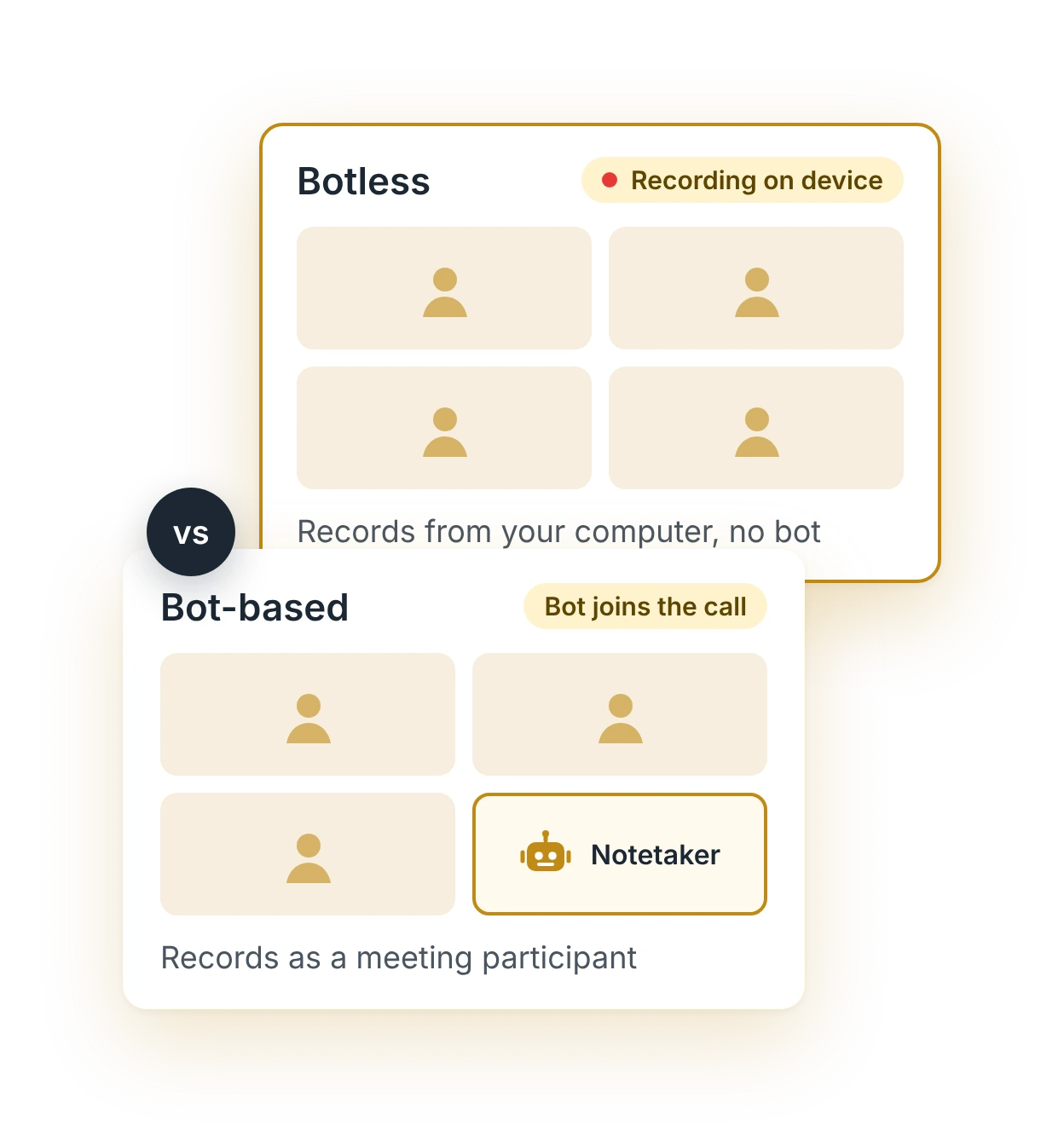


Use Avoma's Desktop App to record calls when meeting bots can't join or aren't welcome. Get AI notes, transcripts, and conversation insights without adding a bot to the meeting.
Use Avoma's Desktop App to record calls when meeting bots can't join or aren't welcome. Get AI notes, transcripts, and conversation insights without adding a bot to the meeting.
Use Avoma's Desktop App to record calls when meeting bots can't join or aren't welcome. Get AI notes, transcripts, and conversation insights without adding a bot to the meeting.
Use Avoma's Desktop App to record calls when meeting bots can't join or aren't welcome. Get AI notes, transcripts, and conversation insights without adding a bot to the meeting.
Use Avoma's Desktop App to record calls when meeting bots can't join or aren't welcome. Get AI notes, transcripts, and conversation insights without adding a bot to the meeting.
Use Avoma's Desktop App to record calls when meeting bots can't join or aren't welcome. Get AI notes, transcripts, and conversation insights without adding a bot to the meeting.
Use Avoma's Desktop App to record calls when meeting bots can't join or aren't welcome. Get AI notes, transcripts, and conversation insights without adding a bot to the meeting.
Frequently Asked Questions
Yes, with a desktop or mobile app. Device-based recording captures the audio a computer plays, so it works whether or not the user hosts the meeting. Platform recording, such as Zoom cloud recording, depends on the host's permissions and plan. Consent rules apply either way.
Only if someone tells them. A botless recorder adds no attendee to the participant list. Some desktop apps play a spoken recording notice through the computer's audio. Without that feature, the person recording needs to tell participants at the start.


Dive into Our Latest
Avoma Insights.



What's stopping you from turning every conversation into actionable insights?


